
Introduction
Search engine optimization involves many activities, including keyword research, content optimization, technical improvements, and link building. But how do you know whether these efforts are actually working?
This is where an SEO report becomes important.
An SEO report helps website owners, marketers, and agencies understand how their websites are performing in search engines. It presents important information such as organic traffic, keyword visibility, search impressions, clicks, backlinks, and technical SEO issues.
Instead of guessing whether an SEO campaign is successful, businesses can use reporting data to evaluate progress and identify areas that need improvement.
In this guide, we will explain what an SEO report is, which metrics it should include, how to create one, and how to use it to make better SEO decisions.
What Is an SEO Report?
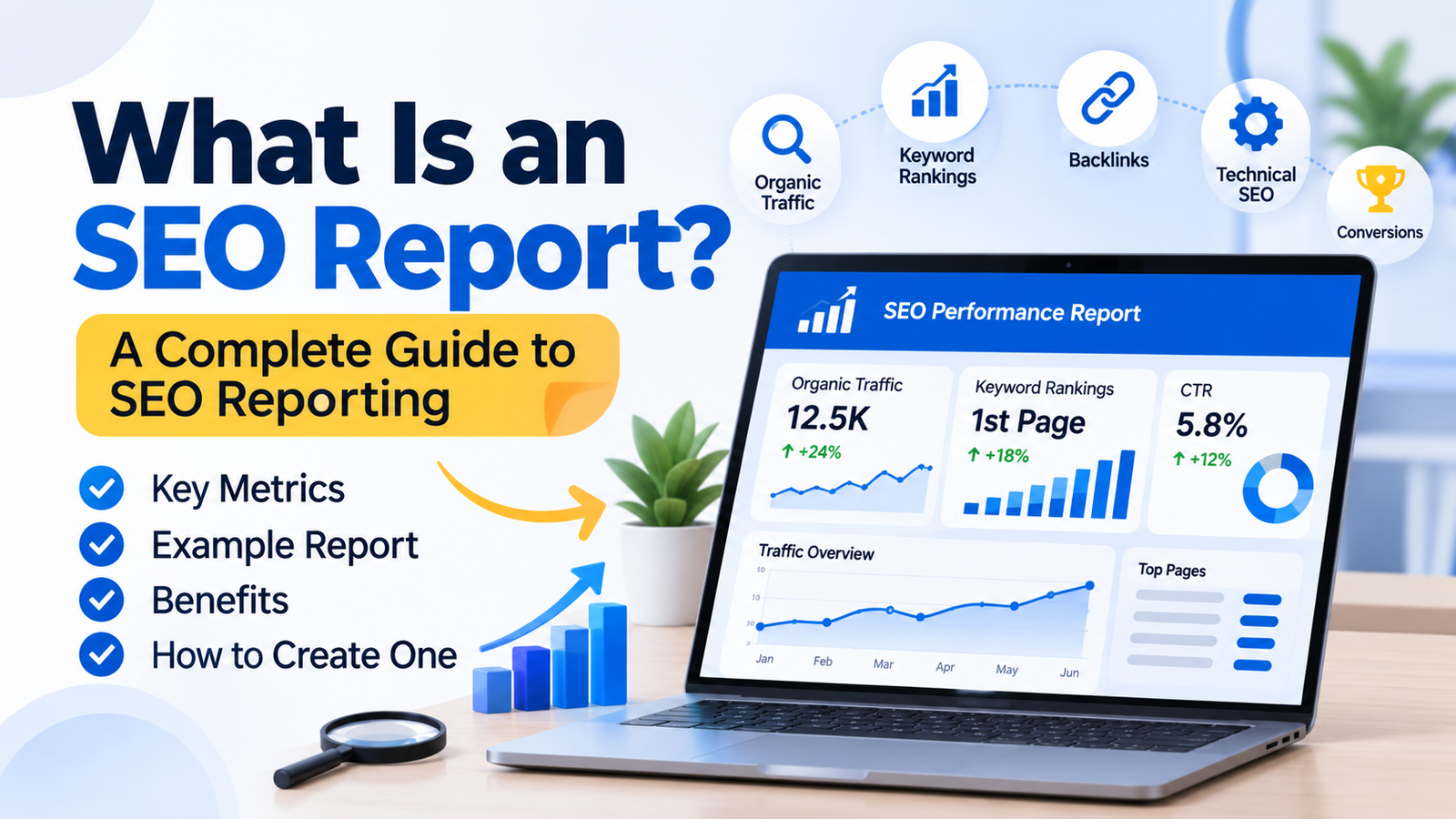
An SEO report is a document or dashboard that summarizes a website’s search engine optimization performance over a specific period.
It collects and organizes SEO data to show how a website is performing in organic search results and whether optimization activities are producing useful results.
An SEO report may include:
- Organic website traffic
- Keyword rankings and visibility
- Search impressions and clicks
- Click-through rate (CTR)
- Backlink profile
- Technical SEO issues
- Landing page performance
- Content performance
- Conversions and leads from organic search
For example, a digital marketing agency may prepare a monthly SEO report for a client. The report could show that organic clicks increased during the month, several important keywords gained visibility, and a technical issue was discovered that needs attention.
The purpose is not simply to display numbers. A useful SEO report explains what changed, why it matters, and what should happen next.
If you are new to search engine optimization, start with our guide on what SEO is and how it works.
Why Is SEO Reporting Important?
SEO reporting helps businesses understand whether their optimization strategy is moving in the right direction. It also provides information that can guide future decisions.
Here are some important benefits.
1. Measure SEO Performance
An SEO report helps you track changes in organic traffic, search visibility, keyword performance, and other important metrics.
You can compare current results with previous periods to understand whether your website is gaining visibility or losing ground.
2. Identify Problems Early
Reporting can reveal issues that may otherwise go unnoticed.
For example, you may discover that:
- Organic clicks have dropped.
- Important pages are no longer receiving impressions.
- Some pages are not indexed.
- A group of keywords has lost visibility.
- Website traffic is increasing but conversions are declining.
Identifying these problems early gives you an opportunity to investigate and take corrective action.
3. Understand Keyword Performance
Keyword reporting shows which search queries are bringing visitors to your website and how your pages appear in search results.
This information can help you identify keywords that need better content, stronger internal links, or improved search intent alignment.
You can also use our guide on what keyword difficulty means in SEO to understand how keyword competition can influence your targeting decisions.
4. Demonstrate the Value of SEO
Businesses invest time and money in SEO, so they need a way to understand the results.
A clear report helps agencies explain campaign progress, completed work, improvements, and remaining challenges.
It can also connect SEO performance with business outcomes such as leads, enquiries, sales, and revenue.
5. Make Better SEO Decisions
SEO reporting provides useful information for planning future activities.
For example, if a blog post receives impressions but has a low click-through rate, you may need to review its title and meta description.
If a service page receives organic traffic but few enquiries, you may need to improve its content, user experience, or conversion process.
What Should an SEO Report Include?
A good SEO report should focus on metrics that relate to the website’s goals. Not every website needs the same information, but most reports include the following sections.
1. Organic Traffic
Organic traffic refers to visitors who arrive at your website through unpaid search engine results.
This metric helps you understand whether search engines are sending visitors to your website.
You can monitor organic traffic through Google Analytics 4 (GA4).
Important information may include:
- Organic sessions
- Organic users
- Engaged sessions
- Landing pages receiving organic visits
- Organic conversions
When reviewing traffic, compare similar time periods and consider seasonal changes. A decline does not always mean your SEO strategy has failed.
2. Keyword Rankings and Visibility
Keyword reporting shows how your website’s pages perform for selected search queries.
You can track:
- Target keyword positions
- Ranking improvements
- Ranking declines
- Keywords entering the top 10
- Keywords entering the top 20
- New keyword opportunities
However, keyword rankings should not be treated as the only measure of SEO success. Search results can vary by location, device, and search context.
It is also useful to understand the search results page itself. Read our guide on what SERP means in SEO to learn how search results are organized.
3. Search Impressions and Clicks
Google Search Console provides useful data about how your website performs in Google Search.
Two important metrics are:
Impressions: The number of times a website link appeared in Google’s search results.
Clicks: The number of times users clicked a website link from those results.
These metrics help you understand whether your pages are becoming more visible and attracting search visitors.
For example, if impressions increase but clicks remain low, you may need to investigate your titles, descriptions, search intent, and competition.
4. Click-Through Rate (CTR)
Click-through rate measures the percentage of impressions that resulted in clicks.
The basic formula is:
CTR = (Total Clicks ÷ Total Impressions) × 100
For example, if a page receives 1,000 impressions and 50 clicks:
CTR = (50 ÷ 1,000) × 100 = 5%
A low CTR may indicate that your search listing is not attracting enough attention. However, CTR depends on several factors, including ranking position, query type, SERP features, and search intent.
5. Backlink Profile
Backlinks are links from other websites pointing to your website.
A backlink section can help you understand your website’s link profile and identify potential opportunities or risks.
Useful information includes:
- Total referring domains
- New and lost backlinks
- Linking website relevance
- Anchor text distribution
- Important linked pages
- Potentially suspicious link patterns
Remember that backlink quantity alone does not determine link quality. Relevance, context, and the quality of the linking website also matter.
6. Technical SEO Health
Technical SEO reporting helps identify website issues that may affect crawling, indexing, and user experience.
Depending on the tools used, this section may include:
- Broken links
- Redirect errors
- Indexing problems
- Duplicate page issues
- Sitemap errors
- Mobile usability concerns
- Core Web Vitals
- Missing or incorrect canonical tags
A technical audit can help prioritize problems based on their potential impact and the importance of affected pages.
7. Top-Performing Pages
An SEO report should identify which website pages are attracting the most organic traffic and search visibility.
This information can help you understand what type of content performs well.
You can review:
- Pages with the most organic clicks
- Pages with increasing impressions
- Pages generating leads or sales
- Pages losing traffic
- Pages with opportunities for improvement
For example, if a particular blog post attracts consistent organic traffic, you may consider updating its information, improving internal links, or adding related resources.
8. Conversions and Leads
Traffic is useful, but businesses also want to understand whether organic visitors take meaningful actions.
Depending on the website, conversions may include:
- Contact form submissions
- Phone calls
- Product purchases
- Newsletter subscriptions
- Demo requests
- Appointment bookings
Google Analytics 4 can help track relevant events and conversions when properly configured.
Including conversion data makes SEO reporting more closely connected to business goals.
Best Tools to Create an SEO Report
You do not need dozens of tools to prepare a useful SEO report. A combination of reliable platforms can provide enough information for most websites.
1. Google Search Console
Google Search Console is one of the most useful free tools for SEO reporting.
It provides information about:
- Search queries
- Impressions
- Clicks
- Average position
- Search performance by page
- Indexing status
- Sitemap information
- Search-related website issues
It is particularly useful for understanding how a website performs in Google Search.
2. Google Analytics 4
Google Analytics 4 helps you understand what visitors do after arriving on your website.
You can use it to review:
- Organic traffic
- User engagement
- Landing page performance
- Events
- Conversions
- Traffic sources
When combined with Search Console, GA4 provides a broader picture of search performance and visitor behavior.
3. Ahrefs
Ahrefs offers SEO analysis and reporting features for keyword research, backlink analysis, competitor research, and website audits.
It can help agencies monitor organic search opportunities and evaluate backlink profiles.
4. Semrush
Semrush provides tools for keyword tracking, site audits, competitor analysis, backlink research, and SEO reporting.
Its reporting features can help agencies organize campaign data and communicate progress to clients.
5. Screaming Frog SEO Spider
Screaming Frog is a website crawling tool that can help identify technical SEO issues.
It can collect information about:
- Page titles
- Meta descriptions
- Heading tags
- Broken links
- Redirects
- Canonical tags
- Duplicate content elements
It is useful when preparing technical SEO audit sections for a report.
How to Create an SEO Report Step by Step
Creating an SEO report becomes easier when you follow a consistent process.
Step 1: Define Your Reporting Goals
Before collecting data, decide what the report needs to measure.
For example, an ecommerce website may focus on organic revenue and product page performance, while a local service business may prioritize calls, enquiries, and local search visibility.
Your reporting metrics should reflect the client’s actual goals.
Step 2: Choose a Reporting Period
Decide whether you will prepare reports weekly, monthly, or quarterly.
Monthly reporting is common for ongoing SEO campaigns because it provides enough time to review trends and completed activities.
Use consistent date ranges when comparing performance.
Step 3: Collect Data From SEO Tools
Gather the required information from tools such as Google Search Console, GA4, Ahrefs, Semrush, or Screaming Frog.
Avoid collecting unnecessary metrics that do not help answer your reporting questions.
Step 4: Compare Performance
Compare the reporting period with a previous period or an appropriate year-over-year period.
Look for:
- Traffic increases and decreases
- Keyword movement
- Changes in search impressions
- New and lost backlinks
- Technical improvements
- Conversion trends
Remember to consider seasonal demand, website changes, and tracking issues before drawing conclusions.
Step 5: Explain the Results
Do not simply paste screenshots or tables into the report.
Explain the important changes in plain language.
For example:
“Organic clicks increased compared with the previous month. Several service pages also gained search impressions. The next priority is to improve pages that receive impressions but attract relatively few clicks.”
This gives the reader a clearer understanding of the data.
Step 6: Add Recommendations and Next Steps
Finish the report with specific actions for the next reporting period.
Examples include:
- Update pages losing organic visibility.
- Improve titles and meta descriptions on pages with CTR opportunities.
- Fix important technical SEO issues.
- Create content for relevant keyword gaps.
- Improve internal linking between related pages.
- Review conversion tracking.
Recommendations should be based on the data rather than generic SEO tasks.
SEO Report Example: What Does a Monthly Report Look Like?
Here is a simplified example of how an SEO report might present website performance.
| SEO Metric | Previous Month | Current Month |
| Organic clicks | 1,200 | 1,450 |
| Search impressions | 25,000 | 29,000 |
| Organic sessions | 1,050 | 1,280 |
| Tracked keywords in top 10 | 18 | 23 |
| Referring domains | 85 | 92 |
| Organic leads | 24 | 31 |
<text color=”secondary” size=”xs”>Illustrative data only. These figures are not results from an actual website.</text>
Based on this example, the website experienced improvements across several tracked metrics.
However, a professional report should go further by explaining which pages contributed to the changes, whether leads were qualified, and what actions should be taken next.
Common SEO Reporting Mistakes to Avoid
Even when you use the right tools, reporting can become misleading if the data is presented without context.
1. Focusing Only on Keyword Rankings
Rankings are useful, but they do not explain the entire performance of a website.
Include traffic, clicks, conversions, and relevant business outcomes.
2. Reporting Too Many Metrics
A report filled with unnecessary numbers can confuse clients and decision-makers.
Focus on metrics that connect directly to the campaign’s objectives.
3. Ignoring Conversions
More organic traffic does not automatically mean more business.
Track relevant enquiries, purchases, and other conversion actions whenever possible.
4. Making Unsupported Claims
Do not claim that an SEO activity caused a traffic increase unless the available evidence supports that conclusion.
Explain what changed and distinguish observed results from possible explanations.
5. Not Providing Next Steps
A report should help people decide what to do next.
Always include clear recommendations based on the findings.
Frequently Asked Questions About SEO Reports
1. What is the purpose of an SEO report?
The purpose of an SEO report is to measure website performance in organic search, identify opportunities and problems, and guide future optimization activities.
2. How often should you create an SEO report?
Monthly reporting is common for ongoing SEO campaigns. However, reporting frequency depends on the project, business goals, and how frequently important changes need to be monitored.
3. Which tools are best for SEO reporting?
Google Search Console and Google Analytics 4 are useful starting points. Ahrefs, Semrush, and Screaming Frog can provide additional keyword, backlink, competitor, and technical SEO data.
4. Is Google Search Console an SEO reporting tool?
Yes. Google Search Console provides important search performance and indexing information that can be used in SEO reports.
5. What is the difference between an SEO audit and an SEO report?
An SEO audit investigates a website to identify optimization issues and opportunities. An SEO report summarizes performance data, progress, findings, and recommendations over a particular period. An audit can be included as one section of a broader report.
6. Can you create an SEO report for free?
Yes. You can create a basic SEO report using free tools such as Google Search Console and Google Analytics 4. You can organize the data in a spreadsheet or reporting document.
7. What should an SEO report look like?
A useful SEO report should be easy to understand and organized into sections such as organic traffic, search performance, keyword visibility, backlinks, technical issues, conversions, completed work, and next steps.
Final Thoughts
An SEO report is more than a collection of website statistics. It is a practical way to understand search performance, identify problems, measure progress, and plan future optimization work.
Whether you manage your own website or work with clients, regular SEO reporting helps you make decisions based on data rather than assumptions. Focus on metrics that matter to your business, explain the results clearly, and turn your findings into actionable recommendations.
For more beginner-friendly SEO guides, digital marketing insights, and practical optimization resources, visit Digital Soules.



