
PPT submission sites let you upload a slide deck for free and get a public page with a link back to your site. We checked 64 platforms in October 2026 and 36 still accept free uploads. SlideShare has paused new uploads, so Scribd, Issuu and the Internet Archive are the safer picks today.
Most lists of slide sharing platforms were written years ago and never checked again. We opened every candidate one by one. Dead sites, parked domains and sites that moved uploads behind a paywall were dropped, not listed with a warning. What is left below is the set that loaded and still took a free upload on 13 October 2026.
What is PPT submission in SEO?
PPT submission means you take a PowerPoint file, upload it to a public slide or document hosting site, and fill in a title and description. The platform turns your file into a page that anyone can view. You add your website address in the description or on a slide, and that page can send you referral traffic.
It is an off page tactic, the same family as PDF and document sharing. The link value is usually small. The real wins are reach, referral clicks and a second place your content can be found. A deck on a Domain Rating 90 platform can rank for long tail phrases your own site is too new to win.
Quick answer: PPT submission is uploading a slide deck to a public sharing site so it gets its own indexable page and a link or mention pointing at your site.
36 free PPT submission sites that are live right now
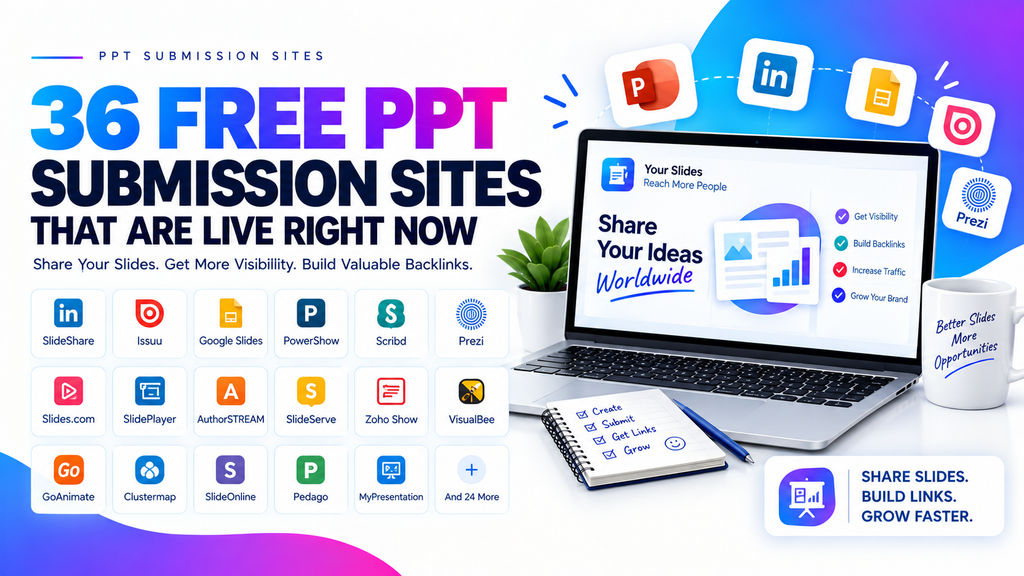
Domain Rating is a 0 to 100 score from Domain Rating by Ahrefs, pulled on 13 October 2026. A higher number means the domain carries more link authority. It is not a Google score and it is not the same as Moz Domain Authority.
The table is sorted by usefulness, not alphabetically. The first eleven rows are built for slides or documents and give your file its own public page. Rows twelve to nineteen are deck builders with a public share link. The flipbook group turns a Portable Document Format (PDF) file into a page turning viewer. The last six are cloud drives, which host the file but give you a thinner page.
How to submit to PPT submission sites step by step
- Pick one deck that deserves the effort. A twelve slide deck answering one real question beats a sixty slide company overview. Choose something a stranger would want to read.
- Write the text as text, not as pictures. Type your headings and body copy into real text boxes. Do not paste screenshots of text. This one choice decides whether your slides can be indexed at all.
- Export a second copy as a PDF. Keep both files. Some platforms handle a PDF far better than a raw PowerPoint file, and you will want the choice ready.
- Create the free account. Use a real name and a real profile photo. Fill in the bio and the website field, because on many of these platforms the profile is the most useful link you get.
- Upload and fill in every field. Give it a descriptive title, a description of three or four sentences, and the category and tags. Put your website address in the description in plain text.
- Publish, then open the live page as a visitor. Check that your slide text is selectable on the page. If you cannot highlight a sentence with your mouse, a search engine cannot read it either.
- Record the live URL in a sheet. Note the platform, the date, the page URL and whether the link worked. Recheck the sheet every few months, because platforms change their rules quietly.
What makes a submission stick
Quick answer: A submission sticks when the deck is genuinely useful, the text is real text, the description is written for a human, and you never upload the same file twice.
- One deck per platform, reworded. Change the title and description for each site. Identical titles across twenty sites is the clearest low effort signal there is.
- A title people search. “How to price a small catering job in 2026” pulls traffic. “Company Profile v4 Final” pulls nothing.
- A description that stands alone. Write three or four sentences that make sense if someone reads only the description. Mention what the deck covers and who it helps.
- A finished profile. Platforms often give the profile page more weight than the file page. Fill in the bio, the location and the website field properly.
- An embed where it fits. If the platform gives you an embed code, put the deck in a related blog post on your own site. That sends real visitors to the hosted page and tells the platform the file is alive.
The same habits carry over to other file formats. If you are also working through our list of free PDF submission sites, reuse the PDF export you made in step three instead of starting again.
Mistakes that get your PPT submission rejected
- Slides that are only images. A deck exported as flat pictures has no text to read. The page gets indexed as an empty shell and ranks for nothing.
- The same file uploaded everywhere unchanged. Several platforms deduplicate uploads. Identical files and identical titles get buried or removed.
- A description stuffed with links. One website address is fine. Five links and a list of keywords reads as spam and triggers a manual review.
- Password protected, encrypted or macro enabled files. Scribd’s own help pages list these as common conversion failures. The upload will sit at “work in progress” and then fail.
- Files over the size limit. SlideShare caps uploads at 300 MB and 300 slides. SlideServe caps at 100 MB. Compress your images before you upload.
- A thin deck with a sales pitch on every slide. Moderators on the editorial platforms remove brochures. Teach something first and mention your service once.
- A profile with no name, photo or bio. An empty profile looks automated, and automated accounts get their uploads pulled first.
How to prepare a deck so the text is indexable
This is the part most guides skip, and it decides whether the whole exercise was worth doing. A slide hosting platform converts your file and then builds a page from whatever text it can pull out. If there is no text to pull, you get a page of images and nothing to rank.
Start with real text. In PowerPoint, type into the normal text placeholders. Avoid building a slide in a design tool, exporting it as a single JPG, and dropping that image onto the slide. That is the most common reason a deck ends up invisible. Charts are fine, but add a one line text caption under each one so the number is written in words somewhere.
Give the file a descriptive filename before you upload, something like pricing-guide-catering-2026.pptx rather than Presentation1.pptx. Several platforms use the filename as the default title and some use it in the page URL. Then write the title the way a person would search it, and write a description that repeats the main phrase once in a natural sentence and includes your website address in plain text. That description is often the only part of the page a search engine treats as unique content.
Now the PDF question. Exporting to PDF often works better because the layout, fonts and spacing are locked in, so nothing shifts during conversion, and the text layer stays selectable. Scribd’s help pages say custom fonts, images and layouts are usually preserved when you upload a presentation as a PDF, and they recommend saving as PDF when a raw file fails to convert. The trade off is speaker notes. Notes only show up if you upload a raw PPT or PPTX file, and notes inside a PDF will not display. So upload the PPTX when your notes carry real information, and upload the PDF when the design matters more or the raw file keeps failing.
Quick answer: Use real text boxes, name the file descriptively, write a unique description, and export to PDF when conversion fails or the layout must stay exact.
Do PPT submission sites still work in 2026?
They work, but not in the way old blog posts promise. Here is the honest split.
What they do not do: they do not move your rankings on their own. Most of these links are nofollow or sit on a page with dozens of outbound links. Uploading one deck to thirty sites will not lift a competitive keyword, and nobody can promise it will. If a list tells you these are high authority dofollow backlinks, check the markup yourself before you believe it.
What they do give you: your brand on a page that already has authority and crawl budget. A deck on Issuu or the Internet Archive can rank for a long tail phrase while your own page is still too new to compete. They give you a branded profile you control on a strong domain. They produce referral clicks from people who were already reading about your topic. They also feed assistant style search, because these pages are text and get crawled.
The big change this year is SlideShare. It moved under Scribd, and Scribd’s help centre currently states that SlideShare presentation uploads are unavailable, while existing decks can still be viewed and shared. You can read the current status and the upload steps on Scribd’s official help page on uploading content to SlideShare. Until that reopens, treat SlideShare as a place your old decks live, not a place to submit new ones.
Treat slide submission as one small line in a wider plan, next to document sharing and PDF submission sites and free infographic submission sites. Spend an hour a month on it, not a week. If you want the links that actually move a page, that work sits in outreach and content, which is what our professional SEO services are built around.
Frequently asked questions
what is ppt submission in seo
PPT submission is uploading a PowerPoint file to a public slide sharing platform. The platform converts the file and gives it a page anyone can view. You add a title, a description and your website address. The goal is a second indexable page for your content, plus referral traffic and a brand mention on a strong domain.
where can i upload a powerpoint for free
Scribd, Issuu, the Internet Archive, Speaker Deck, SlideServe and Zoho Show all take free uploads right now. Scribd accepts PPT, PPTX and PDF files. Speaker Deck wants a PDF. SlideServe accepts PPT, PPTX, POTX and PDF up to 100 MB. We verified all 36 platforms in the table on 13 October 2026.
do slide sites give dofollow links
can i still upload to slideshare in 2026
Not at the moment. SlideShare is now part of Scribd, and the Scribd help centre states that SlideShare presentation uploads are unavailable. Decks uploaded before the change can still be viewed, shared and embedded. Upload to Scribd directly instead, which uses the same account, or pick another platform from the table above.
is ppt submission still useful for backlinks
It is useful, but it is a small tactic. The links are usually nofollow, so do not expect a ranking change from them. The real value is a page on a high authority domain that can rank for long tail searches, plus referral clicks and a brand mention. Treat it as one hour a month, not a core strategy.
should i upload a ppt or a pdf
Upload the PDF when the layout must stay exact or the raw file keeps failing to convert, because fonts and spacing are locked in. Upload the PPTX when your speaker notes carry useful information, because notes only display from a raw PPT or PPTX file. Keep both files ready and pick per platform.
how many ppt submission sites should i use
Five to ten good ones beat thirty weak ones. Pick the platforms where your audience actually reads, write a different title and description for each, and track the live URLs in a sheet. Uploading the same file to every site on a list is the fastest way to get your uploads deduplicated or removed. For more practical SEO, social media, and digital marketing guides, visit DigitalSoules.



