
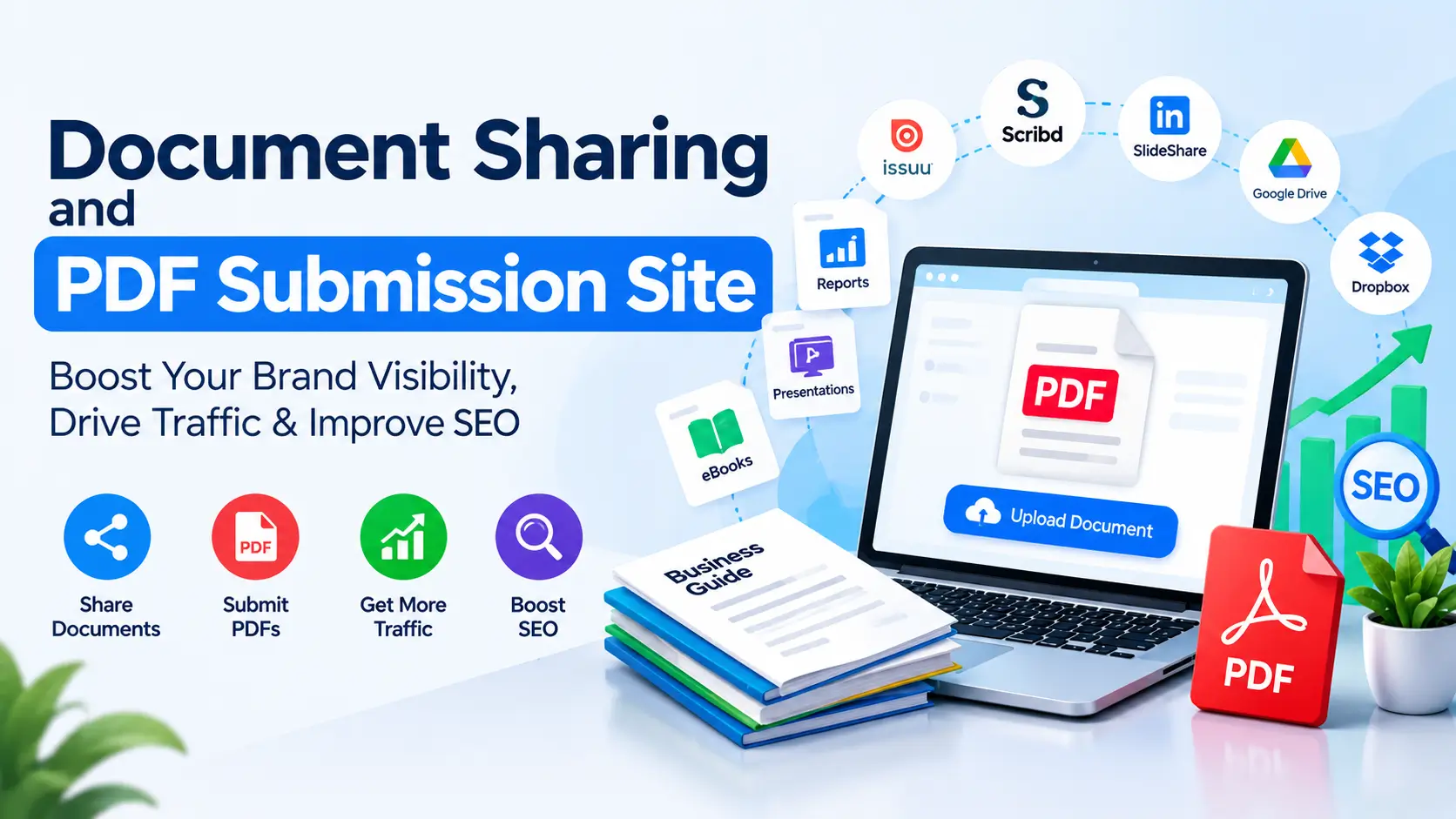
Document sharing sites are platforms where you upload PDFs, slides, ebooks or reports so other people can find, read and share them. The best ones in 2026 are Scribd, Issuu, SlideShare, Speaker Deck, Yumpu, Calaméo, FlipHTML5, Academia.edu, Zenodo, the Internet Archive and LinkedIn document posts. They help you get found in Google, reach new readers, and give AI tools like ChatGPT, Perplexity and Gemini more trusted pages that mention your brand. Most of their links are nofollow, so the real value is visibility and trust, not raw link juice. Below is a list of 203 active document sharing sites in 12 groups, plus a simple guide to doing it the right way.
Many “PDF submission sites” lists are copied from old posts. They still include dead sites, spammy mirrors and made up DA scores. This guide only lists real platforms that were active at the time of writing, and it groups them by what they actually do. That way you can pick the 10 to 20 sites that fit your content instead of spamming 200.
What Are Document Sharing Sites?
A document sharing site is any website that lets you upload a file (like a PDF, Word file, PowerPoint deck or ebook) and show it to other people through a public page or link. In SEO, people call this document sharing, PDF submission or PPT submission. You publish a useful document on a trusted platform, add a title, description, tags and a link to your site, and the platform gives it a page that people and search engines can find.
The main types of document sharing sites
- Document publishing sites: Built to host and show documents to readers. Example: Scribd, Issuu, Yumpu, DocDroid.
- Flipbook sites: Turn a PDF into a page turning magazine. Example: FlipHTML5, Flipsnack, Heyzine.
- Slide sharing sites (PPT submission sites): Host presentations. Example: SlideShare, Speaker Deck, SlideServe.
- Research repositories: Store papers and data, often with a DOI. Example: Zenodo, arXiv, SSRN, Figshare.
- Study and teaching sites: Share notes, worksheets and lesson plans. Example: Studocu, Tes, OER Commons.
- Online docs: Publish a document as a live web page. Example: Notion, Google Docs, GitBook.
- Cloud drives: Share a file with a link. Example: Google Drive, Dropbox, OneDrive.
- Ebook stores: Publish and sell full books. Example: Amazon KDP, Kobo Writing Life, Gumroad.
Document sharing vs file sharing
This difference matters a lot for SEO. A document sharing site creates a public page with a title, description and readable text. Google and AI crawlers can find that page. A file sharing site (like WeTransfer or most cloud drives) just gives someone a link to download a file. Those links are great for delivering files, but they almost never rank. If your goal is search visibility, focus on the sites that create real pages.
Do Document Sharing Sites Still Help SEO in 2026?
Yes, when you use them for the right reasons. Here is the honest picture.
What they do well
- Extra search visibility: Big platforms like Scribd, SlideShare and Issuu have strong domains. A well titled document can rank for long tail searches faster than a new website can.
- Referral traffic: Readers who like a guide often click the link to your site. These visitors are usually high intent because they already read your work.
- Brand mentions and entity signals: Each document repeats your brand name, author name, topic and website in a consistent way. This helps search engines and AI systems understand who you are and what you are known for.
- Content reuse: One research report can become a PDF, a slide deck, a flipbook, a LinkedIn document post and an ebook. You get more reach from work you already did. Charts from it can also go on infographic submission sites and image sharing sites.
- Link diversity: Most links are nofollow, but a natural backlink profile includes nofollow links from known platforms. A few sites also send links that pass value.
What they do not do
- They will not push a weak website to page one on their own.
- Uploading the same file to 200 sites does not give you 200 useful backlinks. Many of those pages will never be indexed.
- Spun or thin documents can get your account removed and can link your brand to spam.
The rule is simple: relevance over volume. Ten useful documents on the right ten platforms will beat one weak PDF on 200 sites every time.
How Document Sharing Helps AI Search (ChatGPT, Perplexity, Gemini, AI Overviews)
AI search has changed why PDFs matter. Tools like ChatGPT search, Perplexity, Google AI Overviews, Gemini and Copilot pull answers from pages on the web, and PDFs are part of that web. Research papers, government reports, whitepapers and industry guides in PDF form are cited all the time. Our guide on GEO vs SEO vs AEO explains how these three kinds of search fit together.
Why AI tools like documents
- Depth: Reports and guides usually hold more facts, steps and data than a short blog post. AI tools look for clear, specific answers they can quote.
- Trusted hosts: Platforms like Zenodo, arXiv, SSRN, Scribd and the Internet Archive are crawled often and are seen as reliable sources.
- Structure: A PDF with clear headings, short sections and tables is easy for a machine to split into answer sized chunks.
- Original data: If your document has a stat or finding nobody else has, AI tools have a reason to cite you by name.
Entity signals and brand mentions
AI systems build an idea of “who is who” from many mentions across the web. When your brand name, author name, website and topic show up together on several trusted platforms, it becomes easier for those systems to connect you with that topic. That is why it pays to use the same brand name, the same author name and the same short bio on every platform. Link your author profiles back to your main site, and link your main site to your best profiles.
Make your document easy for AI to read
- Use real, selectable text. A scanned image of a page is close to useless for AI and search.
- Put a short summary at the top that answers the main question in two or three sentences.
- Use question style headings that match what people ask.
- Put key numbers in tables with clear labels and a source.
- State your brand and author name in the document, not just in the file.
- Also publish the same content as a web page on your own site. The web page is your main source; the PDF is the shareable copy.
How to Pick the Right Document Sharing Sites
Do not try to use all 203 sites. Pick based on your document type and your audience.
| Your document | Best places to share it |
|---|---|
| How to guide or checklist | Scribd, Issuu, Yumpu, DocDroid, LinkedIn, Internet Archive |
| Slide deck or webinar slides | SlideShare, Speaker Deck, SlideServe, Noti.st, LinkedIn |
| Catalog, brochure or lookbook | Issuu, Flipsnack, FlipHTML5, Publitas, Paperturn |
| Original research or survey | Zenodo, Figshare, SSRN, OSF, ResearchGate, Academia.edu |
| Lesson plan or study guide | Tes, Teachers Pay Teachers, Share My Lesson, OER Commons, Studocu |
| Full ebook | Amazon KDP, Kobo, Apple Books, Draft2Digital, Gumroad, Leanpub |
| Technical guide or API doc | GitHub, GitBook, Read the Docs, Hugging Face |
| Sales deck or proposal | DocSend, Papermark, Pitch, Qwilr, FlippingBook |
Simple checks before you sign up
- Is it active? Look at the newest uploads. If nothing is new in months, skip it.
- Are uploads indexed? Search site:domain.com your topic in Google. If you see many document pages, the site gets crawled.
- Is the text readable? Open a public document. Good sites show the text, not only a picture of the page.
- Can you add a description and a link? You want a place to explain the document and point readers to your site.
- Is the content quality good? If the site is full of spam, your document does not belong there.
- What are its metrics? Check current Domain Rating in Ahrefs or Domain Authority in Moz yourself. These numbers change, so we do not list them here.
203 Document Sharing Sites and PDF Submission Sites List for 2026
Every site below was active at the time of writing. Each one has a short “Best for” note so you can pick fast. Rules, free plans and link settings change often, so check each site’s terms before you upload. We left out sites that are closed or no longer take uploads, such as Docstoc and AuthorSTREAM, and spammy PDF mirror sites that copy other people’s files.
1. Core Document and PDF Publishing Platforms (20 sites)
Start here. These sites are built to host and show documents to readers. Most create a public page for each upload with a title, description and readable text that search engines and AI crawlers can access.
| # | Site | Website | Type / Best for |
|---|---|---|---|
| 1 | Scribd | scribd.com | Large reading audience for PDFs, reports and ebooks |
| 2 | Issuu | issuu.com | Magazines, catalogs, brochures and annual reports |
| 3 | Yumpu | yumpu.com | Free magazine style PDF publishing with text pages |
| 4 | Calaméo | calameo.com | Catalogs and brochures in a page flip viewer |
| 5 | DocDroid | docdroid.net | Quick public viewer for PDF and Word files |
| 6 | Internet Archive | archive.org | Long term public archive for PDFs, ebooks and reports |
| 7 | Wikimedia Commons | commons.wikimedia.org | Freely licensed educational PDFs only |
| 8 | Adobe Acrobat (share link) | acrobat.adobe.com | Sharing a PDF link for viewing and comments |
| 9 | Publitas | publitas.com | Interactive and shoppable product catalogs |
| 10 | Foleon | foleon.com | Turning whitepapers into interactive web documents |
| 11 | Turtl | turtl.co | Interactive B2B reports with reader analytics |
| 12 | Uberflip | uberflip.com | B2B content hubs for ebooks and PDFs |
| 13 | Readymag | readymag.com | Designed long form digital publications |
| 14 | Marq | marq.com | Branded brochures and sales documents for teams |
| 15 | Adobe Express | adobe.com/express | Designing a document and publishing it as a web page |
| 16 | Canva | canva.com | Designing ebooks and guides, then sharing a public link |
| 17 | Visme | visme.co | Reports, one pagers and infographics with share links |
| 18 | Piktochart | piktochart.com | Visual reports and infographics |
| 19 | Venngage | venngage.com | Infographics, reports and whitepapers |
| 20 | Designrr | designrr.io | Turning blog posts into ebooks and lead magnets |
2. Flipbook and Digital Magazine Platforms (15 sites)
Flipbook sites turn a PDF into a page turning magazine. They work well for catalogs, lookbooks, menus, brochures and newsletters. Many offer a free plan with limits, so check what the free plan allows before you upload.
| # | Site | Website | Type / Best for |
|---|---|---|---|
| 21 | FlipHTML5 | fliphtml5.com | Free flipbooks from PDF with a public bookcase |
| 22 | AnyFlip | anyflip.com | Simple PDF to flipbook with a free plan |
| 23 | Flipsnack | flipsnack.com | Catalogs, brochures and magazines |
| 24 | Publuu | publuu.com | Flipbooks you can embed on your site |
| 25 | Heyzine | heyzine.com | Fast, clean flipbooks from PDF |
| 26 | Paperturn | paperturn.com | Catalogs with product links and stats |
| 27 | FlippingBook | flippingbook.com | Business brochures, proposals and reports |
| 28 | FlowPaper | flowpaper.com | Flipbooks hosted on your own domain |
| 29 | PubHTML5 | pubhtml5.com | Digital magazines and ebooks |
| 30 | Simplebooklet | simplebooklet.com | Short brochures, menus and flyers |
| 31 | 3D Issue | 3dissue.com | Digital editions for publishers |
| 32 | FlipBuilder | flipbuilder.com | Flipbook software with online hosting |
| 33 | Joomag | joomag.com | Digital magazines and newsletters |
| 34 | DCatalog | dcatalog.com | Retail and industrial product catalogs |
| 35 | Kitaboo | kitaboo.com | Interactive digital textbooks and training books |
3. Presentation and Slide Sharing Sites (PPT Submission Sites) (19 sites)
These are the PPT submission sites. Upload a deck as PDF or PPTX and the site turns it into a viewable presentation. Slides with real text on them (not only images) get read and indexed far better.
| # | Site | Website | Type / Best for |
|---|---|---|---|
| 36 | SlideShare | slideshare.net | The best known PPT and PDF slide sharing site |
| 37 | Speaker Deck | speakerdeck.com | Clean slide sharing for talks and tech decks |
| 38 | SlideServe | slideserve.com | PPT uploads with a text transcript page |
| 39 | SlidePlayer | slideplayer.com | Educational and training presentations |
| 40 | Prezi | prezi.com | Zooming presentations with public sharing |
| 41 | Pitch | pitch.com | Team decks shared by public link |
| 42 | Gamma | gamma.app | AI built decks and docs published as web pages |
| 43 | Slides.com | slides.com | HTML presentations for developers and speakers |
| 44 | Google Slides | slides.google.com | Free decks with publish to web |
| 45 | Microsoft Sway | sway.cloud.microsoft | Scrolling web reports and newsletters |
| 46 | Beautiful.ai | beautiful.ai | Designed decks with view links |
| 47 | Genially | genially.com | Interactive presentations and learning content |
| 48 | Zoho Show | show.zoho.com | Free presentation tool with public sharing |
| 49 | Keynote on iCloud | icloud.com/keynote | Sharing Keynote decks by link |
| 50 | Noti.st | noti.st | Speaker profiles that host slides from each talk |
| 51 | SpeakerHub | speakerhub.com | Speaker profiles with past talks and decks |
| 52 | Slidebean | slidebean.com | Startup pitch decks |
| 53 | Decktopus | decktopus.com | Quick AI decks with share links |
| 54 | Storydoc | storydoc.com | Interactive sales decks and one pagers |
4. Preprint Servers, Research and Data Repositories (32 sites)
If you publish real research, survey data, white papers or technical reports, these are some of the most trusted places a PDF can live. Most give each upload a permanent page, and many give a DOI. Each has its own rules on who can post and what counts as research, so read them first. Marketing material will be rejected.
| # | Site | Website | Type / Best for |
|---|---|---|---|
| 55 | arXiv | arxiv.org | Physics, math, computer science and AI papers |
| 56 | bioRxiv | biorxiv.org | Biology preprints |
| 57 | medRxiv | medrxiv.org | Health and medical science preprints |
| 58 | ChemRxiv | chemrxiv.org | Chemistry preprints |
| 59 | TechRxiv | techrxiv.org | Engineering and technology preprints (IEEE) |
| 60 | SSRN | ssrn.com | Business, economics, law and social science papers |
| 61 | Zenodo | zenodo.org | Any research output with a free DOI |
| 62 | Figshare | figshare.com | Papers, posters, datasets and figures |
| 63 | OSF | osf.io | Open research projects, files and preprints |
| 64 | PsyArXiv | psyarxiv.com | Psychology preprints (on OSF) |
| 65 | SocArXiv | osf.io/preprints/socarxiv | Social science preprints |
| 66 | EdArXiv | osf.io/preprints/edarxiv | Education research preprints |
| 67 | EarthArXiv | eartharxiv.org | Earth and climate science preprints |
| 68 | engrXiv | engrxiv.org | Engineering preprints |
| 69 | Preprints.org | preprints.org | Multidisciplinary preprints (MDPI) |
| 70 | Research Square | researchsquare.com | Preprints linked to journal submissions |
| 71 | Authorea | authorea.com | Writing and posting research documents |
| 72 | SciELO Preprints | preprints.scielo.org | Latin American and Iberian research |
| 73 | Qeios | qeios.com | Open preprints with open peer review |
| 74 | HAL | hal.science | French national open archive for all fields |
| 75 | PhilPapers | philpapers.org | Philosophy papers and drafts |
| 76 | PhilSci-Archive | philsci-archive.pitt.edu | Philosophy of science preprints |
| 77 | KC Works (Knowledge Commons) | works.hcommons.org | Humanities papers, syllabi and slides |
| 78 | ESS Open Archive | essopenarchive.org | Earth and space science preprints |
| 79 | Jxiv | jxiv.jst.go.jp | Japanese preprint server |
| 80 | AfricArXiv | africarxiv.org | Research by and about Africa |
| 81 | E-LIS | eprints.rclis.org | Library and information science papers |
| 82 | MPRA | mpra.ub.uni-muenchen.de | Economics working papers |
| 83 | Harvard Dataverse | dataverse.harvard.edu | Datasets with supporting documents |
| 84 | Dryad | datadryad.org | Research datasets |
| 85 | Mendeley Data | data.mendeley.com | Datasets and supporting files |
| 86 | Kaggle | kaggle.com | Public datasets and notebooks |
5. Academic Social Networks (4 sites)
These networks connect your paper to your author profile. They are useful for building author and entity signals around a real person.
| # | Site | Website | Type / Best for |
|---|---|---|---|
| 87 | Academia.edu | academia.edu | Sharing papers with an author profile |
| 88 | ResearchGate | researchgate.net | Papers, preprints and research Q&A |
| 89 | ScienceOpen | scienceopen.com | Posters, preprints and research collections |
| 90 | Mendeley | mendeley.com | Reference manager with researcher profiles |
6. Study Notes, Teaching and Knowledge Sharing Sites (15 sites)
Good for educators, trainers, course creators and anyone who writes study guides, worksheets or how to material. Keep uploads truly educational, not sales material.
| # | Site | Website | Type / Best for |
|---|---|---|---|
| 91 | Studocu | studocu.com | Student notes, summaries and past papers |
| 92 | Docsity | docsity.com | Study notes and exam prep |
| 93 | Course Hero | coursehero.com | Study documents and course notes |
| 94 | Stuvia | stuvia.com | Selling study notes and summaries |
| 95 | Knowunity | knowunity.com | School learning notes |
| 96 | OneClass | oneclass.com | University notes and study guides |
| 97 | Notesale | notesale.co.uk | Selling study notes (UK) |
| 98 | Teachers Pay Teachers | teacherspayteachers.com | Selling or sharing classroom PDFs |
| 99 | Tes | tes.com | Teaching resources for schools |
| 100 | Share My Lesson | sharemylesson.com | Free lesson plans and teaching resources |
| 101 | OER Commons | oercommons.org | Open educational resources |
| 102 | MERLOT | merlot.org | Peer reviewed online learning materials |
| 103 | Pearltrees | pearltrees.com | Curating links and files into collections |
| 104 | Padlet | padlet.com | Boards with uploaded files and links |
| 105 | Wakelet | wakelet.com | Collections of PDFs, links and notes |
7. Online Docs and Knowledge Base Platforms (14 sites)
These tools publish a document as a live web page instead of a file. That is often better for SEO and AI search, because the text is plain HTML. You can also attach the PDF version for download.
| # | Site | Website | Type / Best for |
|---|---|---|---|
| 106 | Google Docs | docs.google.com | Publish to web as a public page |
| 107 | Notion | notion.so | Public pages, wikis and guides |
| 108 | Coda | coda.io | Published docs with tables and templates |
| 109 | GitBook | gitbook.com | Product docs and public guides |
| 110 | Read the Docs | readthedocs.org | Open source technical documentation |
| 111 | Zoho Writer | writer.zoho.com | Free word processor with public sharing |
| 112 | Craft | craft.do | Polished docs shared as web pages |
| 113 | Obsidian Publish | obsidian.md/publish | Publishing a notes vault as a website |
| 114 | HackMD | hackmd.io | Markdown notes and technical docs |
| 115 | Document360 | document360.com | Public knowledge bases |
| 116 | Archbee | archbee.com | Developer and product documentation |
| 117 | Evernote | evernote.com | Sharing notes by public link |
| 118 | ClickUp Docs | clickup.com | Docs shared publicly from a workspace |
| 119 | Write.as | write.as | Simple, clean public writing |
8. Cloud File Sharing Sites with Public Links (23 sites)
Cloud drives let you share a PDF with a public link. They are great for delivery and backup, but most do not create indexable pages, so treat them as a way to share files, not as an SEO channel.
| # | Site | Website | Type / Best for |
|---|---|---|---|
| 120 | Google Drive | drive.google.com | Public PDF links people already trust |
| 121 | Dropbox | dropbox.com | Sharing files and folders by link |
| 122 | Microsoft OneDrive | onedrive.live.com | Sharing Office files and PDFs |
| 123 | Box | box.com | Business file sharing |
| 124 | iCloud Drive | icloud.com | Sharing files from Apple devices |
| 125 | MEGA | mega.io | Encrypted file sharing with large free storage |
| 126 | pCloud | pcloud.com | Public folders and direct links |
| 127 | Sync.com | sync.com | Private, encrypted sharing |
| 128 | MediaFire | mediafire.com | Simple public download links |
| 129 | 4shared | 4shared.com | Free file hosting and sharing |
| 130 | WeTransfer | wetransfer.com | Sending large files once |
| 131 | Proton Drive | proton.me/drive | Privacy first file sharing |
| 132 | Icedrive | icedrive.net | Cloud storage with share links |
| 133 | Koofr | koofr.eu | European cloud storage with public links |
| 134 | Filen | filen.io | Encrypted storage with public links |
| 135 | Jottacloud | jottacloud.com | Norwegian cloud storage |
| 136 | Tresorit | tresorit.com | Secure business file sharing |
| 137 | Internxt | internxt.com | Encrypted cloud storage |
| 138 | Zoho WorkDrive | workdrive.zoho.com | Team file sharing |
| 139 | Files.fm | files.fm | Public file pages and downloads |
| 140 | Smash | fromsmash.com | Large file transfer without size limits |
| 141 | TransferNow | transfernow.net | Simple file transfer links |
| 142 | Egnyte | egnyte.com | Business content sharing |
9. Ebook Self Publishing and Digital Product Platforms (30 sites)
If your document is a full ebook or a paid guide, publish it where readers already shop. Store pages rank well, carry your author name and help AI tools connect your brand to a topic.
| # | Site | Website | Type / Best for |
|---|---|---|---|
| 143 | Amazon Kindle Direct Publishing | kdp.amazon.com | The largest ebook and print store |
| 144 | Apple Books for Authors | authors.apple.com | Selling ebooks on Apple Books |
| 145 | Google Play Books Partner Center | play.google.com/books/publish | Ebooks on Google Play Books |
| 146 | Kobo Writing Life | kobo.com/writinglife | Ebooks on Kobo stores |
| 147 | Barnes & Noble Press | press.barnesandnoble.com | Ebooks and print on B&N |
| 148 | Draft2Digital | draft2digital.com | Wide ebook distribution from one upload |
| 149 | Smashwords | smashwords.com | Indie ebook store (part of Draft2Digital) |
| 150 | Lulu | lulu.com | Print on demand and ebooks |
| 151 | Blurb | blurb.com | Photo books, magazines and ebooks |
| 152 | IngramSpark | ingramspark.com | Print and ebook distribution to stores and libraries |
| 153 | Leanpub | leanpub.com | Technical ebooks, published while you write |
| 154 | BookBaby | bookbaby.com | Paid self publishing services |
| 155 | PublishDrive | publishdrive.com | Ebook distribution to many stores |
| 156 | BookFunnel | bookfunnel.com | Delivering free and paid ebooks to readers |
| 157 | StoryOrigin | storyoriginapp.com | Reader magnets and newsletter swaps |
| 158 | Reedsy Discovery | reedsy.com/discovery | Getting a new book reviewed and found |
| 159 | Wattpad | wattpad.com | Serial fiction and stories |
| 160 | Inkitt | inkitt.com | Fiction with a reader community |
| 161 | Royal Road | royalroad.com | Web serial fiction |
| 162 | Free-eBooks.net | free-ebooks.net | Free ebook distribution |
| 163 | ManyBooks | manybooks.net | Free and indie ebooks |
| 164 | Obooko | obooko.com | Free ebooks from indie authors |
| 165 | Gumroad | gumroad.com | Selling or giving away PDFs and templates |
| 166 | Payhip | payhip.com | Selling ebooks and digital downloads |
| 167 | Sellfy | sellfy.com | Digital product store |
| 168 | Ko-fi | ko-fi.com | Shop for PDFs plus creator support |
| 169 | Podia | podia.com | Digital downloads and courses |
| 170 | Stan Store | stan.store | Creator store for guides and templates |
| 171 | Etsy | etsy.com | Printables, planners and templates |
| 172 | Patreon | patreon.com | Sharing PDFs with members |
10. Business, Sales and PR Platforms That Accept Documents (13 sites)
These platforms are where buyers, partners and journalists actually look. A PDF here is less about links and more about trust, leads and brand mentions.
| # | Site | Website | Type / Best for |
|---|---|---|---|
| 173 | LinkedIn (document posts) | linkedin.com | Carousel style PDF posts to a professional audience |
| 174 | DocSend | docsend.com | Pitch decks and sales docs with view tracking |
| 175 | Papermark | papermark.com | Open source document sharing with analytics |
| 176 | Qwilr | qwilr.com | Web based proposals and quotes |
| 177 | PandaDoc | pandadoc.com | Proposals and contracts with tracking |
| 178 | Upwork | upwork.com | Portfolio PDFs and case studies for freelancers |
| 179 | Contra | contra.com | Freelance portfolio with file uploads |
| 180 | EIN Presswire | einpresswire.com | Press releases with attached files |
| 181 | PR Newswire | prnewswire.com | Press releases with multimedia and PDFs |
| 182 | Business Wire | businesswire.com | Press release distribution |
| 183 | GlobeNewswire | globenewswire.com | Press release distribution |
| 184 | HubSpot | hubspot.com | Hosting gated ebooks behind landing pages |
| 185 | Mailchimp | mailchimp.com | Hosting PDFs to share in email campaigns |
11. Developer and Web Hosting Platforms (10 sites)
Good for technical guides, API docs, specs, cheat sheets and open source manuals. Code platforms are heavily crawled and often cited by AI tools for technical topics.
| # | Site | Website | Type / Best for |
|---|---|---|---|
| 186 | GitHub | github.com | Technical docs, READMEs and PDFs in repos |
| 187 | GitHub Pages | pages.github.com | Free static site hosting for docs |
| 188 | GitLab | gitlab.com | Repos and docs with GitLab Pages |
| 189 | Bitbucket | bitbucket.org | Team repos with docs |
| 190 | Codeberg | codeberg.org | Non profit code and docs hosting |
| 191 | Hugging Face | huggingface.co | AI model cards, datasets and papers |
| 192 | SourceForge | sourceforge.net | Open source projects and file downloads |
| 193 | Netlify | netlify.com | Drag and drop hosting for HTML or PDF |
| 194 | Cloudflare Pages | pages.cloudflare.com | Fast static hosting for docs |
| 195 | Tiiny Host | tiiny.host | Turning a single PDF into a shareable link |
12. Community Platforms for Sharing Documents (8 sites)
Communities do not host many PDFs themselves, but they are where people discuss and pass around useful resources. Share the document only where it truly helps and where the rules allow it.
| # | Site | Website | Type / Best for |
|---|---|---|---|
| 196 | reddit.com | Sharing a useful guide in the right subreddit | |
| 197 | Facebook Groups | facebook.com/groups | Uploading files to niche groups |
| 198 | Telegram | telegram.org | Public channels that share PDFs |
| 199 | Discord | discord.com | Community servers with resource channels |
| 200 | Quora | quora.com | Linking a guide inside a helpful answer or Space |
| 201 | pinterest.com | Pinning a cover image that links to your PDF page | |
| 202 | Skool | skool.com | Community classrooms with file resources |
| 203 | Medium | medium.com | Republishing a document as an article |
What Content Should You Upload?
The platform matters less than the document. A useful, original file gets read, shared and cited. A thin or spun file gets ignored or removed.
Documents that work well
- Original guides: Step by step how to guides on one clear topic.
- Checklists and templates: Short, practical files people save and come back to.
- Original research: Surveys, data studies and benchmark reports. These are the most likely to be cited by AI tools and journalists.
- Case studies: Real projects with the problem, what you did and the result. Only use real numbers you can back up.
- Whitepapers and industry reports: Deep looks at a problem in your field.
- Slide decks: Conference talks, webinar slides and training decks.
- Glossaries and cheat sheets: Clear definitions of terms in your niche.
- Catalogs and brochures: For product and B2B brands, with real specs.
Documents to avoid
- Spun or AI rewritten copies of the same article.
- One page files that only hold a few keyword links.
- Copies of other people’s content.
- Pure sales flyers with no useful information.
- Scanned pages with no real text.
A good test: would someone in your niche save this file or send it to a coworker? If not, improve it before you upload.
How to Optimize a PDF for SEO and AI Search
Search engines can read and rank PDFs much like web pages. The same basics apply. Use this checklist before every upload.
1. Use a clear file name
Name the file with words, not numbers. Use lowercase and hyphens. Good: pdf-seo-checklist-2026.pdf. Bad: Final_v3_NEW(2).pdf. The file name often becomes part of the page URL on the sharing site.
2. Fill in the document metadata
In Word, Google Docs or Acrobat, open the document properties and fill in:
- Title: A clear title with your main keyword. Google often shows this as the search result title.
- Author: Your real name or brand name, the same on every platform.
- Subject: A one line summary.
- Keywords: A few related terms.
- Language: Set the correct language.
3. Use real headings
Use the Heading 1, Heading 2 and Heading 3 styles in your editor, not just big bold text. When you export, choose “tagged PDF” or “create bookmarks from headings”. This gives the PDF a structure that search engines, AI tools and screen readers can follow.
4. Keep text as text
Do not paste screenshots of text. If you only have a scanned file, run OCR (text recognition) in Acrobat or another PDF tool so the words become selectable. Test it: if you cannot highlight and copy a sentence, search engines cannot read it well either.
5. Add useful links
- Link to your website on the cover page and in the footer or last page.
- Link to one or two related pages on your site where they truly help the reader.
- Use natural anchor text like your brand name or the page topic. Avoid stuffing exact match keyword anchors everywhere.
- Add UTM tags to links so you can see visits from each platform in analytics.
6. Add alt text to images and charts
Describe each chart or image in a short line of alt text. It helps accessibility and gives machines context for visuals.
7. Keep the file light
Compress images and keep the file size small, ideally a few MB at most. Large files load slowly, and some platforms reject them.
8. Write a strong description and tags on the platform
Most sites ask for a title, description, category and tags. Treat this like a meta description. Write two to four plain sentences that say what the document covers and who it is for, include the main keyword once, and add your site link if allowed. Pick the closest category and use five to ten relevant tags.
9. Add a cover and a summary page
Many platforms use page one as the thumbnail. A clean cover with a clear title gets more clicks. A short summary on page two helps readers and AI tools get the main points fast.
Web page or PDF: which should come first?
For most topics, publish the full content as a web page on your own site first. Web pages are easier to update, link, track and convert. Then publish the PDF version on sharing sites as a second copy, with a link back to the web page. If you host the same PDF on your own site and do not want it to compete with the web page, you can send a canonical HTTP header from the PDF to the HTML page.
Step by Step: How to Submit a PDF to Document Sharing Sites
- Pick one useful document. Start with your best guide, checklist or report.
- Optimize the file. Use the checklist above: file name, metadata, headings, real text, links, alt text and small size.
- Write your platform copy once. Prepare a title, a short description, a longer description, five to ten tags and a short author bio. Change the wording a little for each site.
- Choose 5 to 10 matching sites. Use the “how to pick” table. Mix one or two big document sites, one slide site and one or two niche sites.
- Create full profiles. Use the same brand name, logo, bio and website link on each one. A complete profile builds trust.
- Upload and fill every field. Add the title, description, category, tags and link. Set the document to public.
- Check the public page. Open it while logged out. Make sure the text shows, links work and the page looks right.
- Request indexing where you can. Share the document page on your social profiles and link to it from a related post on your site. This helps search engines find it.
- Log it. Keep a simple sheet with the site, document URL, date, login email and link type.
- Repurpose. Turn the same content into a slide deck for SlideShare, a LinkedIn document post and a flipbook. Each format reaches a different audience.
A simple 30 day plan
- Week 1: Pick and optimize two documents. Set up profiles on four core sites.
- Week 2: Upload both documents to the core sites and a slide version to SlideShare and Speaker Deck.
- Week 3: Share on LinkedIn as document posts. Add the best one to one niche site in your field.
- Week 4: Check indexing, views and clicks. Keep the sites that work. Plan the next document.
How Document Sharing Fits Into Off Page SEO
Document sharing is one part of off page SEO, next to digital PR, guest posts, citations and community work. It works best when it supports real content, not when it replaces it.
- Relevance beats volume: A PDF on a site your buyers use is worth more than dozens of random uploads.
- Useful content beats exact match anchors: Natural brand links look safe. Repeated keyword anchors across many sites look like a pattern search engines ignore or distrust.
- Documents earn links indirectly: Original data in a report can get picked up by bloggers and journalists, who then link to your site. Those editorial links are worth far more than the upload link.
- Support your main pages: Point documents to the page you want to grow, such as a guide, a service page or a tool. If you want this done as part of a full plan, our professional SEO services team can help.
How to Track Results
- Indexing: Search site:platform.com “your document title” in Google a few weeks after upload.
- Platform stats: Most sites show views, reads and downloads. Compare which platform drives the most reads.
- Referral traffic: In Google Analytics 4, check Traffic acquisition by session source. UTM tags make this clean.
- AI referrals: Watch for visits from chatgpt.com, perplexity.ai, gemini.google.com and copilot.microsoft.com in your referral report.
- AI citations: Ask ChatGPT, Perplexity and Gemini questions your document answers. Note if your brand or document is mentioned. Tools like Ahrefs Brand Radar and other SEO tools for AEO can track this at scale.
- Backlinks: Check new referring domains in Ahrefs, Semrush, Google Search Console’s Links report or free backlink checker tools.
- Brand searches: Watch branded search impressions in Search Console over time.
Common Mistakes to Avoid
- Chasing a big number: Uploading to 200 sites in one day looks like spam and wastes time.
- Using old lists: Many lists still include dead sites. Check that a site is active before you sign up.
- Uploading image only PDFs: If the text is not selectable, search engines and AI tools cannot read it well.
- Empty metadata: “Untitled” or “Microsoft Word – Document1” as the PDF title looks careless in search results.
- Keyword stuffed anchors: Use your brand name and natural phrases instead.
- Same description everywhere: Change the wording a little for each platform.
- Thin or spun content: It gets removed and does nothing for your brand.
- Uploading private or client data: Remove personal details, internal notes and anything you do not have the right to share.
- Breaking site rules: Research repositories and education sites have strict rules. Marketing files will be rejected.
- Never updating: Old stats and dead links hurt trust. Update key documents at least once a year.
Frequently Asked Questions
What are document sharing sites in SEO?
They are platforms where you upload PDFs, slides or ebooks to a public page with a title, description and link to your site. They help with visibility, referral traffic, brand mentions and link diversity.
Are PDF submission sites dofollow?
Most big document sites use nofollow links. That is fine. Nofollow links from trusted platforms still bring traffic, visibility and a natural link profile. Link settings change, so check a site’s current links with a browser extension or SEO tool if this matters to you.
Can Google index PDF files?
Yes. Google can crawl, index and rank PDFs as long as the text is real and selectable. It can also show the PDF’s title metadata in search results.
Do AI tools like ChatGPT read PDFs?
Yes. AI search tools can read public PDFs and the document pages that sharing sites create. Clear headings, a short summary, real text and original data make a document more likely to be used and cited.
How many document sharing sites should I use?
Start with 5 to 10 sites that match your content and audience. Add more only if they bring views or traffic. Quality and relevance matter far more than the count.
What is the difference between PDF and PPT submission sites?
PDF submission sites host documents like guides and reports. PPT submission sites host presentations. Many accept both, and you can export a deck to PDF to upload it anywhere.
Can I upload the same PDF to many sites?
Yes, but change the title, description and tags a little for each site. Also publish the main version as a web page on your own site so that it stays the primary source.
Is document sharing still worth it in 2026?
Yes, if you share useful, original documents on relevant platforms. It is not a shortcut to rankings, but it builds visibility, trust and AI search presence over time.
Conclusion
Document sharing still works in 2026, just not as a numbers game. Pick a useful document, optimize it with a clear file name, filled in metadata, real headings and real text, and share it on the few platforms your audience actually uses. Keep your brand and author details the same everywhere so search engines and AI tools can connect the dots. Use the 203 sites above as a menu, not a to do list, track what brings real readers, and put more effort into the platforms that work.



