
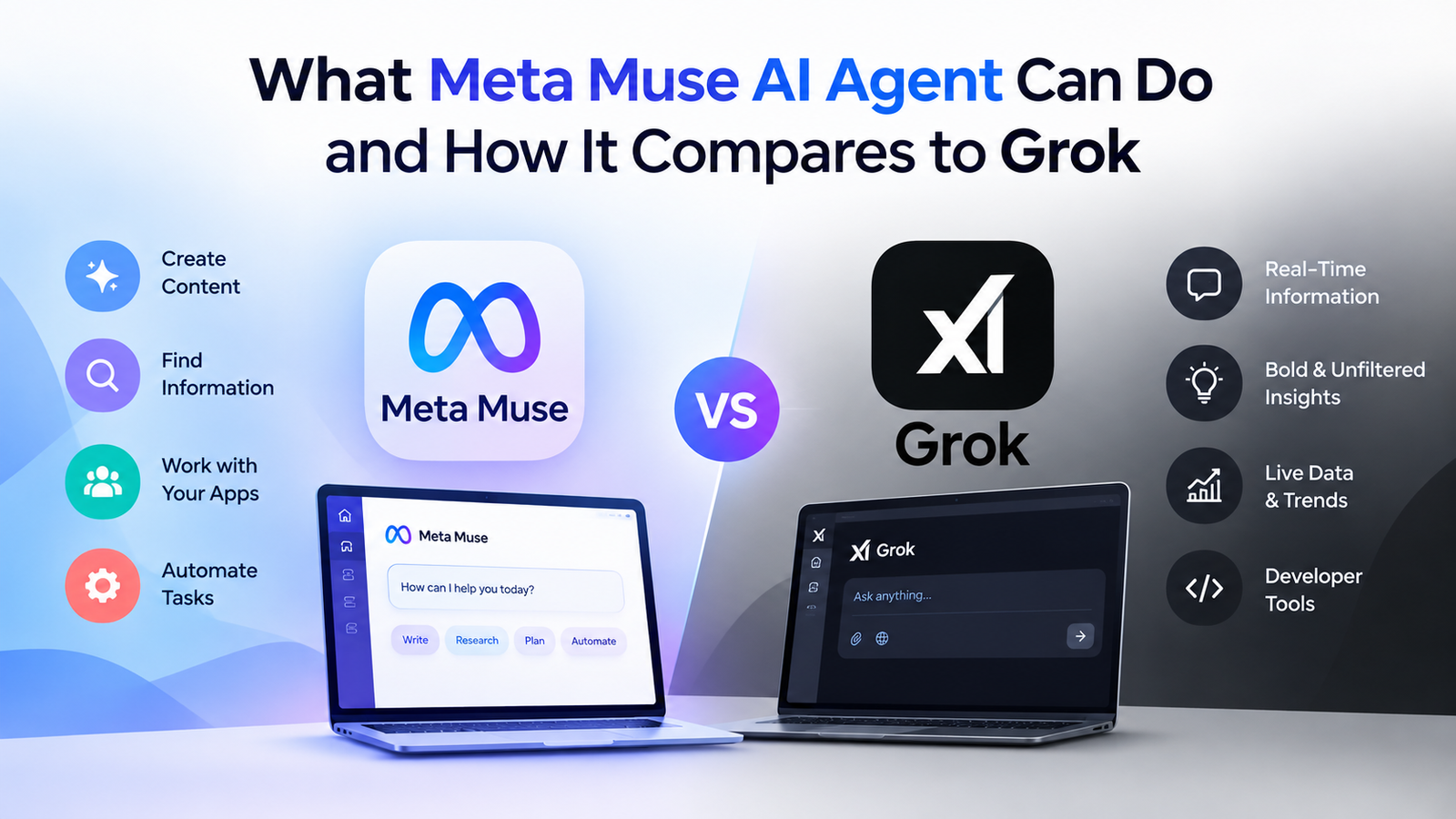
Meta’s Muse AI agent handles personal tasks across websites and connected apps. It can work through several steps and keep running after you close the app. Meta’s Muse overview
That could mean managing your schedule, comparing purchases, or preparing a trip. Its value depends on the task, the permissions needed, and the results you get.
Updated October 5, 2026. This explainer uses official product documents; the prompts and calculations are illustrative examples.
What is Meta Muse Personal AI Agent?
Meta launched Muse on September 8, 2026, as a personal AI agent. You give it a goal and decide which services it can access. Meta’s launch announcement
An agent uses tools to carry out work on your behalf. For example, planning dinner could involve checking dates, finding restaurants, and preparing a reservation.
The names can be confusing, so keep these products separate:
| Name | What it means |
|---|---|
| Muse | The personal agent you ask to perform tasks |
| Muse Spark | The model family that powers Muse’s reasoning |
| Meta AI | Meta’s related assistant product |
| Muse Code | A separate coding agent for developers |
Meta documents the model and coding product separately. Muse Spark announcement, Muse Code documentation
What can Meta’s personal AI agent help you do?
Meta lists browsing, purchases, documents, images, reminders, goals, and connected apps among Muse’s capabilities. Its launch examples also cover email, travel, and forms. Muse features, Meta’s launch examples
| Where it can help | Example request | What you still check |
|---|---|---|
| Email and calendar | “Draft replies and flag clashes in my calendar.” | Recipients, wording, dates, and access granted |
| Travel planning | “Find flights within my budget and compare the full cost.” | Baggage fees, schedules, and refund rules |
| Shopping | “Watch this product and tell me when its price falls.” | Exact model, seller, and total checkout price |
| Personal goals | “Turn my goal into a weekly plan with reminders.” | Whether the plan fits your real commitments |
| Documents and images | “Create a packing checklist and a simple invitation.” | Accuracy, layout, and final wording |
| Forms and reservations | “Prepare this booking and show me the details.” | Personal information, dates, and booking terms |
These illustrative prompts can help you assess your account’s available tools. Adapt them to your needs and check the result of each task.
Muse’s Mac app also works with files, forms, Messages, Calendar, and Notes, with permission. That gives Mac users another route for everyday administration. Official Muse downloads
How Does Meta AI Muse Spark Work?
Muse runs on Muse Secure VM, a dedicated virtual machine (a computer hosted in the cloud). It has its own browser and uses connected services with your permission. Meta’s launch announcement
Here is a practical way to hand over a task:
- Describe the result you want, including your budget, deadline, and preferences.
- Connect the services needed and choose the access you allow.
- Let Muse gather information and work through the required steps.
- Review approval requests and check the finished result.
Sentinel is a separate system that checks actions against your permissions. Some approved or low-risk actions can proceed without another prompt. Meta’s safety architecture
Closing the app does not stop all ongoing work. Meta says Muse can continue tasks and monitoring in the background. Muse background-work FAQ
For a first task, make the finish line clear:
“Compare three options for [task] within [budget]. Include full costs and source links. Show me the shortlist before booking or buying.”
Set the matching permissions in the app, too. Your written request and your account controls should support the same limits.
Can Muse save you money?
Muse may help find lower prices or reduce the work of comparing offers. Meta also describes lowering bills as an intended use. Meta’s launch examples
The outcome depends on your starting price and the work Muse completes. Count a saving after it appears on your bill or receipt.
Count cash savings after the subscription cost
Use this calculation before deciding whether a paid plan makes sense:
Net cash saved = verified savings minus subscription costs, added fees, and extra spending.
Compare against what you would otherwise pay for the same purchase or bill.
For illustration, suppose Muse helps you save $35 on a purchase you already planned. A $20 monthly subscription leaves $15, before any other costs.
Those figures illustrate the calculation; they are not a reported Muse result. The subscription price comes from Meta’s plan details.
| Count as a benefit | Check before counting it |
|---|---|
| A lower shopping price | Same product, shipping, taxes, and return terms |
| A reduced bill | Confirmed reduction on the actual bill |
| A canceled paid tool | You stopped paying and still have the functions you need |
| Time freed from admin | Subtract briefing, approvals, and result checking |
Keep time saved separate from cash saved. Freeing an hour does not automatically add money to your bank account.
Is Meta AI Muse free, and what do paid plans cost?
Muse has free use with a usage limit. Paid plans increase the weekly allowance, according to Meta’s subscription Help Center.
| Plan | Listed monthly price | Weekly allowance |
|---|---|---|
| Free | No subscription fee | Limited; a numeric allowance was not confirmed |
| Power | $20 | 500 million Muse tokens |
| Maximum | $100 | 3 billion Muse tokens |
These are listed US prices checked on October 5, 2026. Meta uses “Maximum” on the reviewed Help Center page.
Tokens measure usage; they do not promise a fixed number of completed tasks. Check the benefits shown to your account before subscribing.
Subscription eligibility requires a Meta account and age 18, or your country’s age of majority. Availability and benefits can vary by account and region. Meta’s eligibility rules
Try a useful task with free access first. Upgrade when the usage limit blocks work whose value you can explain.
Can you download Muse AI Personal Agent on Mac or Windows?
Muse has an official Mac app. Meta’s download page also lists iPhone and Android apps. Official Muse download page
| Platform | What the reviewed official sources show |
|---|---|
| Mac | Native macOS download |
| iPhone | Mobile app |
| Android | Mobile app |
| Windows | Web access through muse.ai; no native Windows download listed on the reviewed page |
| A channel for messaging Muse |
Meta lists muse.ai web access and WhatsApp alongside its apps. Windows users should begin with the web option and check account eligibility.
A web interface does not establish access to your local Windows files or apps. Confirm the tools available for the task you want to delegate.
Meta’s September 29 announcement names the United States and Canada as available regions. Its Help Center still describes limited testing and account-based availability. Meta’s regional update, Muse availability
Why is Muse different from other AI Personal Agent tools?
Muse combines conversation with tools, ongoing tasks, and a cloud computer. That combination can help with work requiring several actions across services.
The feature list alone does not establish that Muse beats every alternative. Compare the access, workflow, and controls your particular task needs.
Meta AI Model Muse Spark versus Grok and Grok Bot
Grok is xAI’s assistant for chat, files, voice, and creative work. It also supports connected tools and automations. Grok overview, Grok Automations
Grok Bot is the closer comparison for delegated work. Its bots share a persistent cloud computer within one account. Grok Bot overview
A managed AI teammate is an agent whose provider runs the working environment. You assign work, supply context, grant access, and oversee the result.
| Dimension | Meta Muse | Grok | Grok Bot |
|---|---|---|---|
| Product emphasis | Personal tasks and goals | Conversation, research, and creation | Ongoing jobs assigned to bots |
| Connected work | Browsing and authorized apps | Connected email, files, and calendar | Apps and websites on a cloud computer |
| Background work | Tasks and monitoring | Scheduled or email-triggered automations | Persistent bots handling multi-step work |
| Platforms | Mac, mobile, web, and WhatsApp | Web, iOS, and Android | macOS, Windows, Linux, iOS, and Android |
| Starting access | Limited free use; paid plans | Free to start; paid upgrades | Eligible paid Cursor or linked SuperGrok plans |
The table compares documented features, rather than tested performance. Sources: Muse, Grok, Grok Bot, Bot eligibility.
Grok Bot supports multiple bots that can work in parallel and share context. Bots within one account share a cloud computer and its signed-in sessions. Grok Bot documentation
xAI lists SuperGrok at $30 per month, including Bot access. Check the linked-account requirements and allowances before subscribing. xAI pricing
For personal errands, Muse’s documented focus matches the use case. For assigned roles across several jobs, compare Grok Bot’s workflow with Muse’s available tools.
For questions, drafts, or scheduled briefings, standard Grok may already cover the job. Check your actual task before paying for another product.
For a wider comparison, read our ChatGPT Dots guide. It also compares Dots with Muse and Grok Bot.
How Muse permissions and privacy controls work
Read access, action approval, model training, and advertising are separate decisions. A connected-app permission does not answer every privacy question.
| Issue | Meta’s stated approach | What to check |
|---|---|---|
| Connected apps | You choose services and allowed access | Which data can Muse read or change? |
| Action approval | Sentinel checks actions against granted permissions | How broad and lasting is the approval? |
| Model training | Sanitized interactions and tool activity are used by default; opt-out is available | Your training preference |
| Advertising | VM data and conversations stay outside Meta’s ad systems; browsing and purchases can indirectly affect ads | The services Muse visits |
| Meta access | Current Secure VM permits necessary operational access | Whether this meets your privacy needs |
These are Meta’s design and policy statements. The source is Meta’s Muse safety explanation.
Meta describes Confidential VM as a planned stronger privacy option. The reviewed source does not establish a general release.
Meta also acknowledges that Muse can make mistakes. Check sensitive details before approving an action with financial or personal consequences.
Is Muse helpful, and who should try it?
Muse is worth trying with a repeated task you can easily verify. Its benefit shrinks when explaining and checking the work takes longer than doing it yourself.
That is a task-based assessment of its documented design. Actual usefulness depends on your results.
Use this checklist before granting broader access:
- Define what a successful result looks like.
- Limit access to what the task needs.
- Set a budget and an approval point.
- Review the output and activity history.
- Count the time spent briefing and checking.
- Expand permissions only when the results justify it.
Choose one task you already planned to do. Keep the result and compare it with your usual method before upgrading.
Meta Muse AI Questions& Answered
Can Muse Personal AI Agent buy things for you?
Meta documents purchases and checkout through Link, built by Stripe. Review the item, seller, total cost, and approval details before proceeding. Muse purchase features
Does Muse need full access to every app?
You choose the services you connect and their allowed access. Begin with narrow permissions, including read-only access where supported. Muse permission controls
Can Muse help a small business?
Meta offers business skills and connectors inside Muse. Evaluate them against a specific workflow, such as preparing documents or organizing administration. Muse for Small Business
For marketing teams, using AI tools and improving AI search visibility require different goals. Our AI SEO services guide explains how to assess those services.
Is Muse better than Grok?
The documents do not establish which product performs better for your tasks. Compare Muse, standard Grok, and Grok Bot using the same task, permissions, and review effort.
Record whether the job finished correctly, what you had to fix, and the total cost. Those results give you a firmer basis for choosing.
For help planning SEO content, contact Digital Soules.
Subscribe for more guides using the updates form on our homepage.



