
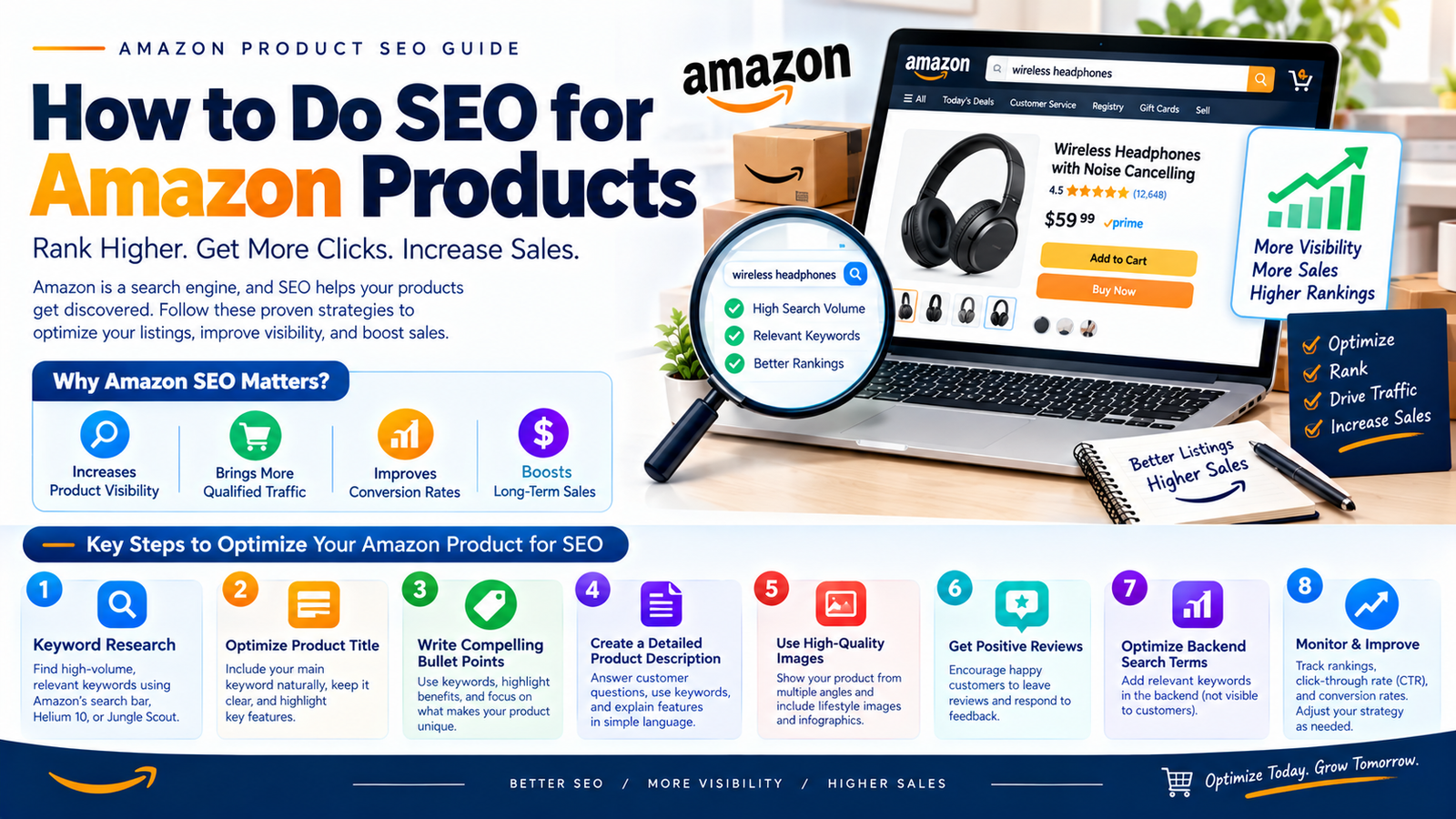
Knowing how to do SEO for Amazon products starts with accurate product facts. Research buyer language in each marketplace, then improve the listing fields.
Check the live page before measuring performance.
You need a useful product page and a purchasable offer. Keywords cannot explain missing specifications or solve unavailable stock.
This guide helps you build that foundation from the beginning. It also covers the country differences global sellers must handle.
Policy review date: 13 October 2026. Examples below are illustrative, with no claimed sales results.
Understand what Amazon product SEO includes
Amazon product SEO helps shoppers discover and evaluate relevant products. It covers product wording, classification, supporting information, and offer quality.
Amazon differs from website SEO. Website guides can target informational queries such as “how to do SEO for Amazon products.”
Your product listing targets shopping phrases, such as “stainless steel water bottle.” Keep those two keyword plans separate.
A useful blog answers the seller’s questions. A useful listing identifies the product using the buyer’s language.
For example, a single-wall bottle is different from an insulated bottle. Adding “vacuum insulated” would create the wrong expectation.
Ask three questions before writing:
- What exact product will the customer receive?
- Which searches describe that product truthfully?
- Which details help someone choose the correct version?
Your first outcome is a clear product identity. Ranking and revenue require later observation.
Set up the right account access and records
An ASIN identifies an Amazon product. Record its marketplace and your offer’s SKU, then open Seller Central.
Confirm that your product can be listed in the intended category.
Check whether the exact product already has a detail page. Matching an existing product differs from creating a new product.
Amazon describes these choices in its Global Selling guidance. Category approvals and brand permissions can affect the process.
Separate essential tools from optional tools
Start with the tools you can actually access. Brand features can help, but they are not the starting requirement.
| Resource | Use it for | Starting decision |
|---|---|---|
| Seller Central listing editor | Product fields and submission feedback | Essential for your catalog work |
| Local Amazon search | Shopper wording and competing products | Useful without paid software |
| Product documents and packaging | Verified specifications and claims | Essential evidence |
| Available selling reports | Traffic, orders, and offer performance | Record what your account provides |
| Brand Analytics | Query and brand insights | Check brand and account eligibility |
| Third-party keyword software | Larger keyword discovery tasks | Optional; assess marketplace coverage |
Amazon lists search suggestions, competing offers, and research tools as keyword sources. Its SEO guide explains those starting points.
Build a product evidence sheet before researching keywords
Create one master sheet for facts shared across marketplaces. Use a separate row for each distinct product version.
Collect the specifications that people need before buying. Verify them against packaging, manufacturer documents, or direct measurements.
Suggested fields include:
- Product name, brand, and model.
- Material, dimensions, capacity, and pack quantity.
- Included items and excluded accessories.
- Compatible models and known limitations.
- Care, assembly, or storage instructions.
- Evidence supporting performance claims.
- Source date and the person checking each fact.
Do not guess a missing measurement to complete the sheet. Mark it for verification before publishing.
Here is a fictional single-wall bottle example. These specifications are assumed for teaching, rather than verified product research.
| Fact | Evidence required for a real product | Writing implication |
|---|---|---|
| Stainless steel body | Manufacturer specification | Describe the actual material |
| Single-wall construction | Product specification | Exclude vacuum-insulated claims |
| Capacity 750 ml | Verified specification | Identify the correct size |
| One bottle and screw cap | Packaging record | Explain included items |
| Cap with carry loop | Product inspection | Describe the carrying feature |
| Black finish; hand wash | Finish and care documents | Keep color and care consistent |
This sheet becomes your protection against inconsistent copy. Translators and designers should receive the same verified facts.
Research Amazon keywords with a repeatable workflow
Choose one product, one marketplace, and one language first. Keep the research source and date beside every candidate.
Amazon identifies suggestions and competing listings as research sources. Its keyword research guide explains those starting points.
The workflow below adds a practical evidence record. It does not assume a paid tool or a particular search volume.
1 Turn product facts into seed terms
Write the product type, material, important feature, and variant separately. Combine only facts that describe the actual item.
For the fictional bottle, seeds include “water bottle” and “stainless steel water bottle.” “750 ml water bottle” adds capacity.
Do not begin with claims such as “best bottle.” Start with identity, then research useful modifiers.
2 Collect local Amazon search suggestions
Select the intended store and language, then enter each seed. Record suggestions exactly as displayed, with the date and search context.
Try a material, size, or use-case modifier next. Save candidate phrases before evaluating them.
A suggestion supplies wording to investigate. It does not provide your product’s search volume or sales potential.
Keep unsupported features on a reject list. For this bottle, “insulated” still fails the product-fact check.
3 Inspect comparable competitor ASINs
Choose products with similar construction, capacity, function, and intended buyer. An insulated flask makes a poor benchmark for this single-wall bottle.
Record each competitor’s ASIN and relevant product differences. Extract recurring phrases from its title, bullets, and description.
If using a reverse-ASIN tool, set the correct marketplace. Export candidates with the tool name, date, and metric definitions.
Keep the sources when several products suggest the same phrase. Competitor usage supplies an idea, rather than proof of suitable demand.
4 Add available official data
Use official dashboards when your account has access. Keep the report period and selected marketplace attached to each observation.
Brand Analytics requires a Professional account and an enrolled brand’s Brand Representative role. Check local access before planning around it.
Product Opportunity Explorer provides niche and search insights. Check whether its selected niche resembles your actual product.
Do not treat a broad niche trend as your bottle’s performance. Record what each report actually measures.
5 Read ad search terms in context
Use advertising reports when you already have campaign data. Keep ad evidence separate from unpaid product visibility.
Amazon’s Sponsored Products report guidance describes clicked rows, including inferred non-search terms and ASIN placements.
Label each row as a typed query, inferred match, or product placement where identifiable. Do not label all rows shopper searches.
A clicked phrase deserves a relevance review, not automatic placement. Keep ad-attributed purchases separate from total product orders.
6 Separate observations from estimates
Use this table to decide what belongs in your worksheet.
| Source | Evidence type | Useful interpretation | Limit |
|---|---|---|---|
| Local search suggestions | Observed wording | Candidate local phrases | No volume supplied |
| Comparable listing text | Observed competitor wording | Product vocabulary to inspect | Their features may differ |
| Brand Analytics | Official report data | Your accessible query context | Coverage and period matter |
| Product Opportunity Explorer | Official niche data | Wider product research | A niche differs from one ASIN |
| Ad search-term report | Campaign observations | Relevant paid-traffic candidates | Not total marketplace demand |
| Reverse-ASIN software | Tool output and estimates | Faster candidate discovery | Label estimated metrics |
Avoid filling missing cells with guesses. “Not available” is more useful than invented precision.
7 Deduplicate and test truthful relevance
Remove exact duplicate rows within the same market and language. Keep all source references attached to the remaining entry.
Group similar wording for review without changing its meaning. A different capacity or material can represent a different buyer requirement.
For each phrase, ask whether this product could satisfy that search. Reject unsupported features, misleading sizes, and incompatible uses.
8 Sort candidates by buyer intent
The examples below are fictional research candidates. They are not observed suggestions, measured demand, or validated target phrases.
| Group | Example candidates | Decision |
|---|---|---|
| Core product | water bottle; stainless steel water bottle | Research local buyer wording |
| Feature | screw cap water bottle; bottle with carry loop | Verify feature and local usage |
| Use case | water bottle for office; reusable bottle for commuting | Check practical suitability |
| Specific shopping phrase | 750 ml stainless steel water bottle; black single-wall water bottle | Check size and construction fit |
| Reject | vacuum insulated bottle; keeps drinks cold 24 hours | Unsupported by assumed construction |
| Needs evidence | leakproof bottle; dishwasher safe bottle | Hold until supported |
| Wrong item | replacement bottle lid; two bottle set | Different offer or pack count |
An informational question can become a content requirement. “Is this insulated?” belongs in a clear product answer.
9 Complete a keyword worksheet
Use one row per candidate and marketplace. The sample rows remain fictional.
| Candidate | Market/language | Source/date | Evidence type | Product fit | Buyer intent | Planned field | Next check |
|---|---|---|---|---|---|---|---|
| stainless steel water bottle | US/English | Example seed | Editorial candidate | Material matches | Product search | Item name | Local wording research |
| 750 ml water bottle | UK/English | Example seed | Editorial candidate | Capacity matches | Size-specific | Name or attributes | Local relevance check |
| screw cap water bottle | US/English | Example feature | Editorial candidate | Cap matches | Feature comparison | Bullet | Verify usage and phrasing |
| insulated bottle | US/English | Example reject | Editorial candidate | False | Feature search | Exclude | No insulation evidence |
For actual research, add available report observations and estimated metrics separately. Include the selected ASIN, reporting window, and reviewer.
10 Map approved terms and observe
Assign each approved phrase a useful field and buying question. Avoid repeating the complete phrase throughout every section.
After publication, verify accepted fields and the live product version. Record whether your chosen reports show relevant activity.
Keep an evidence trail when you retain, revise, or reject a term. That makes the next research round faster and easier to explain.
Localize the listing instead of translating every keyword
Translation carries meaning between languages. Keyword research checks how local shoppers express that meaning.
The following matrix is a practical editorial starting point. Verify category requirements in each local seller account.
| Marketplace | Research and content checks |
|---|---|
| United States | US buyer terminology; confirm relevant imperial and metric units |
| United Kingdom | UK spelling, local product names, and suitable size explanations |
| Germany | German product terms, compound nouns, measurements, and care wording |
| France | Natural French phrasing, local category terms, and clear dimensions |
| India | Locally observed query language, pack descriptions, and regional size expectations |
| Canada | Research English and French needs separately; verify required language coverage |
| Australia | Australian wording, metric specifications, and local compatibility |
| Japan | Research Japanese queries, local model terms, and readable specifications |
| Mexico | Use Mexican Spanish queries and local compatibility wording |
| Brazil | Research Brazilian Portuguese terms and local product expectations |
| UAE and Saudi Arabia | Research Arabic and English separately; confirm local category and title guidance |
Also check electrical specifications where relevant. A translated description cannot make an incompatible product suitable for another country.
Maintain one keyword sheet per marketplace. Include language, spelling, unit choices, and the source of each term.
Have a fluent reviewer read the finished listing. Awkward literal translations can obscure otherwise correct specifications.
Map keywords into the right listing fields
Use the product evidence sheet to decide what belongs where. Each field should answer a different buying question.
| Field | Main job | Fictional bottle example |
|---|---|---|
| Item name | Identify product and important version | Brand, water bottle, capacity, color |
| Item highlights | Add concise comparison details | Single-wall construction and carry loop |
| Bullet points | Explain features and limitations | Screw cap; no insulation |
| Description | Provide fuller use and care information | Filling, carrying, and hand washing |
| Attributes | Store structured specifications | Material, capacity, pack count |
| Generic keyword | Add suitable alternative wording | Locally validated synonyms missing elsewhere |
| Images | Show physical details clearly | Opening, scale, and included cap |
The title budget changed during 2026. Applicable stores now use a 75-character Item name and 125-character Item highlights.
Amazon excludes media and four stores from that updated scope. See its title structure announcement.
Use the dedicated Amazon title SEO guide for examples and country exceptions.
Do not distribute keywords mechanically across every field. Put information where it helps the customer understand the product.
Write clear copy and prepare useful media
Write the title like a concise product name. Use bullets to explain distinct features and buying limitations.
Replace “premium quality for everyone” with something the buyer can verify. A material, measurement, or included item usually provides stronger information.
Follow the current bullet rules for your product type. Amazon restricts emojis and certain promotional guarantees in its bullet requirements update.
For backend terms, choose useful alternative wording. Amazon advises against brands, ASINs, repetition, and common misspellings.
Check its search-term guidance. Follow the limit validated for your local field or upload.
Plan images around questions the copy cannot answer alone:
- What does the exact item look like?
- How much space does it occupy?
- What comes in the package?
- How does the customer use it?
- Which important details need a close view?
Use accurate photography and check local image requirements. Amazon’s product photo guide provides useful planning advice.
Validate the live listing before calling the setup complete
Saving an edit is only one part of the process. Check submission feedback, then inspect the customer-facing page.
Use this release checklist:
- Confirm the correct marketplace, ASIN, SKU, and variation.
- Check that product fields match the evidence sheet.
- Resolve rejected values and missing required information.
- Review the actual title and supporting highlights.
- Select every child variation and inspect its content.
- Check images on mobile and desktop.
- Confirm the offer is available for the intended destination.
- Save the publication date and final version.
When the live page differs, document the discrepancy. Use the relevant support process with product evidence attached.
Prioritize work that can support better Amazon ranking
Use a practical work queue instead of chasing every keyword. The sequence below is an editorial method, not an algorithm formula.
- Remove blockers: Resolve listing errors and confirm the product has an available offer.
- Correct identity: Make product type, title, attributes, and variants agree.
- Improve relevant coverage: Add supported buyer wording where a useful term is missing.
- Improve evaluation: Clarify images, dimensions, contents, care, and compatibility.
- Review the offer: Check price, delivery, and stock against the customer’s practical needs.
- Observe outcomes: Compare the published version with your recorded baseline.
For the fictional bottle, step three rejects unsupported insulation claims. A larger audience for misleading wording is not a useful goal.
Match the next action to evidence:
| Observation | Next investigation | Useful success check |
|---|---|---|
| Product information conflicts | Inspect fields and selected variant | Accurate live page |
| Relevant wording is missing | Recheck product fit and placement | Accepted, readable content |
| Available reports show weak clicks | Compare displayed image, identity, and offer | Comparable click observations |
| Visitors rarely purchase | Inspect fit information and purchase concerns | Comparable purchase observations |
Keep the report’s traffic scope attached to the result. If you cannot isolate unpaid activity, describe the observation accordingly.
Do not buy ads solely to manufacture an SEO success claim. Use advertising when it serves a defined business and research purpose.
Measure the foundation you created
For a new listing, record its first usable reporting baseline. Keep the marketplace and reporting definitions consistent.
Track available sessions, orders, sales, and query-level activity. Record stock changes, advertising, pricing, and promotions beside those figures.
Do not treat a sales increase as proof of keyword improvement. Several changes can affect the same period.
Your initial success checks are practical:
- The listing accurately describes the product.
- Important local terms appear naturally.
- Required specifications are complete.
- The live page matches your approved copy.
- You have a record for future comparisons.
For existing content repairs, continue with improving Amazon product listing SEO. That guide covers a detailed makeover.
Keep your fact source, research date, reviewer, and change rationale together. These records support credible decisions without inventing a seller success story.
Frequently asked questions
Can I do Amazon SEO without paid tools
Begin with product evidence, local search suggestions, and relevant competing listings. Use available account reports as your own data develops.
Paid tools can speed discovery and larger catalog work. They do not remove the need for relevance checks.
Do I need Brand Registry to start
You can improve standard product information without building every brand feature. Some advanced tools have separate account, brand, and product requirements.
Check eligibility inside your local account before relying on a feature. Do not assume access transfers unchanged between countries.
How quickly will Amazon SEO produce results
There is no reliable universal deadline. Processing an edit and improving business performance are different outcomes.
Check acceptance and live content first. Evaluate results only when you have enough comparable observations.
What should I do first today
Choose one product and one marketplace. Complete its evidence sheet, then research a small set of relevant phrases.
Draft the listing from those facts. Validate the customer-facing page before expanding the process to more products.
SEO publishing details
SEO title: How to Do SEO for Amazon Products: Beginner Workflow
Meta description: Learn Amazon product SEO step by step: account access, local keyword research, listing fields, country differences, and checks before measuring results.
Proposed URL: https://digitalsoules.com/how-to-do-amazon-seo/
Primary keyword: how to do SEO for Amazon products
Supporting keywords: Amazon keyword research, Amazon SEO for beginners, Amazon product SEO checklist, Amazon keyword research workflow, Amazon marketplace keyword research, Amazon product keyword mapping



