
Introduction
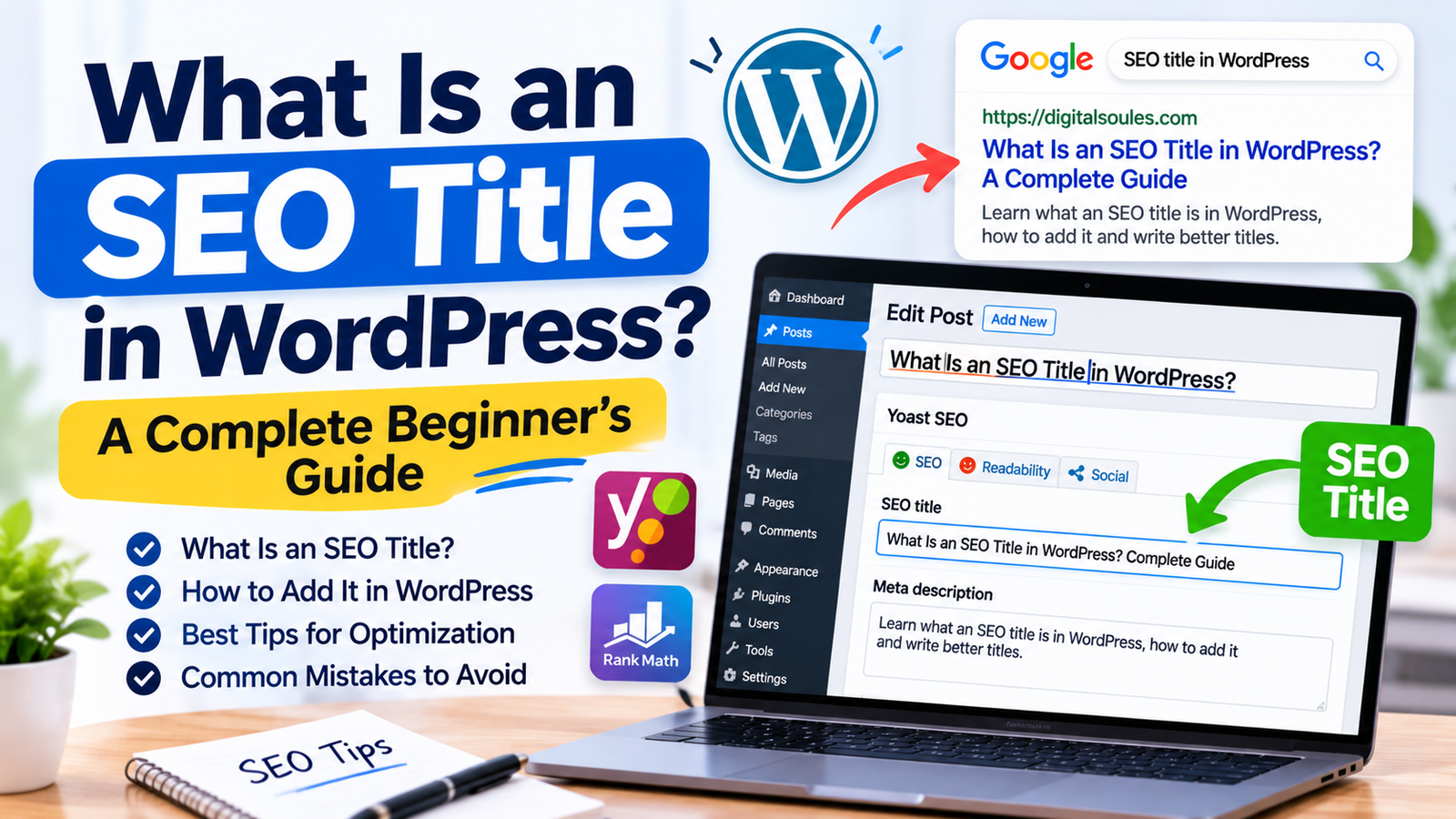
When you publish a blog post or page on WordPress, its title is one of the first things visitors notice. But did you know that the title displayed on your website and the title shown in Google search results do not always have to be the same?
This is where an SEO title becomes important.
An SEO title helps search engines and users understand what a webpage is about. It can appear as the clickable headline in search results and may influence whether someone decides to visit your website.
WordPress allows you to create and manage page titles, while SEO plugins such as Yoast SEO and Rank Math provide additional options for writing and customizing SEO titles.
In this guide, we will explain what an SEO title is in WordPress, how it works, how to add one, and how to write titles that are clear, relevant, and optimized for search.
What Is an SEO Title in WordPress?
An SEO title in WordPress is the title you provide to describe a webpage for search engines and users. It is commonly used as the page’s HTML title tag, which search engines may display as the clickable headline in search results.
For example, imagine you publish a blog post with this title:
WordPress SEO Tips for Beginners
You could write a more descriptive SEO title:
WordPress SEO Tips for Beginners: A Practical Guide
The SEO title tells users what they can expect from the page before they click it.
In WordPress, you can usually manage this title through an SEO plugin such as Yoast SEO or Rank Math. If you do not set a custom SEO title, your website’s theme or SEO plugin may generate one automatically using the post title and your site’s title settings.
It is important to understand that Google does not always display the exact title tag you provide. Google may generate a different title link based on the page’s content, headings, prominent text, and other signals.
Where Does an SEO Title Appear?
An SEO title can appear in several places, depending on how your website and browser handle page information.
1. Google Search Results
The most familiar place is Google’s search results page.
When someone searches for a topic, Google may display your SEO title as the clickable headline above the page URL and description.
For example:
WordPress SEO Tips for Beginners: A Practical Guide
This headline helps users understand the page’s topic and decide whether it matches their search.
2. Browser Tabs
The title tag may also appear in the browser tab when someone opens your webpage.
This helps users identify the page when they have multiple tabs open.
3. Social Sharing Previews
Some social platforms may use your page’s title when generating a link preview. However, social sharing titles can also be controlled separately through Open Graph settings or social metadata provided by an SEO plugin.
SEO Title vs. WordPress Post Title vs. H1 Heading
These three terms are often confused, especially by WordPress beginners. Although they are related, they serve different purposes.
| Element | Main Purpose | Where It Appears |
| SEO Title | Describes the page for search engines and search users | Often used as the search result headline and browser title |
| WordPress Post Title | Names the blog post or page in WordPress | Website page, blog listings, and admin area depending on the theme |
| H1 Heading | Introduces the main topic of the page content | Inside the webpage content |
Example
Suppose you publish an article about WordPress SEO titles.
Your settings could look like this:
- WordPress Post Title: What Is an SEO Title in WordPress?
- SEO Title: What Is an SEO Title in WordPress? Complete Guide
- H1 Heading: What Is an SEO Title in WordPress?
The SEO title and H1 can be similar, but they do not have to be identical.
The important thing is that all three accurately describe the same page and do not confuse visitors.
If you want to understand how search engines display webpage information, read our guide on what SERP means in SEO.
Why Is an SEO Title Important?
An SEO title is an important part of on-page SEO because it helps communicate the topic of a webpage to search engines and potential visitors.
Here are some reasons why it matters.
1. Helps Search Engines Understand Your Page
A descriptive title gives search engines useful information about the subject of your webpage.
For example, a title such as “Best WordPress SEO Plugins for Beginners” communicates the page’s topic more clearly than a generic title such as “Useful Website Tools.”
A relevant title also helps establish consistency between the page’s subject and its content.
2. Encourages Users to Click
Your SEO title may be the first thing a potential visitor reads about your page in search results.
A clear and useful headline can encourage people to visit your website when it matches what they are looking for.
For example:
- Generic: SEO Tips
- More descriptive: 10 Practical SEO Tips for WordPress Beginners
The second title provides a clearer idea of what the visitor will find.
3. Improves Search Result Relevance
A well-written SEO title should accurately represent the content and the search intent behind the target query.
This makes it easier for users to recognize whether your page is relevant to their needs.
However, simply adding keywords to a title does not guarantee better rankings.
4. Supports a Better User Experience
Users prefer clear and descriptive search result headlines.
A title that accurately explains the page helps set the right expectations before someone visits your website.
This can reduce confusion and help visitors find information that matches their needs.
5. Helps Organize Your Website Content
Consistent and descriptive titles make it easier to identify different pages across a website.
This is particularly useful for websites with many blog posts, product pages, categories, and service pages.
How to Add an SEO Title in WordPress
You can add or customize an SEO title in WordPress using an SEO plugin. Two commonly used options are Yoast SEO and Rank Math.
The exact interface may vary depending on the plugin version and WordPress editor.
Method 1: Add an SEO Title Using Yoast SEO
<AsyncImage query=”Yoast SEO WordPress post editor Google preview SEO title meta description snippet editor screenshot” aspectRatio=”16:9″ width=”100%” />
Follow these steps:
Step 1: Open Your WordPress Dashboard
Log in to your WordPress admin area.
Step 2: Open a Post or Page
Go to Posts or Pages and select the content you want to edit.
Step 3: Find the Yoast SEO Section
Scroll down to the Yoast SEO panel or open its settings in the editor.
Step 4: Locate the SEO Title Field
Find the field labeled SEO title.
You may see a generated title based on your post title and website settings.
Step 5: Write Your Custom SEO Title
Enter a descriptive title that explains the page’s topic and includes your primary keyword naturally.
For example:
“What Is an SEO Title in WordPress? Complete Guide”
Step 6: Review the Search Preview
Check how your title may appear in the search result preview.
You can also review the meta description and other SEO settings.
Step 7: Update or Publish Your Content
Save your changes by clicking Update or Publish.
Method 2: Add an SEO Title Using Rank Math
<AsyncImage query=”Rank Math SEO WordPress post editor snippet editor SEO title field preview screenshot” aspectRatio=”16:9″ width=”100%” />
Rank Math also allows WordPress users to customize SEO titles.
Follow these steps:
Step 1: Open Your WordPress Post or Page
Select the content you want to optimize.
Step 2: Open Rank Math Settings
Click the Rank Math SEO icon or panel in the WordPress editor.
Step 3: Open the Edit Snippet Option
Find the snippet editor where you can customize how your page information may appear in search results.
Step 4: Edit the SEO Title
Enter your preferred title in the title field.
Step 5: Review the Preview
Check whether the title is clear, relevant, and readable.
Step 6: Save Your Changes
Update or publish the page to save the new settings.
How to Write an SEO-Friendly Title in WordPress
Adding an SEO title is easy, but writing a useful one requires some thought.
Here are practical tips to help you create better titles.
1. Include Your Primary Keyword Naturally
Your primary keyword should appear in the title when it fits naturally.
For example, if your target keyword is “SEO title in WordPress,” you could use:
“What Is an SEO Title in WordPress? A Beginner’s Guide”
Avoid repeating the same keyword unnecessarily.
2. Make the Title Descriptive
Your title should explain what the page covers.
Instead of writing:
“SEO Guide”
Use something more specific:
“WordPress SEO Guide: How to Optimize Your Website”
A descriptive title gives users a better understanding of the page.
3. Keep It Concise
There is no fixed character limit that guarantees Google will display your entire SEO title.
Google may truncate longer titles depending on available display space and other factors.
As a practical starting point, aim for a concise title that communicates the main topic without unnecessary words.
You can use the search preview in your SEO plugin to review how the title may appear, but remember that Google’s actual display may differ.
4. Match Search Intent
Search intent refers to the reason behind a user’s search.
For example, someone searching “how to add an SEO title in WordPress” probably wants a step-by-step tutorial.
A suitable title would be:
“How to Add an SEO Title in WordPress: Step-by-Step Guide”
The title should reflect what the visitor expects to learn.
5. Make Each Page Title Unique
Avoid using the same SEO title across multiple pages.
Every important page should have a distinct title that describes its specific content.
Duplicate or overly similar titles can make it harder for users to distinguish between pages.
6. Avoid Keyword Stuffing
Keyword stuffing means adding keywords unnaturally or repeating them excessively.
For example:
“SEO Title WordPress SEO Title Tips WordPress SEO Title Guide”
This looks unnatural and provides a poor experience.
Write for people first and include relevant keywords naturally.
7. Avoid Misleading Claims
Your title should accurately describe the content.
Do not promise a result that the page does not deliver.
For example, avoid titles such as “Guaranteed First Page Google Rankings” if your article only provides general SEO advice.
Common SEO Title Mistakes in WordPress
Even experienced website owners can make mistakes when optimizing page titles.
Here are some issues to avoid.
1. Leaving the SEO Title Blank Without Checking the Default
Some SEO plugins automatically generate titles using templates.
If you leave the custom field empty, the generated title may still work. However, review it to make sure it accurately represents your content.
2. Using the Same Title on Multiple Pages
Each page should have its own descriptive title.
Using identical titles across unrelated pages can confuse users and weaken the clarity of your website’s content structure.
3. Making Titles Too Long
Long titles may be shortened in search results.
Remove unnecessary words and keep the main topic clear near the beginning.
4. Adding Too Many Keywords
A title should sound natural.
Do not sacrifice readability just to include additional keyword variations.
5. Writing Titles That Do Not Match the Content
If your title promises a complete tutorial but the page only provides a short introduction, visitors may feel disappointed.
Make sure the title accurately reflects the information available on the page.
6. Expecting the SEO Plugin Score to Guarantee Rankings
Plugins such as Yoast SEO and Rank Math provide recommendations and checks.
Their scores can help you review optimization, but they do not determine Google’s rankings.
How to Check Whether Your SEO Title Is Working
After publishing or updating your SEO title, you can monitor its performance using Google Search Console.
Follow these steps:
- Open Google Search Console.
- Select your website property.
- Open the Performance report.
- Review the Queries and Pages tabs.
- Check impressions, clicks, average position, and click-through rate.
- Compare performance over an appropriate period.
If a page receives many impressions but relatively few clicks, review its title and search intent.
However, do not assume the title is the only reason for low CTR. Ranking position, competition, SERP features, and query type can also influence clicks.
You should also remember that Google may rewrite your title link, so the headline displayed in search results may not always match the title tag on your website.
Frequently Asked Questions About SEO Titles in WordPress
1. What is an SEO title in WordPress?
An SEO title is the title tag used to describe a WordPress page to search engines and users. It may appear as the clickable headline in Google search results and in browser tabs.
2. Is an SEO title the same as a WordPress post title?
No. A WordPress post title names the article or page in the website editor and may appear on the page. An SEO title is the title tag that can be customized separately using an SEO plugin.
3. What is the ideal length of an SEO title?
There is no strict character limit that guarantees full display in Google. A concise and descriptive title is generally a good approach. Google may shorten or rewrite titles depending on the search result layout and other factors.
4. Can I change my SEO title after publishing a WordPress post?
Yes. You can edit the SEO title through your SEO plugin and update the post. Google may take time to recrawl the page and reflect changes in its search results.
5. Do I need an SEO plugin to add an SEO title in WordPress?
An SEO plugin such as Yoast SEO or Rank Math makes it easier to customize SEO titles. Some WordPress themes or other tools may also provide title settings, depending on your setup.
6. Does an SEO title affect Google rankings?
The HTML title tag is one of the signals Google uses to understand a page and generate title links. However, writing a good SEO title does not guarantee a higher ranking. Search performance depends on many factors.
7. Why does Google show a different title than the one I wrote?
Google may generate title links using the page’s title tag, main visual title, headings, prominent text, and other information. It may display a different headline when it believes another version better represents the page.
8. Should my SEO title and H1 heading be identical?
They can be identical, but they do not have to be. The SEO title is intended for the page’s title tag, while the H1 introduces the main content. Both should accurately describe the same topic.
Final Thoughts
An SEO title is a small but important part of optimizing a WordPress website. It helps describe your content, supports search result relevance, and gives potential visitors an idea of what they will find on your page.
Whether you use Yoast SEO, Rank Math, or another WordPress SEO solution, focus on writing unique, descriptive, and relevant titles. Include your primary keyword naturally, avoid keyword stuffing, and make sure each title matches the actual content.
Remember that an SEO title alone cannot guarantee better rankings. It should work alongside useful content, proper website structure, technical optimization, and a well-planned SEO strategy.
For more beginner-friendly SEO tutorials, website optimization tips, and digital marketing insights, explore Digital Soules and continue building your SEO knowledge.



