
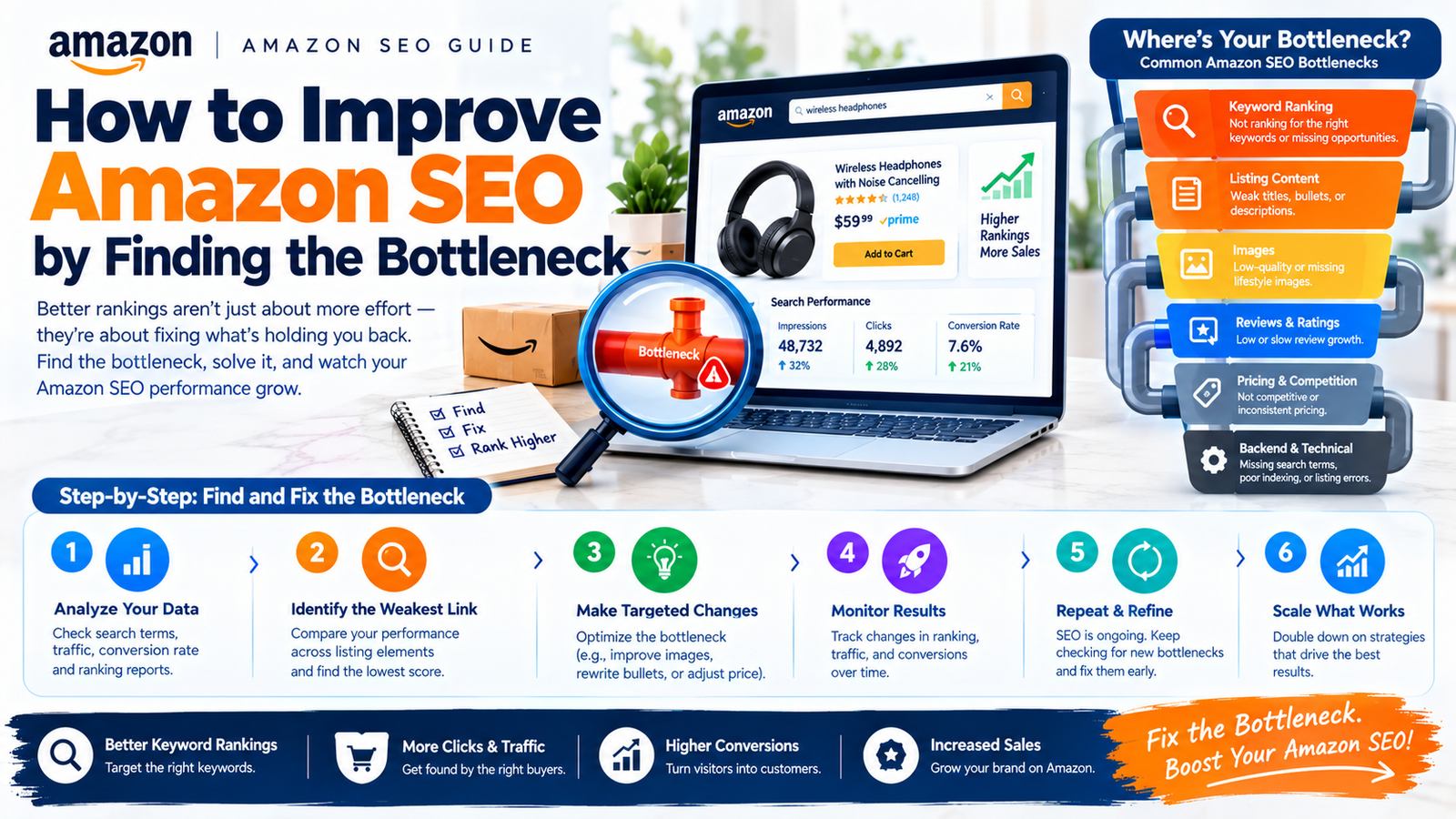
To learn how to improve Amazon SEO, find where relevant shoppers stop moving toward a purchase. Then fix that problem and measure the result.
Start with visibility, clicks, purchases, and commercial value. A listing with few impressions needs different work from one receiving clicks without sales.
This guide gives you a practical diagnostic process. It includes country-specific checks and a worked example using fictional data.
Start with the problem your data shows
Amazon describes SEO as improving product discoverability through listings and related selling practices. Its guidance covers keywords, content, images, and pricing. Amazon’s SEO guide.
Those practices matter, but applying every tactic together makes diagnosis difficult. You need to know which obstacle you are trying to remove.
Use this table to choose your starting point. These are investigation paths, not automatic explanations.
| Observed pattern | Investigate first | Useful next action |
|---|---|---|
| Relevant searches, little product visibility | Listing status, product relevance, attributes, keyword coverage | Resolve eligibility issues, then review query fit |
| Visibility without enough clicks | Main image, title clarity, price, delivery promise | Compare the search-result offer with close alternatives |
| Clicks without enough purchases | Compatibility, product evidence, offer conditions, listing clarity | Answer the strongest buying objection |
| More purchases without better profit | Discounts, advertising, fees, returns, agency costs | Recalculate contribution before expanding |
Website SEO uses a different setting and measurement system. DigitalSoules’ guide to what SEO means explains that broader context.
Build a baseline for one ASIN and one country
An ASIN is Amazon’s product identifier. Begin your audit with one priority product in one Amazon store.
Keep countries separate because a strong US result can hide a weak German listing.
Choose comparable reporting periods and save the original exports. Include a full buying cycle where possible.
Your baseline worksheet should contain:
- Amazon store, ASIN, variant, and product category.
- Reporting dates, currency, and report name.
- Search queries and available funnel counts.
- Price, coupons, and promotion dates.
- Inventory availability and delivery conditions.
- Advertising spend and major campaign changes.
- Listing edits and the dates they became visible.
- Returns or customer issues needing separate investigation.
Record events even when they look unrelated to SEO. They may explain the change you later attribute to your listing.
For example, faster delivery and a new discount can affect buying decisions. Comparing those periods without context produces a weak conclusion.
Read the reports without mixing their definitions
Eligible brands can use Amazon Brand Analytics. It provides dashboards covering search impressions, clicks, cart adds, and purchases.
Amazon lists eligibility requirements, including a Professional account and the appropriate enrolled-brand role. Check the tools available in your account. Amazon Brand Analytics.
Search Query Performance helps examine selected queries. Search Catalog Performance helps examine the product search funnel.
You can also review available business and advertising reports. Each report answers a different question.
Keep these measurements separate
A count measures activity; a share compares it with the report’s wider market total.
A ratio divides one count by another, so its meaning depends on the denominator.
For your own diagnostic worksheet, you might calculate:
- Clicks divided by impressions: a custom click-through ratio.
- Purchases divided by clicks: a custom purchase-per-click ratio.
- Your purchase count divided by total query purchases: purchase share, where supported by the report.
Label custom calculations clearly because they may differ from Amazon’s displayed rate columns.
Read the dashboard glossary before comparing rates. Do not assume every purchase-rate field uses clicks as its denominator.
Search Query Performance does not isolate organic activity
Amazon’s official help states that Search Query Performance includes organic and Sponsored Products activity from search results. It also separates its metrics from advertising-report metrics. Amazon’s Search Query Performance help.
This limits your interpretation because higher query visibility may partly reflect changed advertising.
Use advertising reports alongside search reports, keeping different definitions separate.
Attribution windows, definitions, and scopes can differ. Describe what each report establishes and what remains uncertain.
Fix visibility problems before rewriting the entire listing
First, confirm that shoppers can find and buy the product. Check account notices, inventory, and listing status.
A suppressed listing may be hidden from search. Amazon explains this behavior in its search suppression guidance.
Resolve the specific issue shown in your account. Changing copy cannot substitute for correcting missing required information.
Next, compare the product with the searcher’s intent. Ask whether the search describes something your product actually provides.
Consider a cable sold for charging only. A video-output query may attract interested shoppers, but the charging cable cannot meet that need.
Do not add the query because a research tool reports demand. Accurate query targeting prevents clicks from shoppers needing a different product.
Review the title, searchable attributes, and permitted search-term fields. Use accurate product language and check current category rules.
Amazon changed its title structure in 2026. Its update has marketplace exceptions, including Saudi Arabia and the UAE.
Consult current store-specific rules before editing. Older articles may describe the previous structure. Amazon’s official title-structure update.
The expected result is improved eligibility or coverage for relevant searches. It is not a guaranteed position.
Investigate impressions that fail to become clicks
If shoppers see your product but rarely click, inspect the search-result presentation. Use the same country and delivery location.
Compare several close alternatives to find why someone might choose another offer.
Check these questions:
- Can shoppers identify the product from the main image?
- Does the title explain the product and its key distinction?
- Is the package quantity clear?
- Does the displayed price match the expected value?
- Is the delivery promise competitive for that location?
- Does the product fit the query better than nearby alternatives?
Write one hypothesis before changing anything. For example: ‘Shoppers cannot distinguish the single item from the multipack.’
Choose a compliant change that clearly addresses the confusion you identified. Do not add misleading text or accessories to the main image.
Measure clicks and downstream purchases together. More curiosity clicks can make sales efficiency worse.
The useful result is better engagement from suitable buyers. A higher click count alone does not prove that.
Investigate clicks that fail to become purchases
Clicks show interest, but the detail page must resolve doubt. Read your product questions, customer feedback, and return explanations.
Group concerns by the decision they affect. Common groups include fit, size, compatibility, durability, and what the package contains.
Turn the strongest concern into clear product evidence. That might mean a dimension diagram or a compatibility table.
Consider a laptop stand with unclear dimensions. Adding more ‘desk accessory’ phrases will not answer whether a larger laptop fits.
Show supported dimensions clearly and accurately, stating limits alongside product benefits.
Inspect the live offer because poor availability or unattractive delivery conditions can discourage purchases.
Check that the selected variant’s size, color, quantity, price, and images match the promise.
The expected result is less purchase uncertainty. Measure purchases, customer issues, and commercial value after the change.
Test changes without creating a false success story
Amazon’s Manage Your Experiments can compare alternative listing content for eligible products. Products need enough traffic to produce useful results.
Amazon advises allowing experiments to finish because early results can mislead. Review eligibility and supported content types in your account. Manage Your Experiments.
When available, use a supported experiment for the relevant question. Keep a record of the hypothesis and outcome.
Without that tool, a before-and-after comparison is observational. It can suggest improvement, but it cannot isolate every cause.
Reduce avoidable noise by logging promotions and advertising changes. Compare similar periods and acknowledge remaining differences.
A fictional diagnostic example
The following numbers are invented to demonstrate the method. They are not DigitalSoules client results or category benchmarks.
| Custom worksheet metric | Before | After |
|---|---|---|
| Product search impressions | 20,000 | 20,000 |
| Product search clicks | 400 | 600 |
| Product search purchases | 40 | 42 |
| Calculated clicks/impressions | 2% | 3% |
| Calculated purchases/clicks | 10% | 7% |
The image change coincided with more clicks. Purchases increased only slightly, while purchases per click fell.
Investigate whether the image attracted less suitable shoppers or offer conditions changed.
Check the query mix, delivery conditions, promotions, and variant selection. Do not describe the click increase as proven SEO revenue growth.
Your next test should address the clearest remaining question. Increasing advertising spend would not answer why those shoppers failed to buy.
Build a query level keyword recovery plan
An account diagnosis becomes useful when you assign actions to specific queries. Keep one research worksheet per marketplace and product.
Amazon recommends search suggestions and available search dashboards as research inputs. Amazon’s keyword research guide.
1 Separate customer demand from product exposure
Export available query evidence for comparable periods. Save the original report and its definitions before calculating anything.
Record the query, reporting period, marketplace, ASIN, and available funnel counts. Include query volume and product shares where available.
Compare the query’s demand with your product’s exposure. Falling query activity calls for a different investigation from falling product share.
Ask whether fewer shoppers searched or your product captured less activity. Do not infer demand from your impressions alone.
Amazon’s dashboard includes query volume and funnel activity. Check the fields available in your account. Brand Analytics.
2 Compare products that meet the same need
Open competing offers for the query you are investigating. Record the date, store, delivery location, and selected variant.
Compare product type, specifications, quantity, price, and delivery conditions. A multipack and a single item need different value comparisons.
Look for missing information in your offer. Do not borrow a rival’s feature claim without evidence that your product provides it.
3 Collect new candidates with a source record
Enter accurate product phrases in the local Amazon search box. Save relevant suggestions with their store and observation date.
Treat suggestions as research candidates. Their presence does not establish a search volume or your ability to rank.
Expand product type using material, size, compatibility, and use. Reject wording that describes a feature your product lacks.
Product Opportunity Explorer can supplement research with product and purchasing insights. Review its available data before using it. Product Opportunity Explorer.
4 Add advertising evidence without confusing it with demand
Review available ad search-term data beside the query worksheet. Record campaign, targeting, period, spend, and attributed results.
Amazon’s help includes customer terms and inferred matches in non-search contexts. Not every row necessarily represents a typed search. Search-term report guidance.
Label each row’s context before using its wording. Keep product identifiers separate from ordinary keyword phrases.
Paid exposure depends on your campaign choices. A promising ad term is a candidate for relevance review, not proof of organic demand.
5 Give each query an action and confidence note
Use the following fictional matrix to demonstrate the decision process. Every keyword and number is illustrative, not observed account data.
Counts refer to one fictional product, store, and period. Query volume and product impressions have different meanings.
| Illustrative query | Query volume | Product impressions | Clicks | Purchases | Action and confidence |
|---|---|---|---|---|---|
| laptop stand | 10,000 | 300 | 9 | 1 | Investigate exposure; low evidence about buying behavior |
| adjustable laptop stand | 2,000 | 1,000 | 80 | 12 | Check product fit and preserve useful coverage; moderate observed evidence |
| laptop stand for large laptop | 1,500 | 800 | 70 | 2 | Investigate compatibility clarity; cause remains uncertain |
| folding laptop stand | N/A | N/A | N/A | N/A | Exclude if the product does not fold |
Confidence describes the evidence behind the next investigation. It does not grade a secret ranking factor.
The third row suggests checking compatibility objections. It does not prove that copy caused the low purchase count.
The final row needs a product-truth decision before measurement. Unknown demand should remain unknown rather than becoming an invented zero.
Prioritize ranking tips by the problem they can solve
Ranking work should follow your evidence rather than a universal checklist. Use this order as a proposed investigation sequence.
| Priority | Work to consider | What the result can establish |
|---|---|---|
| Product availability and listing status | Resolve documented account, offer, or catalog constraints | Whether the identified constraint was corrected |
| Relevant query coverage | Add accurate missing product wording and attributes | Whether approved information is present and relevant activity changes |
| Search-result clarity | Test an appropriate title or image change | Whether suitable shoppers engage under the observed conditions |
| Purchase clarity | Answer verified compatibility, sizing, or contents objections | Whether supported buying outcomes change |
| Commercial value | Review contribution beside search and advertising data | Whether growth remains useful after defined costs |
Do not skip an unresolved stock problem to rewrite every bullet. Choose changes that address the earliest verified obstacle.
Set a review date, named owner, and expected observation. A successful upload establishes publication, not a guaranteed ranking gain.
Write listing copy from the objections behind your queries
Use search language to identify the buying question. Then answer it using verified product facts.
For a compatibility query, state supported models and relevant limits. Repeating the phrase cannot supply missing compatibility evidence.
| Buyer objection | Writing task | Proof needed |
|---|---|---|
| Will it support my device? | State verified compatibility and limits | Manufacturer data or appropriate testing |
| Will it fit my workspace? | Explain dimensions and usable footprint | Reliable measurements |
| What comes in the package? | State included items and excluded props | Packaging record |
| Does it have the feature I searched? | Describe the actual mechanism or remove unsuitable wording | Product inspection or documentation |
Choose one clear answer for each bullet. Put essential identity in the appropriate title fields and fuller details in supporting content.
Read the copy beside the selected variant’s images and specifications. Conflicting information needs correction before a persuasive rewrite.
Track organic rank as a contextual observation
Record the query, country, language, date, delivery location, device, account context, and returned ASIN. Note the selected product variant.
Amazon says ASIN position can differ by location, account type, and desktop or mobile. Amazon’s search troubleshooting help.
Keep sponsored placements separate from your organic observation. Document how your tracker counts positions and handles product variants.
Compare observations made with the same setup. A single improved snapshot does not show what every shopper saw.
Use repeated observations alongside query activity and buying outcomes. Report the evidence together instead of treating one position as success.
If the product is absent, document the search depth inspected. Absence from that snapshot does not establish exclusion from every relevant search.
Adapt the audit to each Amazon marketplace
Amazon warns that poor translations can miss local wording and weaken product communication. Automated translation needs review for the intended audience. Amazon’s listing translation guide.
The table below gives practical checks for each market. It does not establish universal keyword preferences or legal requirements.
| Market | What to check in your audit |
|---|---|
| United States | US query data, measurements, compatibility, and current Amazon.com content rules |
| United Kingdom | British wording, UK query data, local delivery conditions, and applicable product specifications |
| Germany | German query research, natural compound words, accurate technical terms, and native-language review |
| France | French product names, fluent benefit copy, relevant attributes, and local buyer questions |
| Italy | Italian query wording, product specifications, and consistency between copy and images |
| Spain | Spanish search terms, accurate product distinctions, and local offer conditions |
| Canada | Language needs of the intended audience, local query evidence, and delivery coverage |
| India | Amazon.in query evidence, local price context, accurate specifications, and language needs |
| Australia | Australian wording, sizing information, local delivery expectations, and available reporting tools |
| Japan | Japanese query wording, model naming, native review, and local variant checks |
| Mexico | Mexican Spanish search evidence, local specifications, and offer conditions |
| Brazil | Brazilian Portuguese product wording, native review, and local query evidence |
| UAE | Arabic and English audience needs, product compatibility, and current Amazon.ae rules |
| Saudi Arabia | Arabic and English audience needs, local offer conditions, and current Amazon.sa rules |
Keep separate baselines for these stores while researching their local search language.
Do not assume a US keyword becomes effective through direct translation. Verify the phrase against actual local product searches.
Turn the audit into a useful monthly decision
End your report with a decision supported by the evidence you collected. Use a short record for every priority ASIN.
Include the observed problem, evidence, chosen change, owner, and review date. State the expected result and what could disprove the hypothesis.
Record the actual outcome, then keep useful changes and investigate unresolved constraints.
This process improves the quality of your decisions. It also gives you evidence when assessing outside help.
Frequently asked questions
How long does improving Amazon SEO take
There is no reliable deadline for every account. Listing issues, traffic, category competition, and test eligibility affect the process.
Set dates for specific deliverables and reviews. Avoid treating a fixed period as a guaranteed ranking deadline.
Should I add more keywords when sales fall
Only when relevant query coverage is the identified problem. First check listing status, inventory, clicks, purchases, and offer changes.
Does a lower advertising ratio prove better organic SEO
No. Advertising changes, product mix, promotions, and total demand can affect that ratio.
Use it as context alongside search evidence and contribution. Describe uncertainty instead of assigning every improvement to SEO.
What should I do first today
Choose one ASIN in one country and save its baseline. Find the earliest weak step between visibility and purchase.
Write one testable explanation. Make the smallest appropriate change, then review its effect using the same definitions.
SEO publishing details
SEO title: Improve Amazon SEO: Find and Fix the Sales Bottleneck
Meta description: Improve Amazon SEO with a practical audit of visibility, clicks, purchases, and profit. Use clear metrics and country-specific checks before changing listings.
Proposed URL: https://digitalsoules.com/improve-amazon-seo/
Primary keyword: improve Amazon SEO
Supporting keywords: Amazon keyword research, Amazon keyword ranking, Amazon SEO audit, Amazon search query analysis, Amazon listing copywriting, Amazon organic rank tracking
Source references
- Amazon SEO guide
- Amazon Brand Analytics
- Amazon Search Query Performance help
- Amazon search suppression guidance
- Amazon official title structure update
- Manage Your Experiments
- Amazon listing translation
- Amazon keyword research
- Product Opportunity Explorer
- Amazon Ads search term report
- Amazon search troubleshooting



