
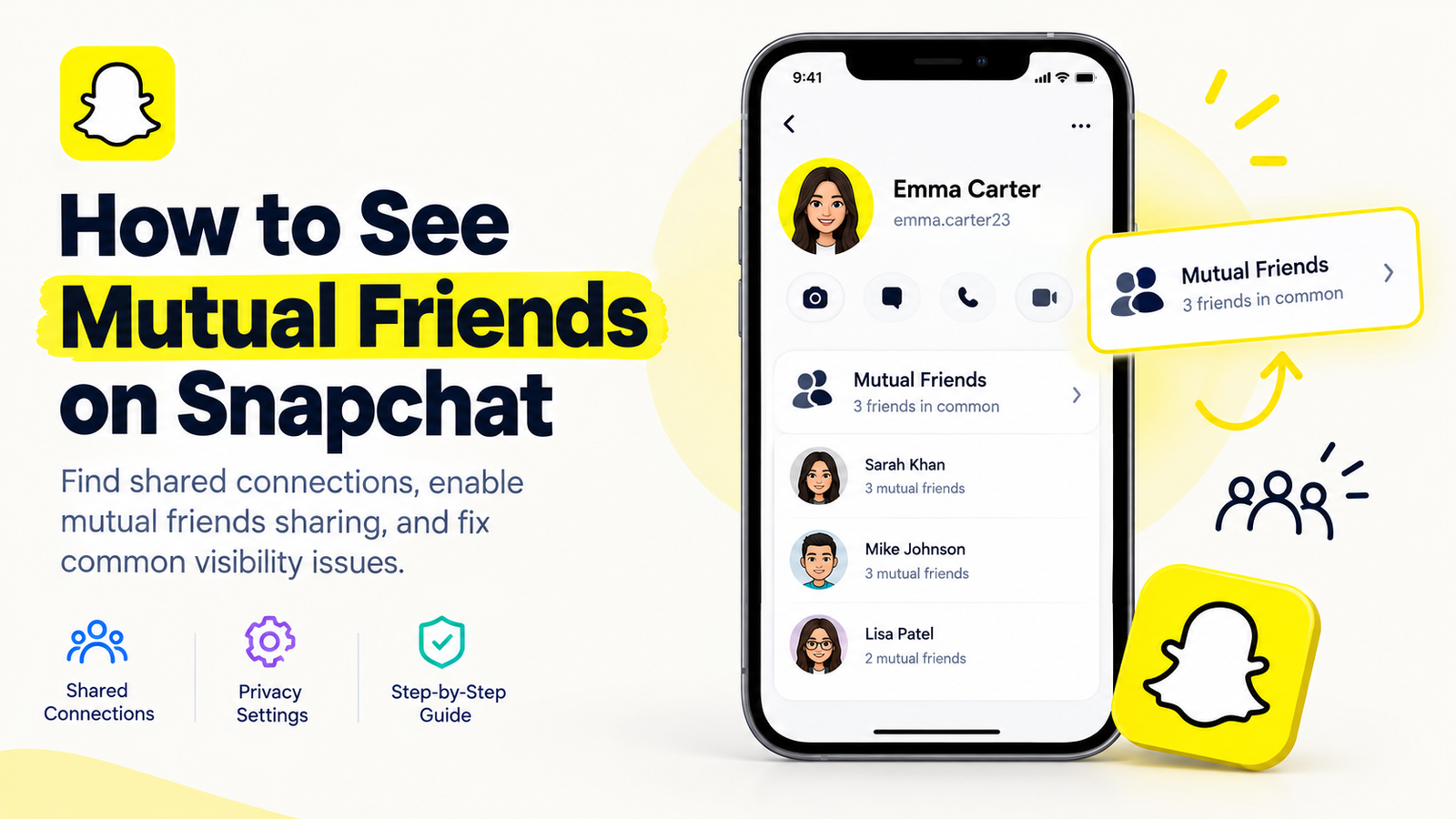
Snapchat makes it easy to connect with friends, discover new people, and share everyday moments. However, when you come across an unfamiliar profile, you may want to know whether you have friends in common before sending a friend request.
That is where Snapchat’s mutual friends feature can help. It allows users to discover shared connections when the relevant privacy settings are enabled.
In this guide, we will explain how to see mutual friends on Snapchat, where to find the mutual friends list, why it might not appear, and how to manage your privacy settings.
What Are Mutual Friends on Snapchat?
Mutual friends are people whom you and another Snapchat user both have as friends. For example, imagine that you and your classmate are friends with the same three people on Snapchat. Those shared connections are your mutual friends.
This feature can help you recognize people from your school, workplace, social circle, or existing network. It can also make it easier to confirm whether an unfamiliar account belongs to someone you may know.
Snapchat now offers a dedicated mutual friends list, but you can only see another user’s mutual friends list when both of you have enabled mutual friends sharing. Individual shared connections may still be hidden if those users have not enabled the feature.
How to See Mutual Friends on Snapchat
Follow these steps to check whether Snapchat lets you view mutual friends with another user.
Step 1: Open Snapchat
Launch the Snapchat app on your Android or iPhone. Make sure you are logged into your account and have access to the latest available version of the app.
Step 2: Find the Person’s Profile
Search for the person using Snapchat’s search feature, or locate their account through your existing conversations or friend suggestions.
Tap their Bitmoji or profile name to open their profile.
Step 3: Look for the Mutual Friends Section
Check the person’s profile for a section labeled Mutual Friends or a similar shared-connections option.
If both accounts have enabled mutual friends sharing, Snapchat may display a list of people you have in common.
Step 4: Review the Available Information
If the mutual friends section appears, review the shared connections Snapchat displays. Remember that the list may not include every person you have in common because individual users can choose whether their mutual-friends information is visible.
If you cannot find this section, do not assume the person has no mutual friends. Their privacy settings or regional feature availability may explain why the list is missing.
How to Turn On Mutual Friends on Snapchat
If you want other eligible users to see your shared connections, you can check whether mutual friends sharing is available in your account settings.
- Open Snapchat and go to your account or profile settings.
- Look for the Mutual Friends option under My Privacy & Data, or look for Show Mutual Friends List in the relevant account settings.
- Enable the mutual friends sharing option if it is available.
- Return to the relevant profile and check whether the mutual friends section appears.
Snapchat’s interface can vary by account and app version, so the exact menu labels or locations may differ.
Important: Turning on this setting for your account does not automatically reveal another person’s mutual friends list. Both you and the other user must enable sharing for the list to be visible.
Can You See Mutual Friends on Snapchat Without Adding Someone?
You may be able to view mutual friends on an eligible profile without sending that person a friend request. However, visibility depends on the feature’s availability and the privacy settings of the accounts involved.
You can search for a username and inspect the available profile information without tapping the Add button. If the mutual friends section is not available, Snapchat does not provide a guaranteed method to reveal it.
You should also avoid assuming that a suggested account is connected to you through a particular friend. Friend recommendations can be based on several signals, including existing connections and contacts.
Why Can’t I See Mutual Friends on Snapchat?
If the mutual friends section does not appear, several explanations are possible.
1. The Other Person Has Disabled Mutual Friends Sharing
The person whose profile you are viewing may not have enabled the feature. Even if you have turned it on, their list will not appear unless they have also enabled sharing.
2. Your Shared Friends Have Not Enabled the Feature
Some people you have in common may not appear because they have not enabled their own mutual friends settings. As a result, the visible list may be incomplete.
3. You Do Not Have Any Visible Mutual Friends
You might genuinely have no shared friends with that user. Alternatively, you may have shared connections whose information is not visible because of their privacy preferences.
4. The Feature Is Not Available for Your Account
Snapchat notes that the mutual friends feature may not be available for every account or region. If you cannot find the setting, it may not currently be offered to your account.
5. The App Interface Is Different
Snapchat regularly changes its interface. If the steps above do not match your screen, update the app if an update is available and check the current privacy settings.
Can You See the Names of Someone’s Friends on Snapchat?
Snapchat does not make a user’s entire private friends list publicly accessible. The mutual friends feature is different: it can show shared connections when the relevant users have enabled sharing.
You should not expect to see every person someone has added, their private conversations, or a complete list of their friends. These details are protected by Snapchat’s privacy controls.
If you are trying to reconnect with someone, the best approach is to use Snapchat’s official search and friend-discovery features or ask a mutual contact directly.
Is It Safe to Use Third-Party Apps to Find Mutual Friends?
Be cautious of websites and apps claiming to reveal hidden Snapchat friends or bypass privacy settings. Such services may request your login credentials, collect personal information, or put your account at risk.
Never share your Snapchat password or verification code with an unofficial service. Use Snapchat’s built-in features instead, and review your privacy settings regularly.
How to Manage Your Mutual Friends Privacy
If you prefer not to share mutual friends information, Snapchat provides a way to disable the feature.
Open your account settings and look for Show Mutual Friends List or navigate to My Privacy & Data → Mutual Friends, depending on the interface available to you. Turn off the relevant setting if it is enabled.
This gives you control over whether your mutual friends information is shared with other users. You can review the available privacy options whenever you want to adjust how people discover or interact with your account.
Frequently Asked Questions
1. Does Snapchat notify someone when I view their mutual friends?
Snapchat’s mutual friends help documentation does not describe a notification specifically for viewing the mutual friends list. However, notifications and profile features can change, so avoid assuming that every Snapchat interaction is completely invisible.
2. Why can I see mutual friends with one person but not another?
The two people may have different privacy settings, some shared friends may have disabled visibility, or the feature may not be available for one of the accounts.
3. Can I see mutual friends if my account is private?
Your account’s general privacy settings and the dedicated mutual friends sharing setting are not necessarily the same thing. Check whether the mutual friends option is available and enabled on your account, and remember that the other user must also enable it.
4. Does having mutual friends mean someone knows me personally?
No. Shared connections only indicate that you have people in common on Snapchat. They do not prove that the person knows you in real life or that a mutual friend personally recommended their account.
5. Can I see mutual friends on Snapchat using a computer?
Snapchat’s web experience may not offer the same profile and privacy controls as the mobile app. For the most reliable experience, check the mutual friends feature in the Snapchat mobile app.
Final Thoughts
Learning how to see mutual friends on Snapchat can help you recognize shared connections and make more informed decisions about adding unfamiliar accounts. Start by opening the person’s profile and looking for the Mutual Friends section. If it is missing, check your privacy settings and remember that both accounts must enable mutual friends sharing.
Most importantly, respect other users’ privacy and avoid third-party tools that promise access to hidden friends lists.
For more helpful guides on social media, digital tools, and online platforms, visit Digital Soules and explore our latest tutorials and resources.



