
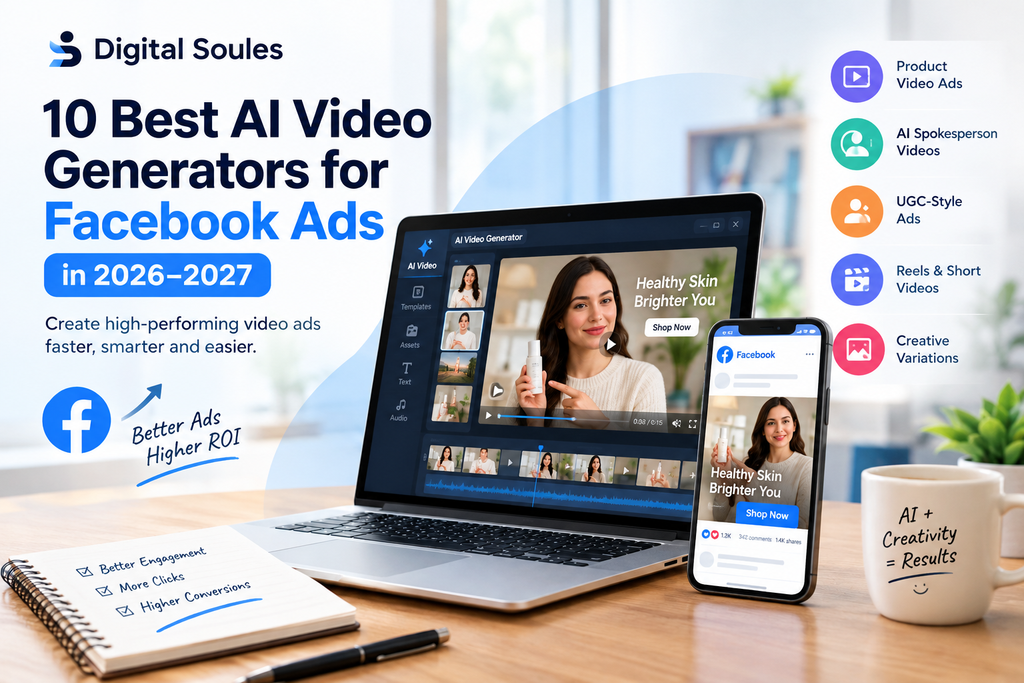
Facebook advertising is becoming more competitive, and businesses need fresh video content to attract attention, explain their products, and encourage people to take action. However, producing professional video ads can take time, money, and creative effort.
This is where AI video generators can help.
The best AI video generators for Facebook ads allow marketers to create product demonstrations, AI spokesperson videos, user-generated content (UGC)-style ads, promotional videos, and short videos for Facebook Reels. Some tools can even turn a product page into a video ad, while others help create realistic AI actors or generate cinematic video clips from text prompts.
But not every AI video tool is designed for advertising. Some are better for product marketing, while others are more useful for editing, storytelling, or creating talking-head videos.
In this guide, Digital Soules explores the 10 best AI video generators for Facebook ads in 2026–2027, including their features, ideal use cases, limitations, and how to choose the right tool for your business.
Note: 2027 features and prices may change. Check each provider’s official website for current plans, usage limits, and commercial-use terms before subscribing.
Quick Comparison: Best AI Video Generators for Facebook Ads
| AI Tool | Best For | Main Strength |
|---|---|---|
| Creatify | E-commerce video ads | Turning product URLs into ad drafts |
| Arcads | UGC-style Facebook ads | AI actors and multiple ad variations |
| HeyGen | AI spokesperson videos | Talking avatars and video translation |
| InVideo AI | Complete promotional videos | Generating and assembling videos from prompts |
| Runway | Creative and cinematic ads | AI video generation and visual editing |
| Canva | Beginners and small businesses | Templates, design, and simple video editing |
| Adobe Firefly | Brand-focused creative production | Generative visuals within Adobe workflows |
| Synthesia | Professional presenter videos | Script-based avatar videos |
| AdCreate | AI advertising creative | Creating and testing ad variations |
| CapCut | Short-form Facebook video editing | Captions, effects, transitions, and mobile-first editing |
The best choice depends on the type of Facebook ad you want to create. For example, an online store may benefit from Creatify, while an agency producing AI spokesperson videos may prefer HeyGen or Arcads.
What Makes a Good AI Video Generator for Facebook Ads?
Before choosing a tool, it is important to understand what makes an AI-generated video useful for advertising.
A video can look impressive but still perform poorly if viewers cannot understand the offer, the product is difficult to see, or the opening takes too long to get to the point.
Here are the most important features to consider.
1. Short-Form Video Creation
Facebook users often scroll quickly through their feeds. A useful AI video generator should help you create short, focused videos that communicate one main message.
For example, a clothing store could create a 15-second video showing a new product, highlighting its main benefit, and ending with a clear shopping call to action.
2. Vertical Video Support
Vertical videos are particularly useful for Facebook and Instagram Reels.
Look for tools that support a 9:16 aspect ratio and allow you to position text, subtitles, products, and faces correctly. Important information should remain visible instead of being covered by platform controls.
You may also need square or portrait formats for other placements.
3. AI Avatars and Virtual Actors
AI avatars can present products, explain services, or deliver promotional scripts without requiring a traditional filming session.
These features are particularly useful for brands that want presenter-led ads, multilingual videos, or several versions of the same advertisement.
However, AI-generated presenters should not be used to fabricate genuine customer testimonials or false endorsements.
4. Product-to-Video Generation
Some tools can use product images, descriptions, or website URLs to create video advertisements.
This can be useful for e-commerce businesses that have product photography but lack video footage.
Always check that the generated video accurately represents the actual product, including its appearance, features, and packaging.
5. Captions, Voiceovers, and Editing
Captions help people understand videos when they watch without sound. Voiceovers can make an advertisement more engaging, while editing tools help control the pace and remove unnecessary scenes.
A strong tool should also make it easy to correct mistakes before publishing.
6. Multiple Creative Variations
One advertisement may not appeal to every audience. Marketers often need to test different openings, product demonstrations, offers, and calls to action.
AI tools can make this process faster by helping produce multiple creative variations from the same basic concept.
However, generating more videos does not automatically improve results. Each variation should test a clear idea.
1. Creatify Best for E-commerce Facebook Video Ads
Best for: Online stores, dropshipping businesses, and product-based brands.
Creatify is an AI video advertising platform designed to help businesses turn product information and visual assets into promotional videos.
Instead of building every advertisement from scratch, marketers can start with a product URL or uploaded assets and use the platform to develop video ad concepts.
Key Features
- Product URL-to-video workflows.
- AI-generated scripts and advertising concepts.
- AI avatars and voiceovers.
- Product-focused video creation.
- Captions and video templates.
- Support for producing multiple creative variations.
Why Use Creatify for Facebook Ads?
Imagine you run an online store selling skincare products. You already have product photographs, a website, and descriptions of the product’s benefits, but you do not have a professional video.
Creatify can help turn these materials into an initial video ad concept. You can then review the script, adjust the visuals, add a suitable call to action, and prepare versions for different placements.
This is particularly helpful when a store needs to create promotional content for several products.
Limitations
Automatically generated scripts may include inaccurate details or wording that needs improvement. The output may also require additional editing to match your brand style.
Our verdict: Creatify is a strong starting point for e-commerce advertisers who want to produce product-focused video ads quickly.
Website: https://creatify.ai/
2. Arcads Best for UGC-Style Facebook Ads
Best for: Performance marketers, advertising agencies, and brands testing creator-style advertisements.
Arcads focuses on AI-generated actors and video advertisements that resemble user-generated content.
UGC-style ads are designed to feel more conversational and less like traditional polished commercials. They often feature a person speaking directly to the camera, explaining a product, or introducing a solution to a common problem.
Key Features
- AI actors for promotional videos.
- Script-based ad production.
- UGC-style video creation.
- Creative variations for advertising tests.
- Editing and localization features, depending on the plan.
Why Use Arcads for Facebook Ads?
Suppose you are promoting a productivity app. You want to test several openings, such as:
- “Still managing your tasks manually?”
- “Here’s how I organize my workday.”
- “Want a simpler way to manage projects?”
Instead of arranging multiple filming sessions, you can use an AI actor workflow to develop different presenter-led versions of the advertisement.
This can help marketing teams explore different creative approaches before investing in a larger production.
Limitations
An AI actor may look realistic, but realism alone does not make an advertisement convincing. Poor scripts, unnatural delivery, or unsupported product claims can still reduce trust.
Do not present a synthetic actor as a genuine customer sharing personal experience when that experience never happened.
Our verdict: Arcads is worth considering when your Facebook advertising strategy relies heavily on presenter-led and UGC-style video variations.
Website: https://www.arcads.ai/
3. HeyGen Best for AI Spokesperson Videos
Best for: Service businesses, SaaS companies, agencies, and brands producing multilingual marketing content.
HeyGen specializes in AI avatar videos, allowing users to create videos in which digital presenters deliver written scripts.
It is particularly useful when a business wants a consistent presenter without recording a new video for every campaign or language.
Key Features
- AI avatars and digital presenters.
- Script-to-video workflows.
- AI-generated voiceovers.
- Video translation and localization.
- Lip-sync capabilities.
- Custom avatar options, depending on the plan.
Why Use HeyGen for Facebook Ads?
Imagine a software company promoting a customer management platform. It could create a short video in which an AI presenter explains three useful features and directs viewers to a free trial.
The company could then adapt the script for different audiences and create translated versions of the same campaign.
HeyGen can also help service businesses produce educational advertisements that require a presenter to explain a process.
Limitations
Presenter-led videos can sometimes feel too formal for casual social media advertising. You may need to adjust the script, pacing, and delivery to make the advertisement feel natural.
Custom avatar creation, usage limits, and commercial features may depend on the subscription.
Our verdict: HeyGen is a strong option for businesses that want professional AI presenters, repeatable video production, and multilingual content.
Website: https://www.heygen.com/
4. InVideo AI Best for Creating Complete Promotional Videos
Best for: Small businesses, content marketers, and advertisers who want help assembling videos from written prompts.
InVideo AI helps users create videos from text instructions, scripts, and other source materials. Depending on the workflow, it can combine narration, visuals, and editing elements into a more complete video.
This makes it useful for marketers who want to move from an idea to a draft without manually assembling every scene.
Key Features
- Prompt-based video creation.
- Script and narration workflows.
- AI-generated or stock visuals.
- Voiceovers and subtitles.
- Video editing and scene adjustments.
- Support for different promotional video formats.
Why Use InVideo AI for Facebook Ads?
Suppose a local fitness business wants to advertise its membership plans.
The marketing team could provide a short brief explaining the services, target audience, offer, and preferred style. InVideo AI could help develop a video draft featuring relevant scenes, narration, and promotional messaging.
The team could then edit the video to match its actual services and brand identity.
Limitations
Automatically assembled videos may contain irrelevant footage or generic visuals. Product-specific advertisements may require more careful editing than general promotional content.
Review the script and every visual before publishing.
Our verdict: InVideo AI is a practical choice for marketers who want help creating complete promotional video drafts rather than generating individual clips only.
Website: https://invideo.io/
5. Runway Best for Creative and Cinematic Video Ads
Best for: Creative agencies, lifestyle brands, and marketers who want distinctive visuals.
Runway is an AI video generation and editing platform that supports creative workflows involving generated footage and visual transformations.
Unlike tools focused mainly on AI spokespersons, Runway is especially relevant when the advertisement depends on visual storytelling, atmosphere, or unusual scenes.
Key Features
- AI video generation.
- Image-to-video workflows.
- Creative visual editing.
- Scene and motion experimentation.
- Support for developing visual concepts and promotional footage.
Available models, editing options, and export capabilities depend on the current product offering.
Why Use Runway for Facebook Ads?
Imagine a travel company promoting a holiday destination. It wants an attention-grabbing opening showing a beautiful landscape, followed by scenes that introduce the travel experience.
Runway can help generate or develop visual concepts that would be expensive or difficult to film.
A brand could also use generated clips as supporting footage in a larger advertisement that includes real product information and a clear call to action.
Limitations
Generated footage may contain visual inconsistencies or inaccuracies. Product advertisements need extra care because the AI might change a product’s shape, packaging, or appearance between shots.
You may also need a separate editor to assemble the final ad.
Our verdict: Runway is worth considering when distinctive visuals matter more than automated, one-click ad production.
Website: https://runwayml.com/
6. Canva Best for Beginners and Small Businesses
Best for: Freelancers, small businesses, social media managers, and beginners.
Canva is a visual design platform with video editing, templates, and AI-assisted creative features.
It is especially useful for people who want to combine existing product images, video clips, text, branding, and generated content in one accessible editor.
Key Features
- Ready-made video templates.
- Drag-and-drop video editing.
- Text animations and transitions.
- Captions and other design elements.
- Brand assets and reusable layouts.
- AI-assisted creative tools, depending on the plan.
Why Use Canva for Facebook Ads?
A small clothing brand may already have product photographs and short clips recorded on a phone.
With Canva, the owner can combine these assets into a vertical video, add promotional text, include a discount code, and finish with a shopping call to action.
Canva is particularly helpful when brand consistency matters and the user wants direct control over the final layout.
Limitations
Canva is primarily a design and editing environment rather than a specialized performance-ad generator. Some AI video features may produce only individual clips, meaning the user must still assemble the complete advertisement.
Our verdict: Canva is an excellent starting point for people who want simple editing, branded visuals, and control over their Facebook video ads.
Website: https://www.canva.com/
7. Adobe Firefly Best for Brand-Focused Creative Production
Best for: Marketing teams, designers, and businesses already using Adobe creative software.
Adobe Firefly provides generative AI features for creating and editing visual content. Its video capabilities can help creative teams develop footage and supporting visuals for marketing projects.
Firefly is particularly useful when a campaign requires more creative control than a simple template-based editor provides.
Key Features
- AI-assisted video generation and editing capabilities.
- Text-to-video and image-to-video features where available.
- Visual asset creation.
- Creative workflows connected with Adobe tools.
- Support for developing branded marketing content.
Why Use Adobe Firefly for Facebook Ads?
A brand may need several short visual clips for a campaign, such as a product reveal, a background scene, or an atmospheric shot.
A creative team can use generative tools to develop these assets and then assemble the advertisement in a suitable video editor.
This approach is useful when the team already has established brand guidelines and a structured production workflow.
Limitations
Firefly may not replace a dedicated AI advertising platform when the main goal is to generate dozens of ready-to-test product advertisements or UGC-style videos.
Review the current feature availability, commercial-use terms, and plan limitations before using it for paid campaigns.
Our verdict: Adobe Firefly is a useful option for creative teams that want AI-generated visuals as part of a broader design and video-editing workflow.
Website: https://firefly.adobe.com/
8. Synthesia Best for Professional Presenter Videos
Best for: B2B companies, SaaS businesses, corporate services, and educational marketing.
Synthesia specializes in AI avatar videos created from scripts. It is particularly suitable for structured communication where a presenter explains a product, process, or service.
Key Features
- AI presenters and avatars.
- Script-based video generation.
- Voice and language options.
- Templates for structured presentations.
- Video updates without repeated filming.
- Team-oriented workflows, depending on the plan.
Why Use Synthesia for Facebook Ads?
A B2B software company could create a short advertisement explaining how its platform helps teams manage projects.
An AI presenter could introduce the problem, explain the software’s main benefit, and invite viewers to book a demonstration.
The same presentation format can also support educational campaigns and product announcements.
Limitations
Corporate-style presentation videos may not feel as natural as casual creator-style content. For consumer products that depend on personal storytelling, a different format may be more appropriate.
Our verdict: Synthesia is a good choice when the advertisement needs a clear, professional presenter rather than cinematic footage or informal UGC-style storytelling.
Website: https://www.synthesia.io/
9. AdCreate Best for AI Advertising Creative Variations
Best for: Marketers and agencies that want to produce and test advertising concepts.
AdCreate is an AI advertising creative platform designed to help users develop marketing assets and video advertisements.
It is worth evaluating when your workflow focuses on generating several creative options rather than producing a single polished video.
Key Features
- AI-assisted advertising creative production.
- Video ad generation.
- Creative variations.
- Advertising-focused workflows.
- Tools for developing promotional concepts, depending on the plan.
Why Use AdCreate for Facebook Ads?
Suppose a store is preparing to launch a new product. It wants to compare a product-focused demonstration with a problem-solution video and an offer-led advertisement.
An advertising-focused generator can help the team develop initial creative options more quickly than building every version manually.
The team can then select the strongest concepts for further editing and testing.
Limitations
Not every generated variation will be suitable for publication. The results still depend on the quality of the input material, the script, and the offer.
Check current plan limits and the exact video features available before subscribing.
Our verdict: AdCreate is worth comparing with other ad-focused tools if creative testing is a major part of your marketing process.
Website: https://adcreate.com/
10. CapCut Best for Editing Short Facebook Video Ads
Best for: Content creators, freelancers, social media managers, and businesses producing short-form videos.
CapCut is a video editing platform with tools for captions, transitions, effects, audio, and AI-assisted editing.
It is particularly useful when you already have footage or AI-generated clips and need to turn them into a polished advertisement.
Key Features
- Short-form video editing.
- Automatic captions and text overlays.
- Transitions and visual effects.
- Audio and voiceover editing.
- Templates and resizing tools.
- AI-assisted editing features, depending on the version and plan.
Why Use CapCut for Facebook Ads?
A freelance marketer might generate product clips with an AI video tool and then use CapCut to assemble the final advertisement.
They can trim unnecessary scenes, add subtitles, introduce the offer early, and finish with a call to action.
This makes CapCut a useful companion to dedicated AI video generators.
Limitations
CapCut is not necessarily the best choice when you want a complete advertisement generated automatically from a product URL. Some workflows still require manual editing, and available features may vary by region and plan.
Our verdict: CapCut is a strong option for people who want practical editing tools and more control over the final Facebook video ad.
Website: https://www.capcut.com/
Which AI Video Generator Is Best for Your Business?
Choosing the right platform becomes easier when you start with your actual advertising needs.
| Your Goal | Recommended Tool | Why |
|---|---|---|
| Turn product pages into ads | Creatify | Product-focused ad generation |
| Create AI actor advertisements | Arcads | UGC-style presenter variations |
| Make talking-avatar videos | HeyGen | Scripted presenters and localization |
| Assemble promotional videos from prompts | InVideo AI | Video creation and scene assembly |
| Generate distinctive visual scenes | Runway | Creative video generation |
| Design simple branded ads | Canva | Templates and easy editing |
| Develop brand-focused visual assets | Adobe Firefly | Generative creative workflows |
| Create professional business presentations | Synthesia | Script-based avatar videos |
| Produce multiple ad concepts | AdCreate | Advertising-focused creative production |
| Edit clips into finished Reels | CapCut | Captions, trimming, and effects |
These recommendations describe the tools’ main use cases, not a guaranteed ranking of advertising results. The best-performing option depends on your product, audience, creative quality, and campaign setup.
How to Create a Facebook Ad With AI
You do not need to generate a completely new video from scratch every time you launch a campaign. A structured workflow can help you create ads faster while maintaining quality.
Step 1: Choose One Product or Service
Start with a clear offer.
For example, an online store may want to advertise a portable blender. Before creating the video, identify its main benefits, price, intended audience, and the action you want viewers to take.
Step 2: Write a Short Advertising Script
A simple video ad can follow this structure:
- Hook: Get the viewer’s attention.
- Problem or need: Explain the situation the product addresses.
- Solution: Show the product or service.
- Benefit: Explain its most important value.
- Call to action: Tell viewers what to do next.
For example, a portable blender advertisement could open with a quick demonstration of making a smoothie, show how the blender works, and finish with a link to shop.
Keep the claims accurate and avoid promising results the product cannot guarantee.
Step 3: Choose the Right AI Tool
Select a platform based on the type of video you need.
Use Creatify for product-focused ads, Arcads for synthetic actor formats, HeyGen for presenter videos, or Runway for creative visual scenes.
If you already have suitable footage, you may only need an editor such as CapCut or Canva.
Step 4: Create a Vertical Version
For Reels and Stories, start with a 9:16 vertical layout where appropriate.
Make sure the product, subtitles, and important text are visible on a mobile screen. Keep key elements away from areas that may be covered by interface controls.
Prepare additional versions for other placements when necessary rather than relying on automatic cropping alone.
Step 5: Add Captions and a Clear Call to Action
Use readable captions and make the main benefit easy to understand.
Finish with a relevant action, such as “Shop Now,” “Learn More,” or “Book a Demo.”
The call to action should match the landing page and the actual offer.
Step 6: Review the Final Video
Check the video carefully before uploading it to Meta Ads Manager.
Confirm that:
- The product looks accurate.
- The script contains no unsupported claims.
- The captions are readable.
- The audio and lip movements look natural where applicable.
- The video fits the intended placement.
- Any required disclosures are included.
- The landing page matches the advertisement.
AI can speed up production, but human review remains important.
7 Tips for Better AI-Generated Facebook Video Ads
1. Focus on the First Few Seconds
Your opening should quickly communicate the product, benefit, or problem being addressed.
Avoid long introductions that delay the main message.
2. Test Different Hooks
Create different openings for the same product. One may focus on a practical benefit, another on a demonstration, and another on a common customer question.
Change one major variable at a time when possible so you can understand the results.
3. Keep the Product Accurate
Generative video tools can sometimes change packaging, logos, product details, or physical proportions.
Use genuine product assets where appropriate and inspect every scene before publishing.
4. Make Videos Easy to Understand Without Sound
Use captions and clear visual storytelling so viewers can follow the advertisement even if they do not hear the audio.
If voiceover is important, make sure it is clear and well synchronized.
5. Match the Ad to the Audience
A business software advertisement may benefit from a clear demonstration, while a lifestyle product may need more visual storytelling.
Choose a format that helps the intended audience understand the offer.
6. Test the Finished Ad in Its Actual Placement
Preview your creative on mobile and check how it appears in the intended Facebook or Instagram placement.
Do not assume a video that looks good in an editor will display perfectly everywhere.
7. Measure Real Campaign Results
Track metrics that match your goal, such as click-through rate, cost per landing page view, conversion rate, or cost per acquisition.
A tool that generates videos quickly is useful, but it does not automatically guarantee better advertising performance.
Are AI-Generated Videos Allowed in Facebook Ads?
AI-generated videos can be used in Facebook advertising, provided they comply with Meta’s advertising policies and other applicable requirements.
Meta has described its approach to labeling AI-generated and manipulated content, including certain AI-generated advertising creatives. The exact treatment depends on how the content was created, what it depicts, and the relevant platform rules.
Advertisers should review current requirements, especially when a video depicts a realistic person saying or doing something that never happened.
Source: Meta Its Approach to Labeling AI-Generated Content and Manipulated Media.
Before launching a campaign:
- Avoid fake endorsements and fabricated testimonials.
- Do not use another person’s likeness or voice without appropriate permission.
- Check claims involving health, financial products, or other regulated topics.
- Follow applicable disclosure requirements.
- Review the current Meta Advertising Standards.
AI-generated content is not automatically approved simply because it was created with a commercial tool.
Frequently Asked Questions
What is the best AI video generator for Facebook ads in 2026?
There is no single best tool for every advertiser. Creatify is worth considering for product-focused e-commerce ads, Arcads for AI actor videos, HeyGen for presenter-led content, and Canva or CapCut for hands-on editing.
Can I create Facebook video ads without filming?
Yes. AI tools can generate clips, create virtual presenters, assemble scenes, and add voiceovers. You can also combine AI-generated footage with product photos and existing brand assets.
However, some advertisements will benefit from genuine product footage or real customer content.
Are AI video generators free?
Some platforms offer free access, trials, or limited credits. Paid plans may be required for higher usage, additional features, longer videos, or commercial workflows. Check current pricing and limits on the official website before choosing a plan.
Which AI video tool is best for dropshipping ads?
Creatify is a useful starting point because it focuses on product-to-video advertising workflows. Other tools may be suitable if you want synthetic presenters, creative visual scenes, or manual editing.
The right choice depends on your products, available assets, and the number of ad variations you need.
Can AI-generated Facebook ads increase sales?
AI can help you produce and test more creative concepts, but it does not guarantee more sales. Results depend on the product, offer, audience, ad quality, landing page, and campaign management.
The best approach is to test different versions and make decisions based on actual campaign data.
Should I use AI-generated actors or real creators?
AI-generated actors can help produce variations quickly and reduce the need for repeated filming. Real creators can provide authentic personal experiences and genuine product demonstrations.
Choose the format that fits the message. Never present an AI actor’s invented experience as a real customer testimonial.
Conclusion
AI video generators can help businesses create Facebook ads faster, test different creative approaches, and produce content for a range of products and audiences.
For product-based advertising, Creatify is worth evaluating. For AI actors and UGC-style videos, consider Arcads. For virtual presenters, HeyGen and Synthesia are useful options. Runway and Adobe Firefly can support creative visual production, while Canva and CapCut are practical choices for editing and assembling finished ads.
The best AI video generator is not necessarily the one with the most advanced features. It is the one that fits your workflow, produces accurate and useful creative assets, and helps you test ideas efficiently.
Start with one product, create a few distinct video concepts, and compare their actual results. Review the content carefully, keep the offer clear, and use AI as a production aid rather than a replacement for sound marketing judgment.
At Digital Soules, we believe successful digital marketing combines the right tools with strong creative strategy, useful content, and decisions based on real results. As AI video technology continues to evolve through 2027, businesses that focus on these fundamentals will be better prepared to adapt.
Disclaimer: Tool features, prices, and availability can change. Verify details with each provider before purchasing a subscription or launching a campaign.



