
Creating high-quality content is an important part of search engine optimization. Whether you publish blog posts, landing pages, product descriptions, or service pages, your writing should be clear, accurate, and easy to understand. Even small spelling and grammar mistakes can make your content look less professional and distract readers from your message.
This is where spell mistake SEO tools can help.
Spell mistake SEO tools help writers identify spelling errors, grammatical problems, punctuation issues, and unclear sentences before publishing content. Some tools also help improve readability, sentence structure, and word choice, making them useful for bloggers, content marketers, SEO specialists, and website owners.
However, correcting spelling mistakes is only one part of content optimization. Your content must also answer users’ questions, demonstrate relevant knowledge, and provide genuine value.
In this guide, Digital Soules explains what spell mistake SEO tools are, how they work, which tools are worth considering, and how to use them to improve the quality of your website content.
What Are Spell Mistake SEO Tools?
Spell mistake SEO tools are online applications that help writers identify and correct spelling errors in digital content. Depending on the tool, they may also detect grammar mistakes, punctuation problems, repeated words, unclear sentences, and readability issues.
These tools are useful when preparing content for search engines because they help improve the overall reading experience.
For example, imagine writing the following sentence:
“Digital marketing help business improve there online presents.”
A spelling and grammar checker may suggest correcting it to:
“Digital marketing helps businesses improve their online presence.”
The corrected version is easier to understand and appears more professional.
How Do Spell Mistake SEO Tools Work?
Most spelling and grammar tools analyze text using dictionaries, language rules, contextual analysis, or artificial intelligence. More advanced tools can evaluate sentence structure and suggest alternative wording.
A typical workflow looks like this:
- Enter or paste your content into the tool.
- Allow the tool to analyze spelling, grammar, and punctuation.
- Review the suggested corrections.
- Accept or reject suggestions based on the intended meaning.
- Read the revised content before publishing it.
Some tools work directly inside browsers, document editors, or content management systems. Others provide dedicated websites where you can check entire articles.
Important: Automated suggestions are not always correct. Review every meaningful change, especially when your content contains technical terms, brand names, industry acronyms, or specialized SEO terminology.
Why Spelling and Grammar Matter for SEO Content
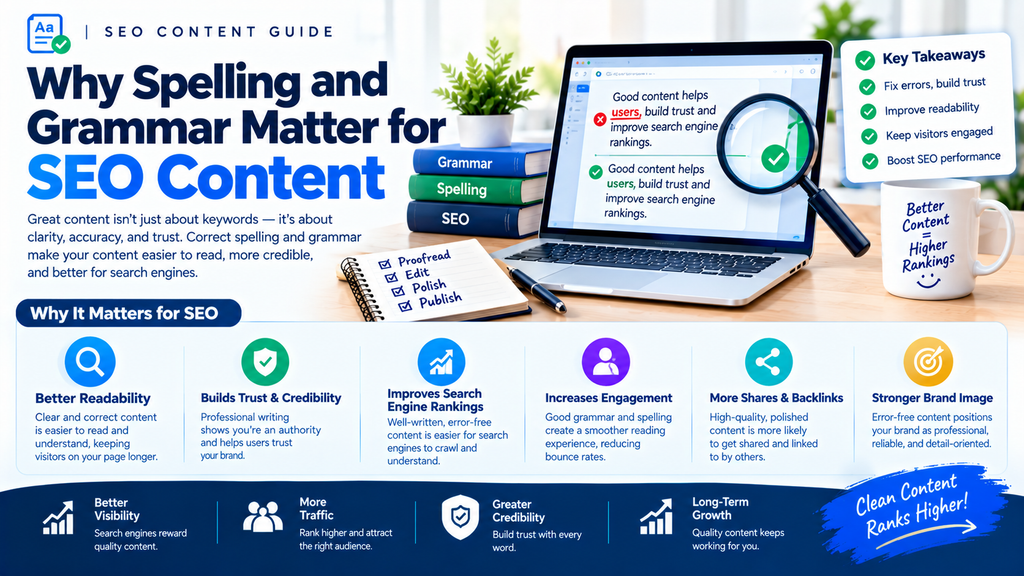
Spelling and grammar support content quality by making information easier to read and understand. They are not independent ranking shortcuts, but they contribute to the professionalism and usability of your website.
1. Improve User Trust
Visitors form impressions of a website while reading its content. Frequent spelling errors, incomplete sentences, and confusing wording may make a business appear careless.
For example, a potential customer reading a service page filled with errors may question whether the company pays attention to detail.
Correcting these problems helps your website communicate more clearly and professionally.
2. Make Content Easier to Understand
Your content should help readers find answers without unnecessary confusion.
Grammar mistakes can change the meaning of a sentence, while poor punctuation can make complex ideas difficult to follow.
Clear writing is particularly important for service pages, product information, instructions, and articles that explain technical topics.
3. Support Better User Experience
Readers are more likely to follow an article when its structure and wording are easy to understand.
Correct spelling, useful headings, short paragraphs, and logical transitions can make content more accessible.
However, fixing grammar does not automatically reduce bounce rates or increase engagement. Those outcomes also depend on whether the content matches user intent, page design, loading performance, and other factors.
4. Support Content Quality and Credibility
Google’s search systems aim to surface helpful, reliable information. Accurate writing helps readers understand your expertise and assess your claims.
Google does not identify a simple spelling score that guarantees better rankings. Instead, spelling and grammar should be treated as part of producing useful, trustworthy content.
For additional guidance, review Google’s Creating Helpful, Reliable, People-First Content documentation.
5. Reduce Editing Time
Proofreading a long article manually can take time, particularly when you publish content regularly.
Spelling and grammar tools can identify many obvious errors quickly, allowing editors to focus on factual accuracy, structure, search intent, and the quality of the information.
Grammar Checker vs. Spell Check
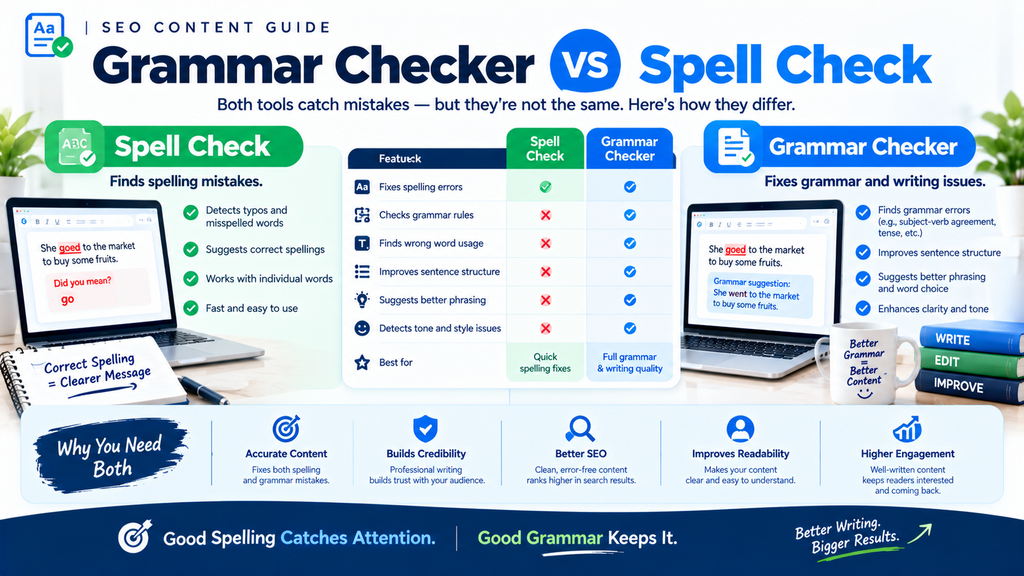
Although spell checkers and grammar checkers are related, they serve different purposes.
| Feature | Spell Checker | Grammar Checker |
|---|---|---|
| Main purpose | Identifies possible spelling mistakes | Identifies grammar and sentence-structure issues |
| Common errors | Misspelled words and possible typos | Subject-verb agreement, tense, and sentence construction |
| Punctuation | Limited or tool-dependent | Often includes punctuation suggestions |
| Context awareness | May be limited | Often evaluates how words are used in context |
| Readability suggestions | Usually limited | May suggest clearer or more concise wording |
| Best use | Finding typographical errors | Improving sentence accuracy and clarity |
Example of a Spell Check Error
Incorrect: “Our agency provides searh engine optimization.”
Corrected: “Our agency provides search engine optimization.”
The spelling checker identifies the misspelled word “searh.”
Example of a Grammar Error
Incorrect: “Our SEO services helps businesses grow.”
Corrected: “Our SEO services help businesses grow.”
The issue is subject-verb agreement rather than spelling.
Which Tool Should SEO Writers Use?
For most content workflows, using a tool that checks both spelling and grammar is a practical choice. If you publish technical or specialized content, a final manual review is still necessary.
The best tool is one that helps you produce accurate, natural writing without changing the meaning or making every sentence sound the same.
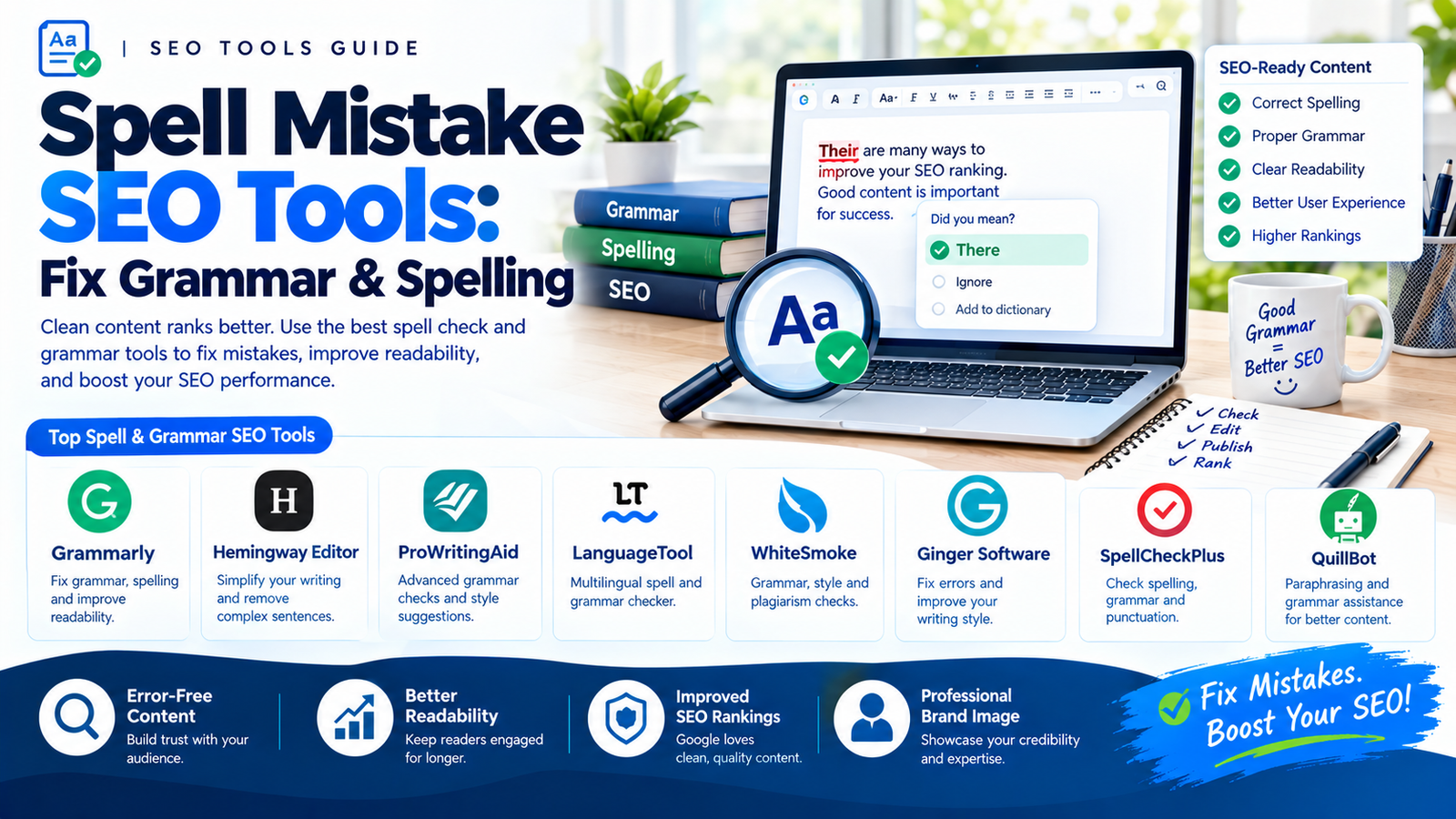
Best Spell Mistake SEO Tools to Improve Your Content
Several writing tools can help identify spelling and grammar problems. Their features, supported languages, and free-plan limits differ, so choose one based on your writing requirements.
1. Grammarly
Grammarly is a writing assistant that checks spelling, grammar, punctuation, and clarity. Depending on the plan, it may also offer tone suggestions and additional writing support.
It can be useful for:
- Blog articles.
- Website service pages.
- Business emails.
- Marketing copy.
- Drafts written by multiple team members.
Website: https://www.grammarly.com/
2. LanguageTool
LanguageTool checks spelling, grammar, punctuation, and style. It supports multiple languages, making it useful for writers who create content in more than one language.
It may be particularly helpful for identifying common language mistakes and reviewing multilingual content.
Website: https://languagetool.org/
3. Hemingway Editor
Hemingway Editor focuses on readability rather than serving as a traditional spelling checker alone. It highlights difficult sentences, unnecessary complexity, and some wording that may make text harder to read.
It can help SEO writers simplify explanations without removing important information.
Website: https://hemingwayapp.com/
4. ProWritingAid
ProWritingAid provides writing analysis that can include grammar, style, readability, and repeated wording. It may be useful for longer articles and writers who want more detailed editing feedback.
Website: https://prowritingaid.com/
5. Microsoft Editor
Microsoft Editor offers spelling and grammar assistance in supported Microsoft products and environments. Its available features depend on the application, account, and subscription.
It can be convenient for writers who prepare drafts in Word or compatible editing environments.
Website: https://www.microsoft.com/microsoft-365/microsoft-editor
6. Google Docs Spelling and Grammar
Google Docs includes spelling and grammar suggestions that help writers identify common errors while drafting.
It is a practical option for content teams that collaborate on articles, outlines, and website copy.
Website: https://docs.google.com/
Which one should you choose? Start with a tool that fits your language, budget, and workflow. You do not need to use every available checker. One reliable grammar tool, combined with a careful human review, is often a good starting point.
How to Use Spell Mistake SEO Tools
Using a spelling and grammar checker effectively requires more than pasting an article into a tool and accepting every suggestion.
Follow this workflow to improve your content while protecting its meaning and search intent.
Step 1: Write the First Draft
Begin by creating an article that answers the reader’s question.
Organize your content around a clear topic, relevant headings, and practical information. Include examples or evidence where they help explain the subject.
Do not focus exclusively on perfect grammar during the first draft. First, make sure the content is useful and complete.
Step 2: Run a Spelling Check
Paste your draft into a spelling checker or use the tool inside your preferred editor.
Look for:
- Misspelled words.
- Missing letters.
- Repeated words.
- Incorrect word forms.
- Confusion between similar words.
- Incorrectly typed brand or product names.
For example:
Incorrect: “Our team provides professional SEO serivces.”
Corrected: “Our team provides professional SEO services.”
Step 3: Review Grammar and Punctuation
Next, check sentence structure and punctuation.
Look for:
- Subject-verb agreement.
- Incorrect verb tense.
- Missing commas or periods.
- Incomplete sentences.
- Unnecessarily long sentences.
- Confusing pronouns.
- Inconsistent capitalization.
Read the revised sentences to make sure they still communicate your intended meaning.
Step 4: Improve Readability
An article may contain correct spelling and grammar but still be difficult to read.
Consider replacing unnecessary jargon, breaking up long paragraphs, and explaining technical terms the first time they appear.
For example:
Difficult: “The implementation of optimization methodologies facilitates the enhancement of website discoverability.”
Clearer: “SEO techniques help search engines discover and understand your website.”
The second sentence communicates the same general idea more directly.
Step 5: Review Keywords Naturally
Spelling tools can help correct accidental keyword typos, but they should not be used to force keywords into every paragraph.
Include your primary keyword where it makes sense, such as in the title, introduction, or a relevant heading.
Use related terms naturally when they improve the explanation.
Avoid repeating the same phrase excessively just to increase keyword frequency.
Step 6: Verify Facts and Technical Terms
A grammar checker cannot reliably confirm every factual claim.
Review technical details, statistics, product names, citations, and industry terminology separately.
For SEO articles, check that explanations of indexing, crawling, backlinks, search ranking factors, and other technical topics are accurate.
Step 7: Proofread the Final Version
After applying corrections, read the complete article again.
Check whether the introduction sets the right expectations, the headings follow a logical order, and the conclusion answers the reader’s original question.
If possible, ask another editor to review important landing pages or high-value articles before publication.
Common Grammar Questions SEO Writers Encounter
SEO writers often make small mistakes when producing content quickly. Here are several examples worth checking during editing.
1. Your vs. You’re
- Your indicates possession.
- You’re means “you are.”
Incorrect: “Your going to improve your website.”
Correct: “You’re going to improve your website.”
2. Their vs. There vs. They’re
- Their indicates possession.
- There refers to a place or introduces an expression.
- They’re means “they are.”
Incorrect: “Their improving there website rankings.”
Correct: “They’re improving their website rankings.”
3. Its vs. It’s
- Its indicates possession.
- It’s means “it is” or “it has.”
Incorrect: “The website updated it’s content.”
Correct: “The website updated its content.”
4. Affect vs. Effect
- Affect is usually a verb meaning to influence.
- Effect is usually a noun meaning a result.
Example: “Page speed can affect the user experience.”
Example: “The effect of the update varied between websites.”
5. Singular and Plural Agreement
Incorrect: “These SEO tool helps writers.”
Correct: “These SEO tools help writers.”
6. Commonly Misspelled SEO Terms
| Incorrect | Correct |
|---|---|
| Seach engine optimization | Search engine optimization |
| Backlinkingg | Backlinking |
| Optmization | Optimization |
| Analtyics | Analytics |
| Keywrods | Keywords |
| Contecnt | Content |
| Grammer | Grammar |
| Recieve | Receive |
These examples are useful for proofreading, but always review the sentence in context. Some words that look unusual may be valid brand names, technical terms, or regional spellings.
Why Spelling Matters for SEO
Spelling and grammar help make online content clear, credible, and useful. They should be considered part of a broader content-quality process rather than a standalone ranking strategy.
User Trust and Engagement
Readers may find content less credible when it contains frequent errors. Correcting mistakes helps make your message easier to understand.
However, engagement depends on many factors, including content relevance, design, speed, and whether the page meets user expectations.
Content Quality and E-E-A-T
E-E-A-T stands for Experience, Expertise, Authoritativeness, and Trustworthiness. It is a concept used in Google’s search quality evaluation guidance.
Accurate writing can support a professional presentation, but correcting grammar alone does not establish expertise or guarantee stronger E-E-A-T.
Demonstrate credibility through accurate information, first-hand experience where relevant, clear authorship, trustworthy sources, and transparent business practices.
Keyword Typos and Search Intent
Writers sometimes make mistakes while entering keywords or drafting content. A spell checker can identify accidental errors before publication.
However, deliberately targeting misspellings should be considered carefully. Google’s systems can often understand spelling variations and intended queries.
Instead of creating awkward content around common mistakes, use the language your audience naturally understands and provide a clear answer to the searcher’s intent.
Accessibility and Readability
Clear writing benefits a broad range of readers, including people who are reading quickly, using small screens, or learning about an unfamiliar subject.
Short paragraphs, descriptive headings, and straightforward sentences can make important information easier to locate.
Editorial Consistency
For businesses publishing content regularly, editing tools help teams maintain consistent spelling, punctuation, capitalization, and tone across multiple pages.
This is especially useful when several writers contribute to the same website.
Benefits of Using a Grammar Checker
A grammar checker can support several stages of the content-production process.
Faster Editing
Automated suggestions can identify many common errors in seconds, reducing the amount of manual correction required.
More Consistent Content
A grammar checker can help writers follow consistent spelling and punctuation conventions across articles.
Clearer Sentences
Some tools identify wordy or confusing sentences and suggest simpler alternatives.
Better Support for Non-Native English Writers
Writers who use English as an additional language can use grammar feedback to identify recurring errors and improve their writing over time.
More Efficient Content Workflows
SEO agencies and publishing teams can add grammar checking to their editorial process before content goes live.
However, a tool should support the editor rather than replace editorial judgment. Human review remains important for context, factual accuracy, tone, and originality.
Spell Check vs. SEO Content Optimization
It is important to understand that spelling and grammar correction is not the same as full SEO optimization.
A spelling checker can correct a typo in a title, but it cannot determine by itself whether that title matches the right search intent.
Similarly, a grammar tool may improve a sentence without checking whether the information is accurate, original, or more useful than competing content.
A complete SEO content workflow should consider:
- Search intent and keyword research.
- Helpful, original information.
- Descriptive titles and headings.
- Internal and relevant external links.
- Accurate facts and appropriate sources.
- Readability and editorial quality.
- Technical accessibility and page performance.
- A final spelling and grammar review.
This broader process helps ensure that content is useful to readers as well as properly prepared for publication.
How Digital Soules Can Help Improve Your SEO Content
Publishing content consistently is useful, but content should also serve a clear purpose. It should answer audience questions, support your website’s topical coverage, and help readers take the next step.
Digital Soules provides SEO-related resources and services that can help businesses strengthen their online presence. If you are improving your content workflow, you can explore Digital Soules for information about SEO, on-page optimization, technical SEO, content strategy, and off-page SEO.
For example, spelling and grammar corrections can form one stage of preparing a service page or blog post. The wider process should also check whether the page targets a relevant topic, answers customer questions, uses a suitable structure, and provides accurate information.
For businesses that need broader support, reviewing the available SEO services from Digital Soules is a useful next step.
The objective is not simply to publish error-free text. It is to create content that is accurate, helpful, relevant, and easy for your audience to use.
Best Practices for Error-Free SEO Content
Before publishing an article, follow this simple process:
- Write for the reader first. Focus on answering the question clearly.
- Use a spelling and grammar checker. Identify common mistakes before publication.
- Review keyword placement. Keep keywords relevant and natural.
- Check facts and sources. Verify technical claims and statistics.
- Improve readability. Use descriptive headings and clear paragraphs.
- Review links. Make sure internal and external links work and lead to useful resources.
- Proofread manually. Confirm that the final version sounds natural and preserves the intended meaning.
- Review performance over time. Use analytics and Search Console to understand how content performs, then improve it based on evidence.
This process helps create a repeatable editorial standard for blogs, landing pages, and other website content.
Conclusion
Spell mistake SEO tools are valuable for writers who want to produce clear, professional, and readable website content. They can identify spelling errors, grammar problems, punctuation mistakes, and opportunities to simplify sentences.
However, content quality involves more than correct spelling. A successful SEO content strategy also requires useful information, accurate facts, relevant keywords, clear structure, and a strong understanding of user intent.
Use spelling and grammar tools as part of your editorial workflow, review their suggestions carefully, and make sure every published page provides genuine value to readers.
For more insights into SEO, content optimization, technical SEO, and digital marketing, explore Digital Soules at https://digitalsoules.com/.



