
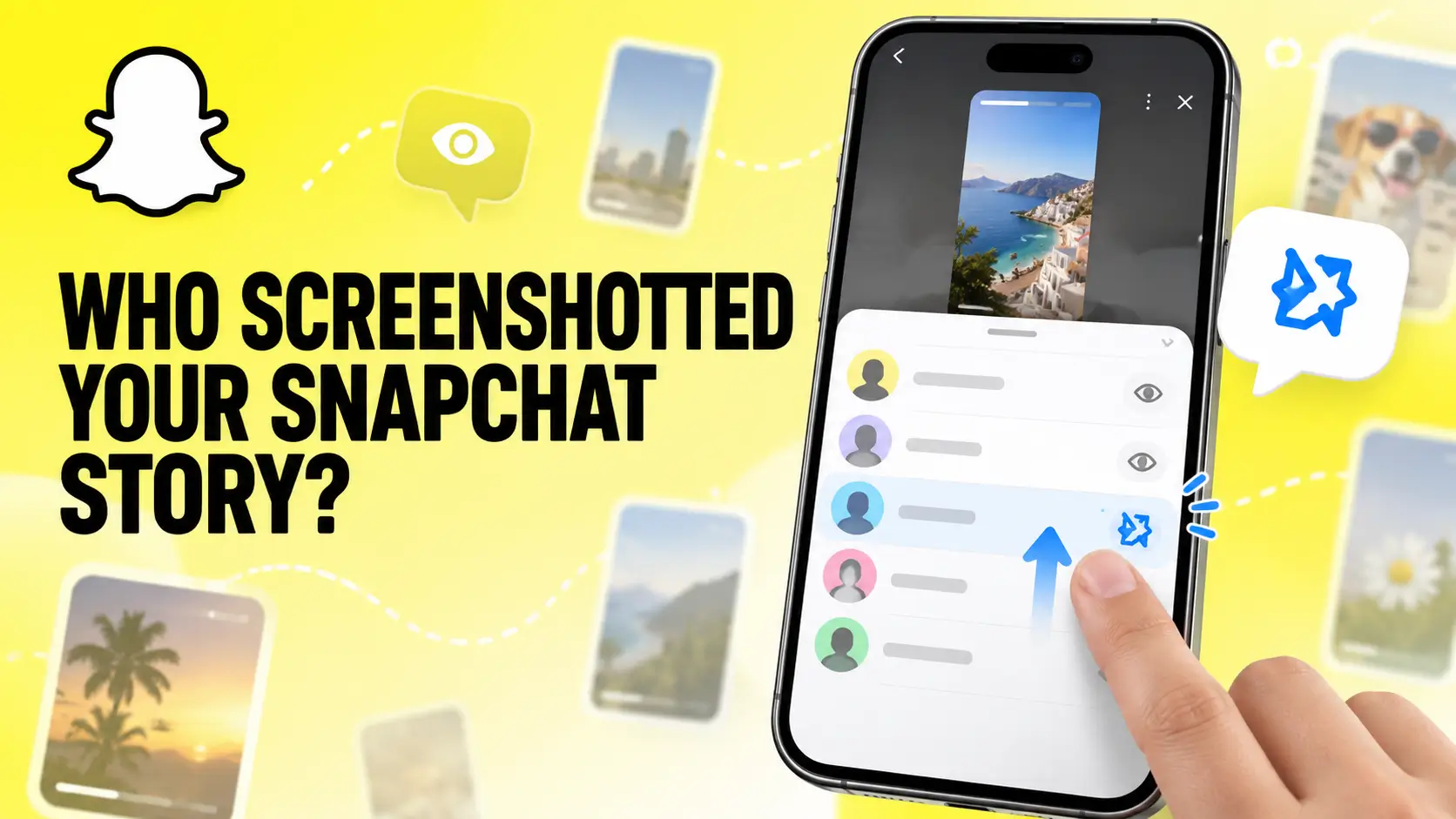
How to See Who Screenshotted Your Snapchat Story
To see who screenshotted your Snapchat Story, open Snapchat, tap your profile icon, and open My Story. Select the Story Snap and swipe up. Look for the screenshot symbol beside a viewer’s name.
For a Public Story, open Public Profile, select Insights, and find the Story under Recents. Open an individual Snap and check its screenshot count.
Snapchat may show the person’s name for a friend-only Story. For public content, it may only display the total number of screenshots.
Where Can You Check Snapchat Story Screenshots?
The available information depends on where you published the content.
| Story type | Where to check | Information you may see |
|---|---|---|
| My Story · Friends | Open the Story and swipe up | Viewer names and screenshot indicators |
| Private Story | Open the Story and swipe up | Viewer names and screenshot indicators |
| Shared Story | Open the Story and swipe up | Available viewer and screenshot information |
| My Story · Public | Public Profile → Insights → Recents | Viewers, screenshots, replies, and interactions |
| Spotlight | Public Profile → Insights → Spotlight | Screenshot totals and performance metrics |
How to See Who Screenshotted Your Snapchat Story
Follow these steps while your Story is still active:
- Open the Snapchat app.
- Tap your Bitmoji or profile icon.
- Find My Story under the Stories section.
- Open the Story Snap you want to check.
- Swipe up from the bottom of the screen.
- Review the list of viewers.
- Look for the screenshot symbol beside a viewer’s name.
The screenshot symbol usually looks like two overlapping arrows. Its color and appearance may change between Snapchat versions.
Snapchat displays the names of up to 200 people who viewed My Story. After 200 viewers, it may show the total number without listing additional names.
How to See Who Screenshotted a Public Snapchat Story
Public Stories use Snapchat’s Public Profile Insights. These analytics can show views, viewers, screenshots, replies, and other interactions.
Follow these steps:
- Open Snapchat.
- Tap your profile icon.
- Select Public Profile.
- Open the Insights tab.
- Find the Story under Recents.
- Select the Public Story you want to examine.
- Open an individual Snap.
- Check the Screenshots metric.
You can also open an active Public Story and swipe up. Snapchat may display its viewers, insights, and replies.
The Viewers section can include friends, followers, and other Snapchat users. However, Snapchat may show only a screenshot total for public content. It might not identify every person who captured it.
Understanding the difference between friends, followers, and Public Story viewers can help you interpret these results. Read our complete guide on how to see followers on Snapchat to find your follower count, Public Profile audience, and non-friend viewers.
What Does the Screenshot Icon Look Like on Snapchat?
The Snapchat screenshot icon normally looks like two overlapping arrows. It appears beside a viewer when Snapchat detects that the person captured your Snap.
Do not confuse the screenshot symbol with Snapchat’s other Story indicators.
| Symbol | Meaning |
|---|---|
| Eye or viewer symbol | Someone viewed your Story |
| Two overlapping arrows | Snapchat detected a screenshot |
| Eyes emoji | Snapchat+ Rewatch Indicator |
| Reply indicator | Someone replied to your Story |
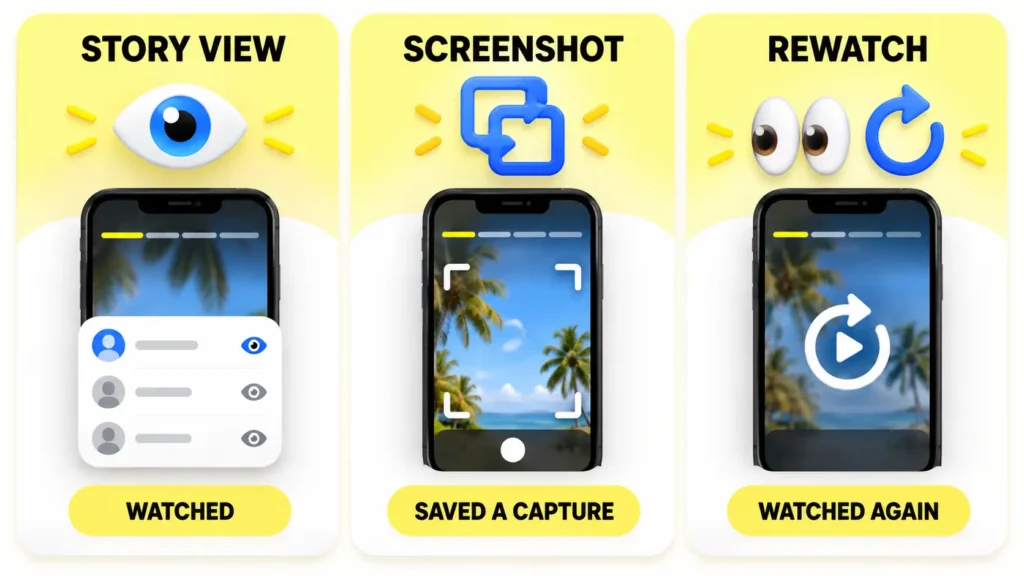
Screenshot vs Story View vs Rewatch on Snapchat
A Story view means someone opened your Story. A screenshot means Snapchat detected that a viewer captured an image of the Snap. A rewatch means someone watched your Story again.
These actions use different indicators.
A person can view your Story without saving it. Someone can also watch it several times without taking a screenshot.
Snapchat+ subscribers may see an eyes emoji called the Rewatch Indicator. It shows how many friends rewatched the Story. It does not reveal which friends watched it again.
The Rewatch Indicator also does not show the total number of repeat plays. For example, one friend watching a Story five times may still count as one rewatching friend.
Screenshot detection and rewatch data are separate features. Our guide explaining what Snapchat Plus does covers the Rewatch Indicator, Story View Notifications, custom app features, and other subscription benefits.
Does Snapchat Notify You When Someone Screenshots Your Story?
Snapchat normally records a screenshot when its app detects one. You may see a screenshot symbol beside the viewer’s name or a screenshot count in Insights.
The information shown depends on several factors:
- The type of Story you published
- Whether the Story is private or public
- Your Snapchat account type
- Your device and operating system
- The viewer’s capture method
- The Snapchat app version
Open the Story and check its viewer information directly. A temporary phone notification can be easy to miss.
For My Story and Private Stories, Snapchat may connect the screenshot to a viewer’s name. For Public Stories and Spotlight posts, it may provide only a total screenshot count.
Can Someone Screenshot Your Snapchat Story Without You Knowing?
Yes, someone may save your Snapchat Story without creating a visible screenshot notification.
Snapchat can only report activity detected by its app. It cannot stop a person from photographing the screen with another phone or camera.
A person could also use an external device or another saving method that Snapchat does not detect. Therefore, zero screenshot notifications do not guarantee that nobody saved your content.
Avoid posting passwords, financial details, private addresses, personal documents, or sensitive images. Only share private content with people you trust.
Can Snapchat Detect Screen Recording?
Snapchat may display a capture indicator when it detects screen recording. However, detection can vary by device, operating system, and Snapchat version.
Screen-recording detection should not be treated as a guaranteed privacy feature. A viewer may use an external camera or another device. Snapchat cannot report an action that happens outside its app.
Why Can’t I See Who Screenshotted My Snapchat Story?
There are several possible reasons why a name or screenshot symbol is missing.
The Story Has Expired
Viewer information is easiest to check while your Story is active. A normal Snapchat Story usually remains available for 24 hours.
After it expires, individual viewer names may no longer be available. Public Profile Insights may keep totals for recent public content.
Your Story Has More Than 200 Viewers
Snapchat displays individual names for up to 200 My Story viewers. After 200 views, Snapchat may show a number without listing more names.
This limit can prevent you from connecting every screenshot to an individual account.
You Are Checking the Wrong Story Type
Friend Stories use the swipe-up viewer list. Public Stories and Spotlight posts use Public Profile Insights.
Make sure you are checking the correct section for the content you posted.
Snapchat Shows a Count Instead of a Name
Public Profile analytics may show the total number of screenshots without identifying each person.
A screenshot count does not always include a list of accounts.
Your Snapchat App Needs Updating
An outdated version of Snapchat can cause missing menus, delayed analytics, or display problems.
Open the App Store or Google Play Store and update Snapchat. Restart the app and check your Story again.
Snapchat Did Not Detect the Capture
Someone may have used another phone, an external camera, or an off-platform saving method. These methods may not create a screenshot event inside Snapchat.
Can You See Who Screenshotted a Snapchat Story After It Expires?
You may lose access to individual viewer names after a friend-only Story expires. Check the swipe-up viewer list while the Story is active.
Public Profile Insights may keep recent performance data for a longer period. This can include views, viewers, replies, and screenshot totals.
However, retained analytics do not guarantee that Snapchat will identify every person who captured the Story.
If the Story is important, save your own copy before it expires. Our step-by-step guide explains how to save all Snapchat Memories, export photos, and download your Snapchat account data for long-term storage.
Can You Turn Off Screenshots on Snapchat Stories?
Snapchat does not offer a setting that completely blocks screenshots.
You can limit who sees your content, but you cannot control what every approved viewer does after opening it.
Use these options to protect your privacy:
- Post personal content to My Story · Friends.
- Create a Private Story for selected people.
- Review your Story privacy settings.
- Remove people you no longer trust.
- Block suspicious or abusive accounts.
- Delete an active Story to prevent more views.
- Avoid publishing sensitive information.
Privacy settings reduce your audience. They cannot stop every screenshot, screen recording, external photograph, or download.
What Should You Do If Someone Screenshots Your Story?
A screenshot is not always harmful. Someone may save a joke, event address, outfit, recipe, product, or useful instruction.
Consider the content and your relationship with the viewer before responding.
If the screenshot creates a privacy or safety concern:
- Save evidence of the Story and screenshot indicator.
- Remove or block the account when necessary.
- Change future Stories to Friends or Private.
- Delete the active Story to limit additional views.
- Report harassment, threats, impersonation, or unwanted sharing to Snapchat.
- Contact local authorities if there is a credible safety threat.
Save your evidence quickly because Stories and viewer information can disappear.
Does Snapchat Plus Show Who Screenshotted Your Story?
Snapchat+ does not provide a secret list of people who took screenshots.
Screenshot information still comes from the normal Story viewer list or Public Profile Insights. A Snapchat+ subscription does not guarantee that every screenshot will include the person’s identity.
The Snapchat+ Rewatch Indicator is a different feature. It shows how many friends rewatched your Story. It does not reveal which specific friends watched it again.
Can Someone See That You Screenshotted Their Snapchat Story?
If Snapchat detects your screenshot, the Story owner may see a screenshot indicator or screenshot count.
This can apply to:
- My Story
- Private Stories
- Shared Stories
- Public Stories
- Spotlight posts
The amount of information shown can vary. A friend-only Story may display your name beside the screenshot symbol. Public content may only add your screenshot to an overall count.
You should assume that the Story owner may know about the screenshot. Ask permission before saving or sharing someone’s personal content.
Frequently Asked Questions
How do you see who screenshotted your Snapchat Story?
Open your Snapchat profile and select My Story. Open the relevant Snap and swipe up. Look for the screenshot symbol beside a viewer’s name.
How do you see who screenshotted a Public Snapchat Story?
Open your Public Profile and select Insights. Find the Story under Recents and check the Screenshots metric for each Snap. Snapchat may show a total without identifying every person.
What does the screenshot symbol mean on Snapchat?
The screenshot symbol means Snapchat detected that a viewer captured the Snap. It commonly appears as two overlapping arrows.
Does Snapchat show who screenshotted your Story after 24 hours?
Individual viewer names may become unavailable after a friend-only Story expires. Public Profile Insights may retain a screenshot total for recent public content.
Can Snapchat+ users see who screenshotted their Story?
Snapchat+ does not unlock a separate screenshot list. Subscribers still use the standard viewer list and Public Profile Insights.
Does the Snapchat+ eyes emoji mean someone took a screenshot?
No. The eyes emoji is the Snapchat+ Rewatch Indicator. It shows how many friends watched the Story again. It does not represent screenshots.
Why does Snapchat show screenshots but no names?
Public Profile Insights may provide a screenshot total without identifying every viewer. Snapchat also limits the number of My Story viewer names it displays.
Does Snapchat notify someone if I screenshot their Public Story?
Snapchat may add the screenshot to the creator’s Public Profile Insights. The creator may see a screenshot count even when Snapchat does not identify every person.
Can I see exactly when someone screenshotted my Story?
Snapchat may show a screenshot indicator while the Story is active. It does not always provide an exact screenshot time for every viewer.
Can someone screenshot a Private Story?
Yes. A person included in your Private Story audience can take a screenshot. Snapchat may display a screenshot indicator beside that viewer’s name.
Can I hide a screenshot from the Story owner?
You should assume that Snapchat may report an in-app screenshot. Ask the owner before saving or sharing personal content.
Final Answer
To see who screenshotted your Snapchat Story, open the Story and swipe up. Look for the screenshot symbol beside a viewer’s name.
For a Public Story, open Public Profile → Insights → Recents. Select the Story and check the screenshot metric for each Snap.
Snapchat may show a screenshot total without identifying every person. It also cannot prevent someone from capturing your Story with another device. Share sensitive content only with people you trust.
For more help with Snapchat Stories, followers, Memories, privacy, and premium features, explore the Digital Soules Social category.